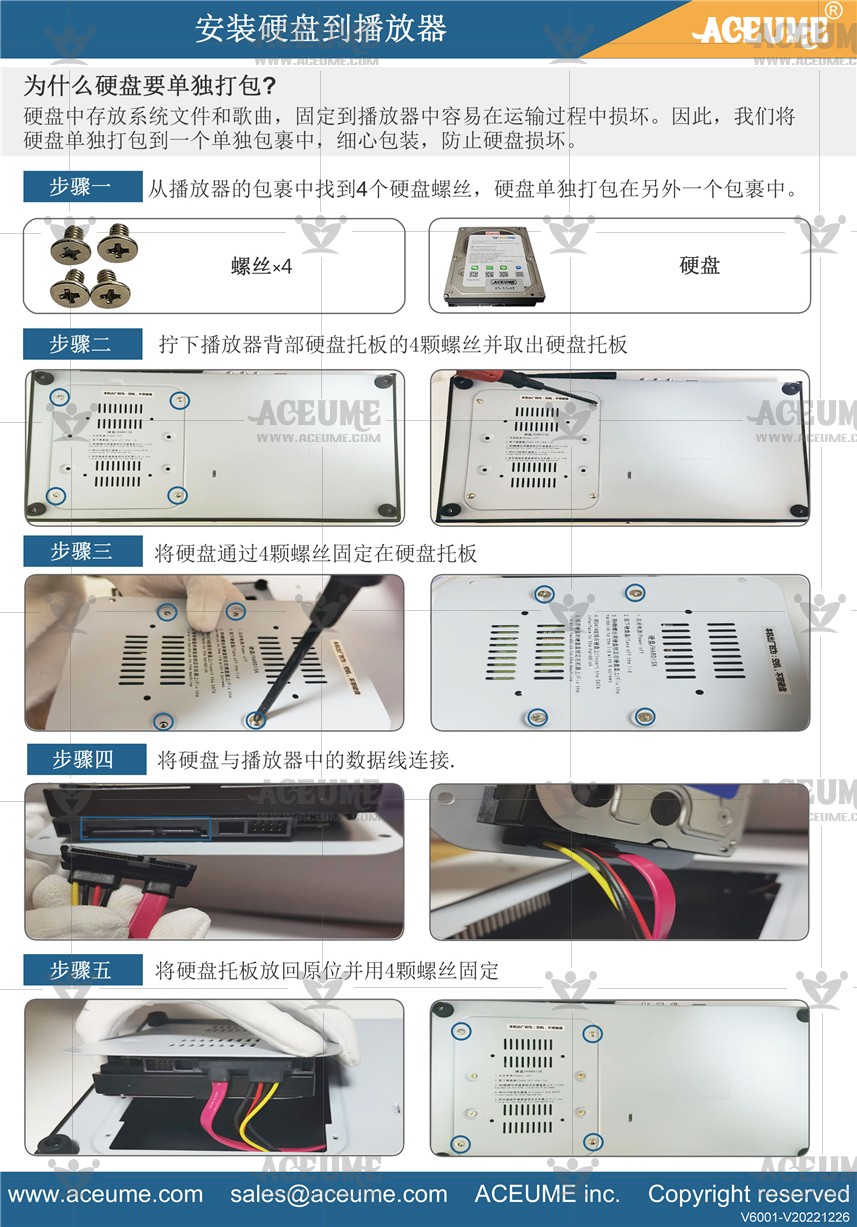
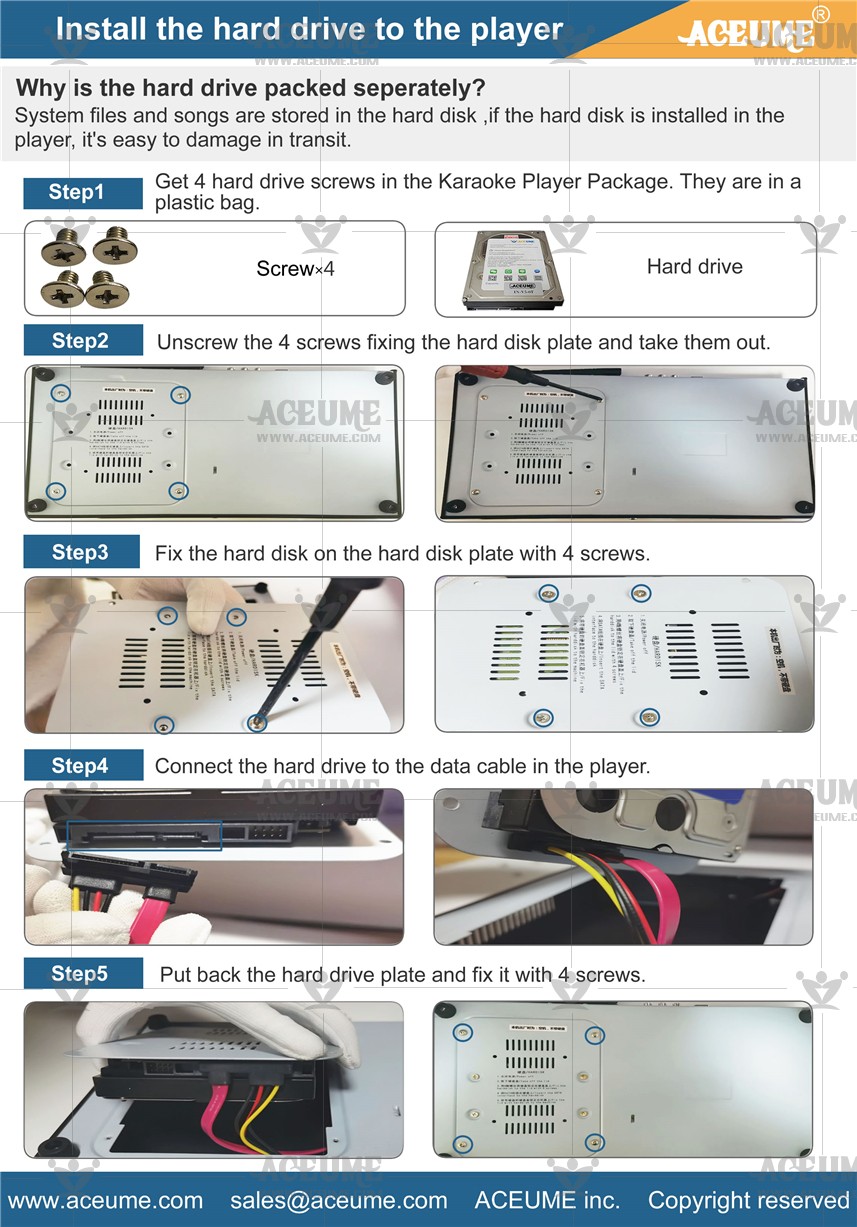
■ Hard disk installation video instructions link
☞https://youtu.be/7IFpr6oTnhw
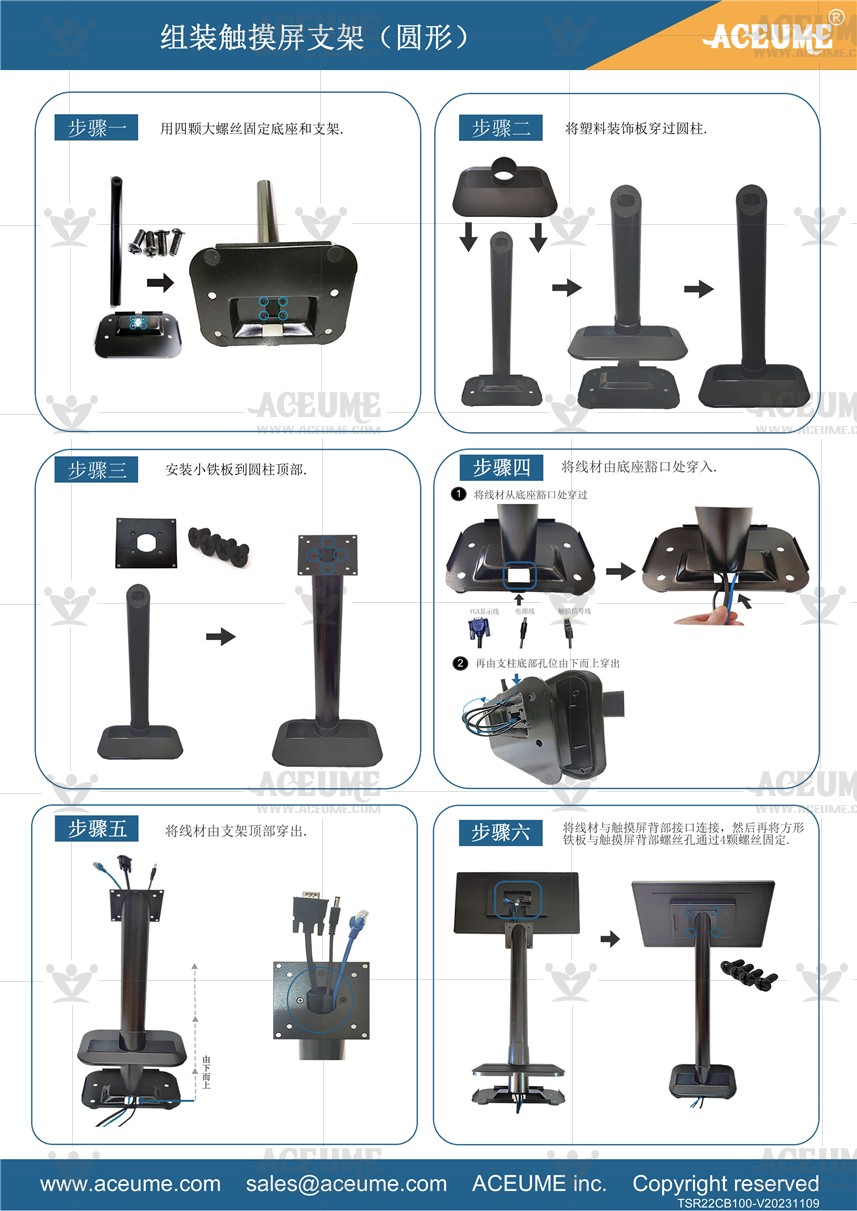
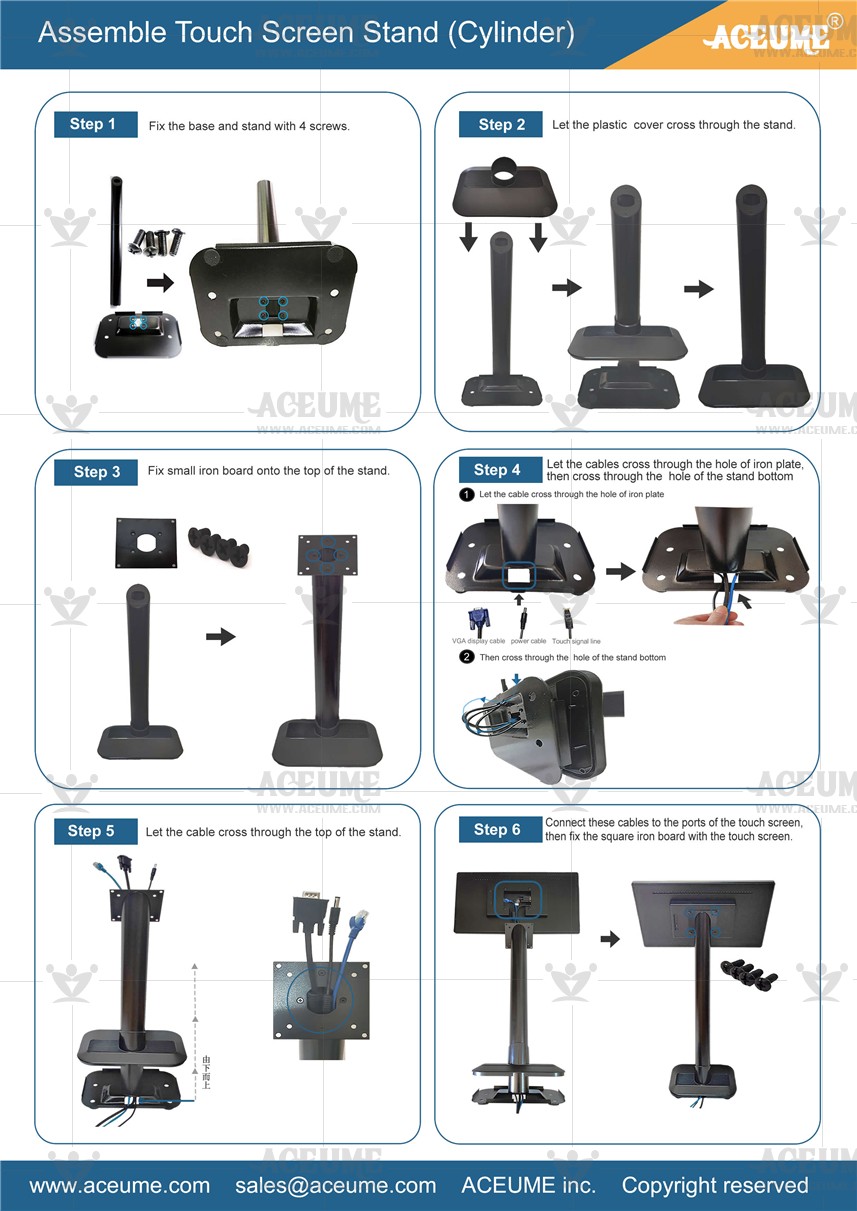
■ The all-black circular pillar and touch screen are linked with installation video instructions for the base
☞https://youtu.be/ATX70dvPT0c
☞https://youtu.be/ATX70dvPT0c
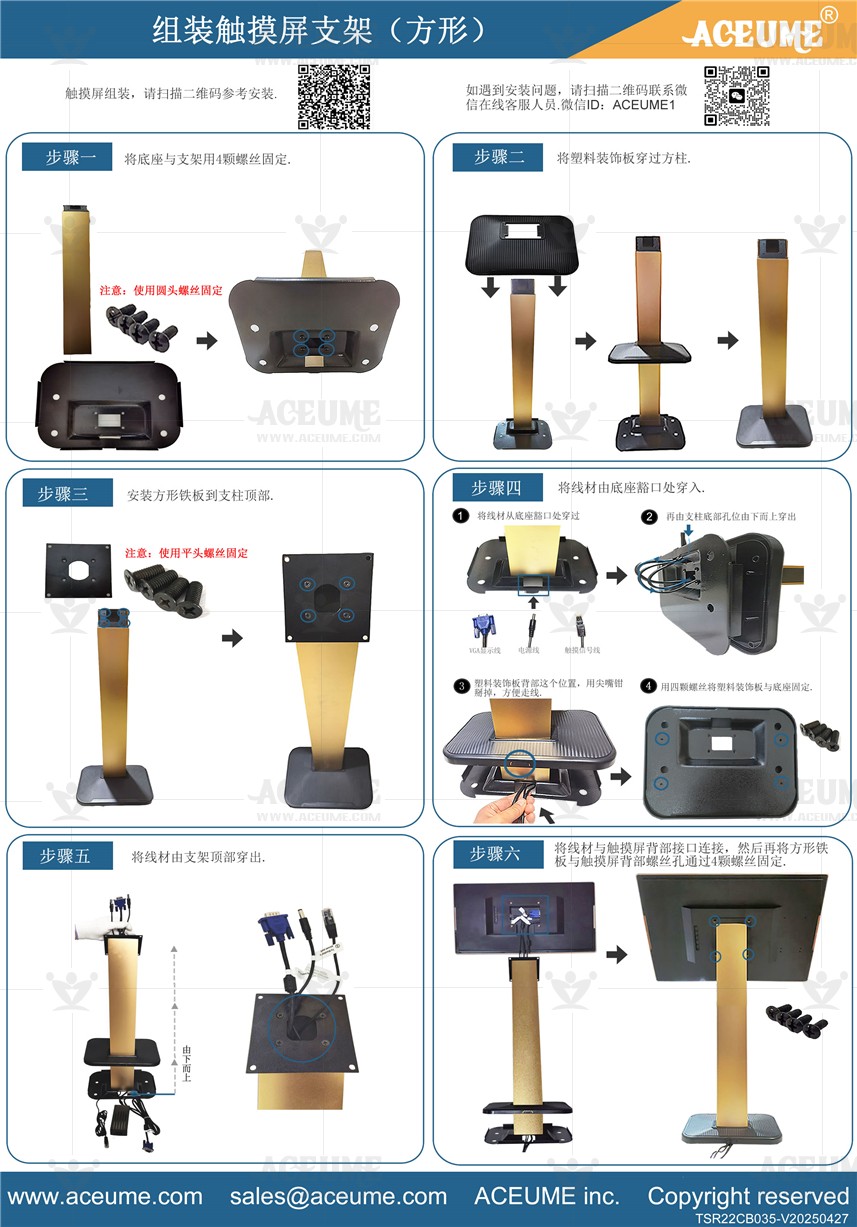
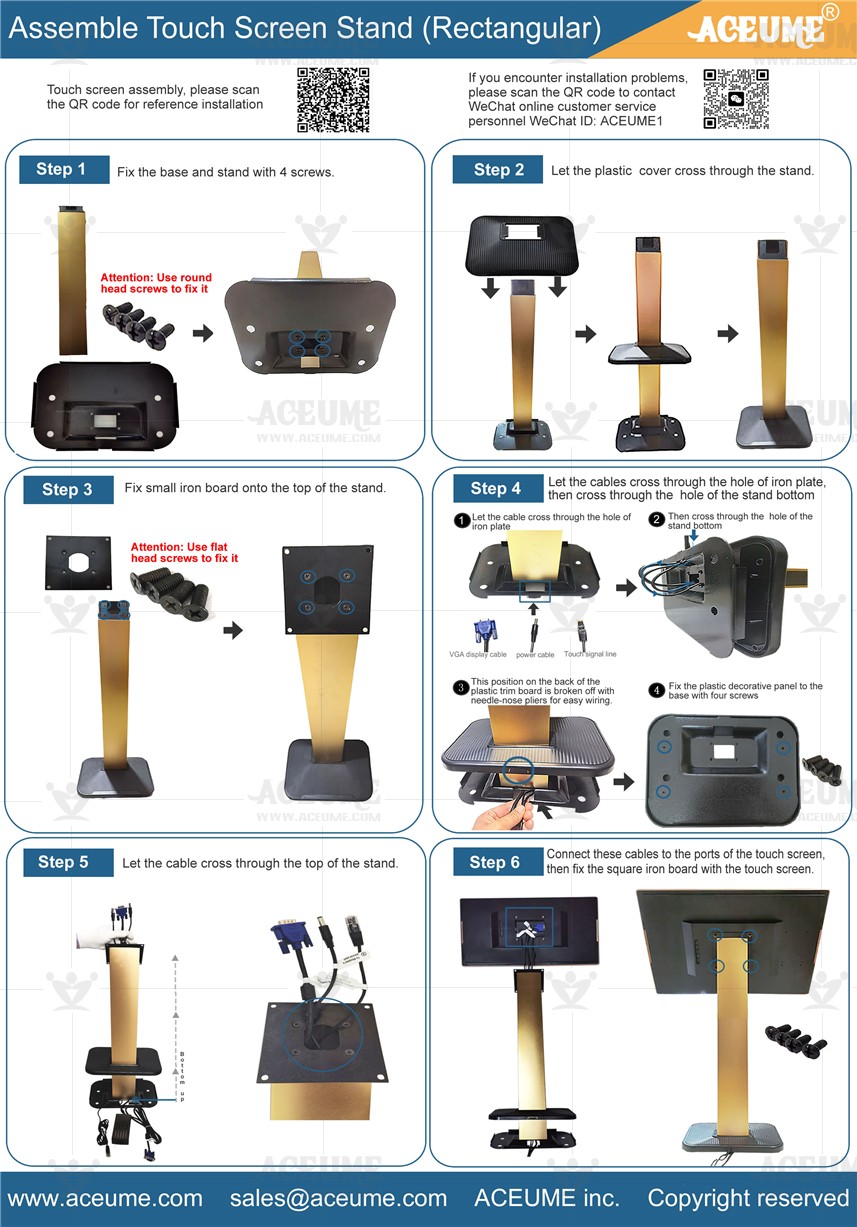
■ Touch screen with base and black gold square pillar Ⅰ installation video instructions link
☞ https://youtu.be/WgI7jhl6GRw
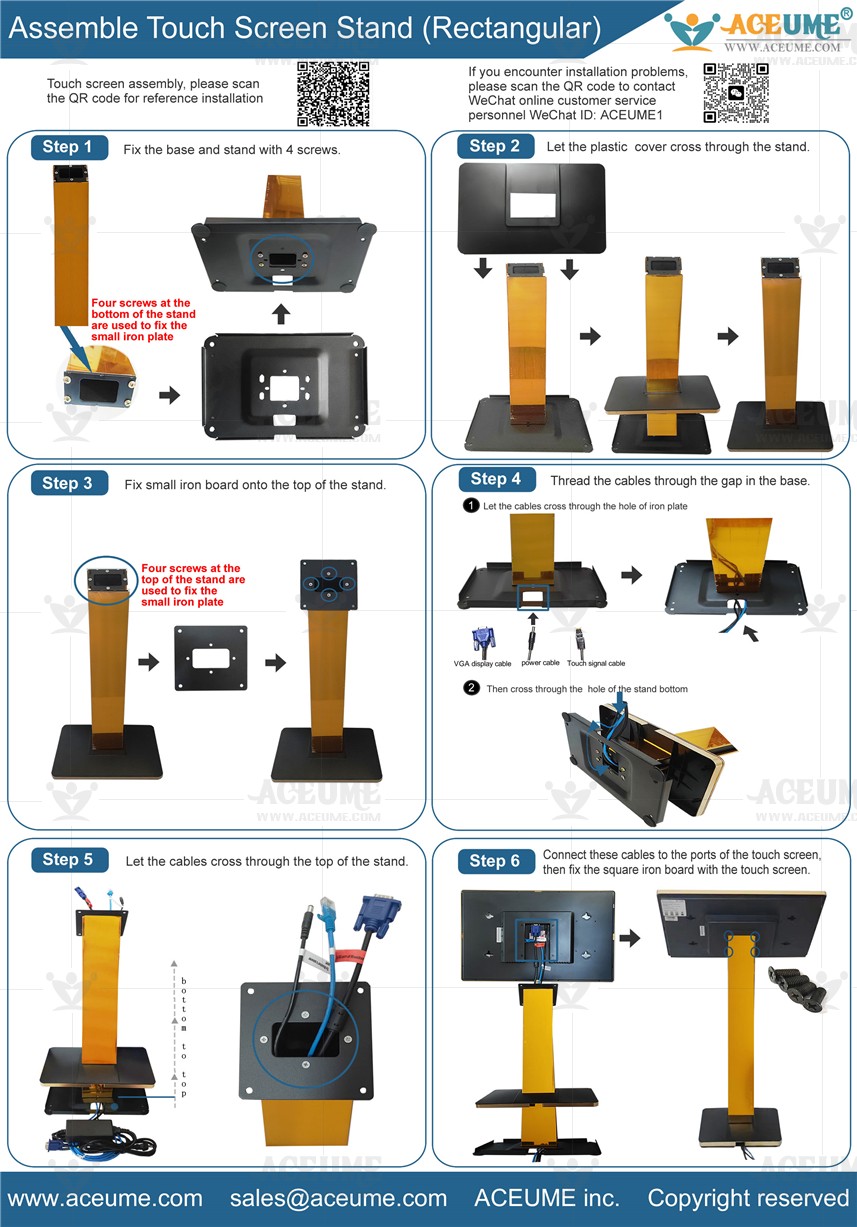
■ Touch screen and base and Golden Square Pillar installation video description link
☞ https://youtu.be/CFDBctZqjLA
☞ https://youtu.be/CFDBctZqjLA

■ How do you switch frequencies with a reverb microphone
☞https://youtu.be/Tv7jcP3PH1Q
■ Connect PJB88 reverb microphone Bluetooth with mobile phone Play the song
☞ https://youtu.be/B3Lkt1jRoA4
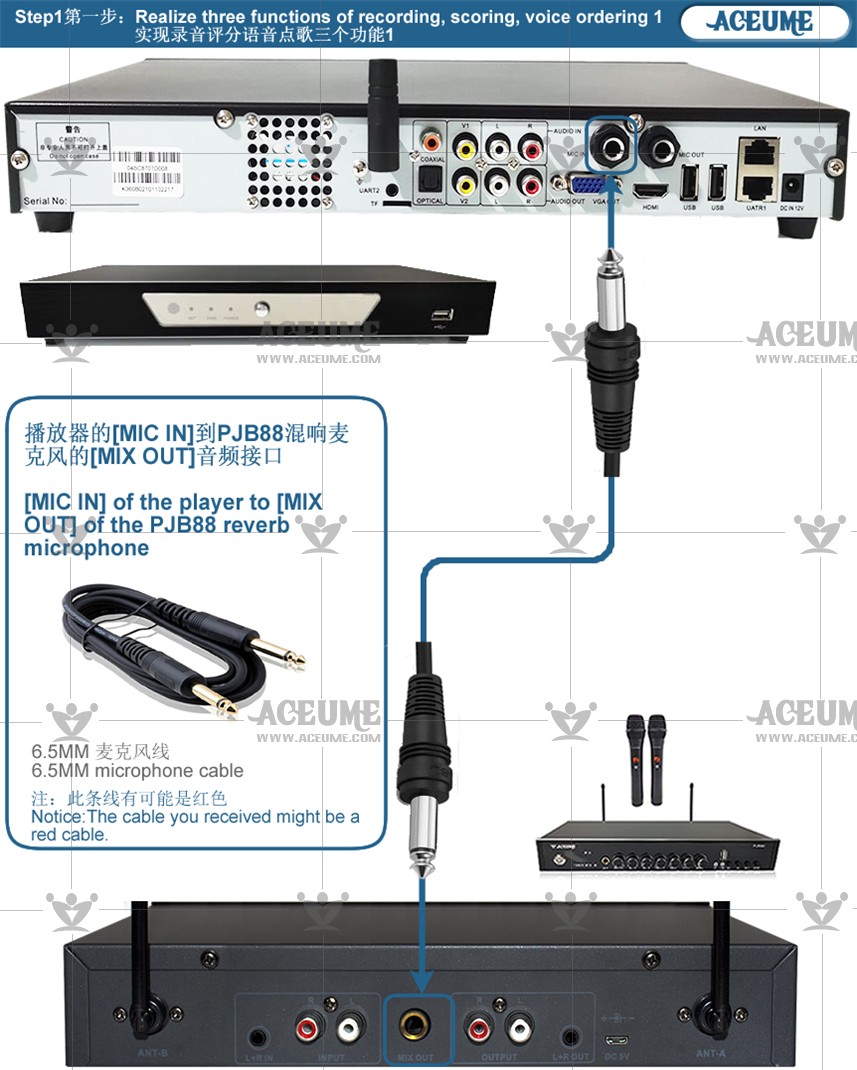
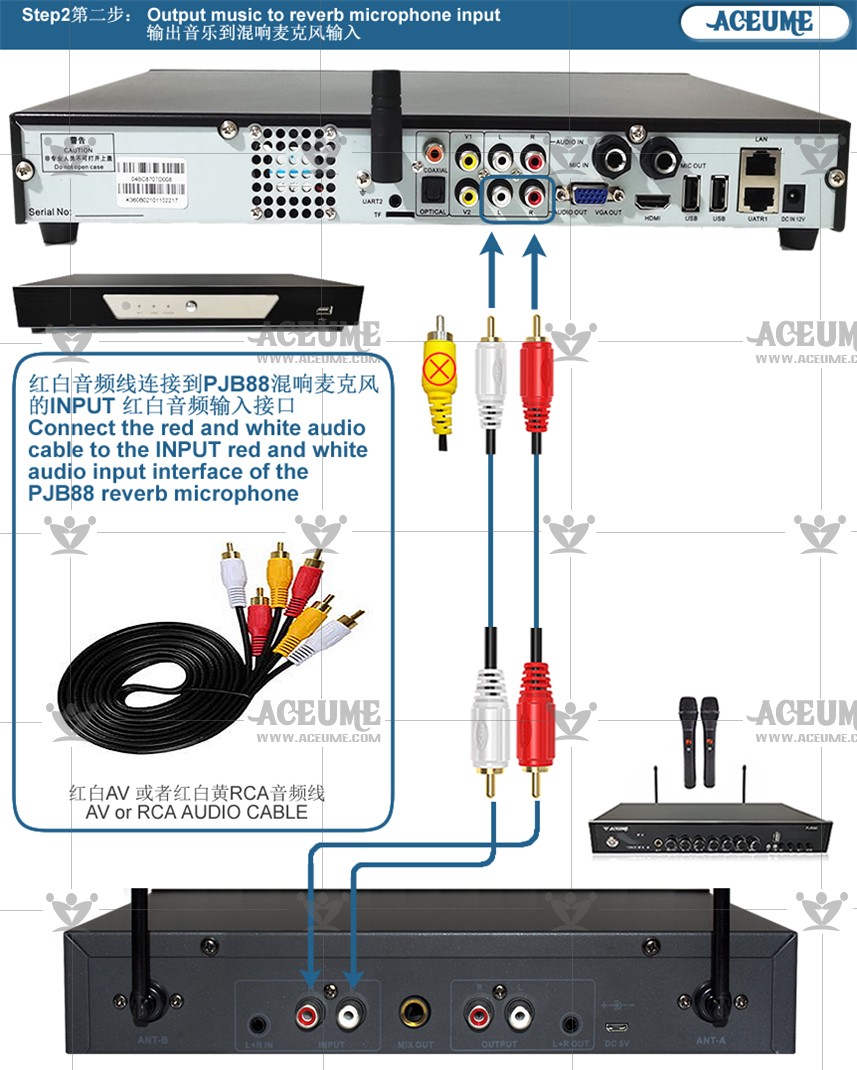
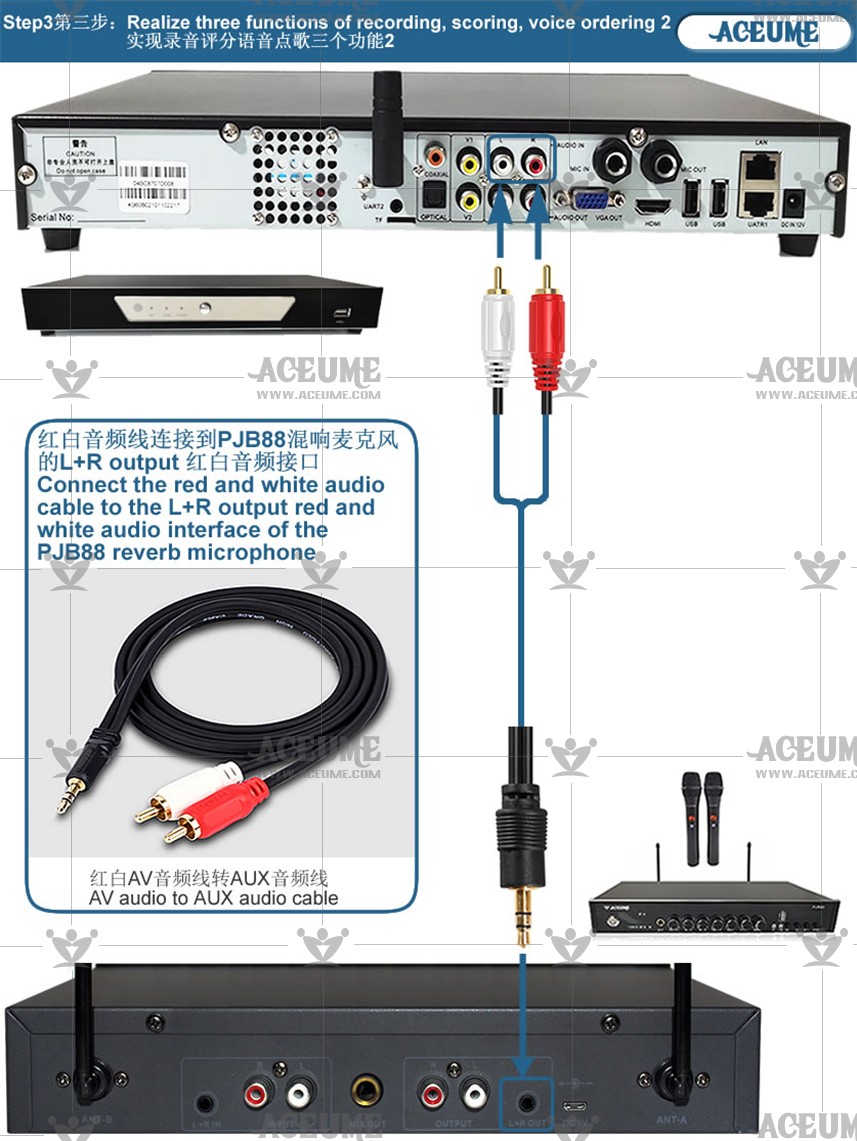
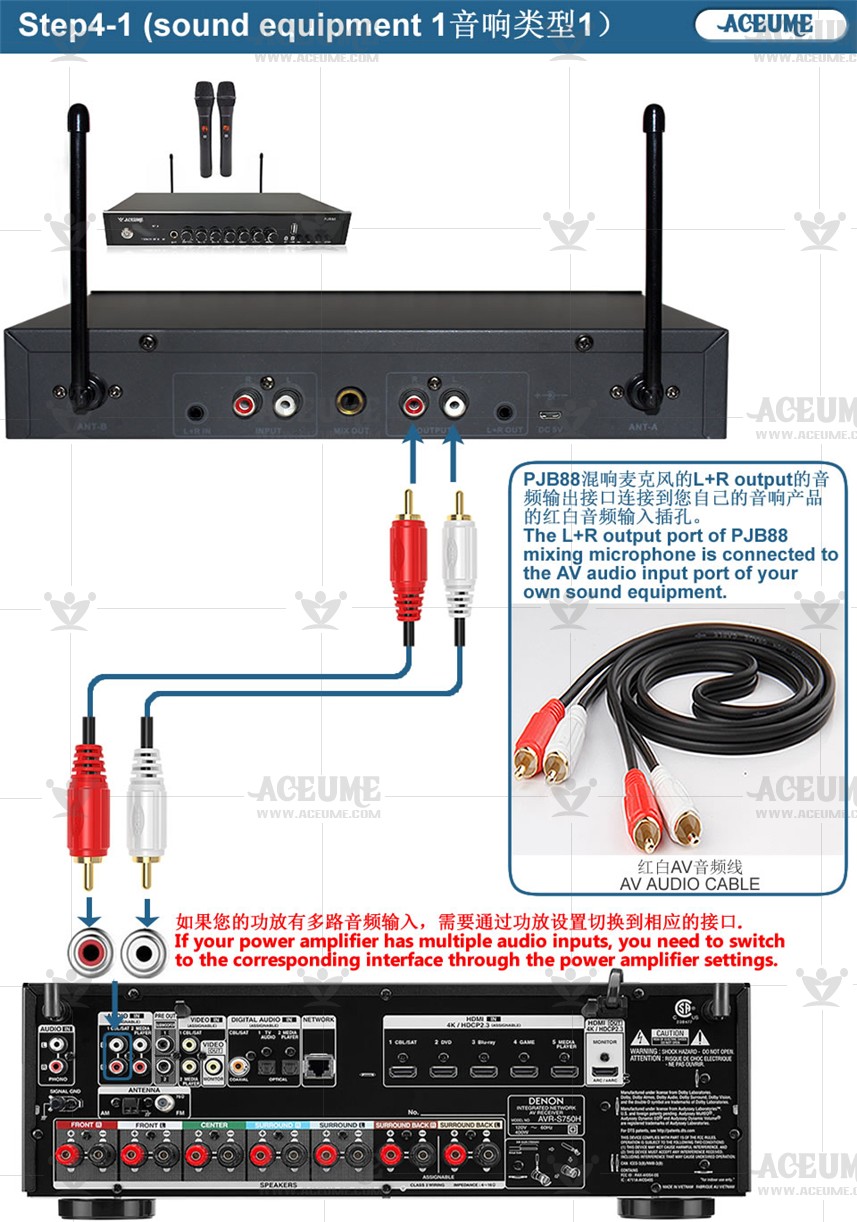
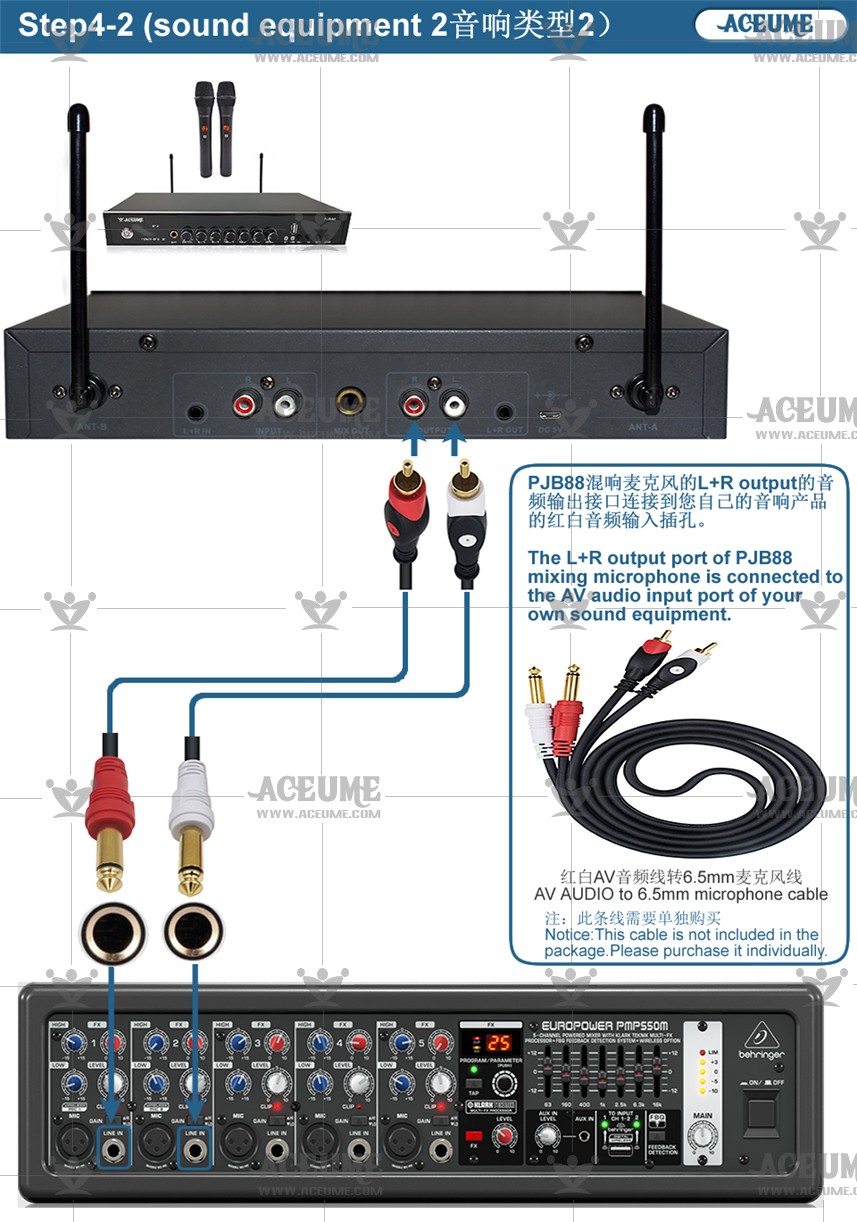
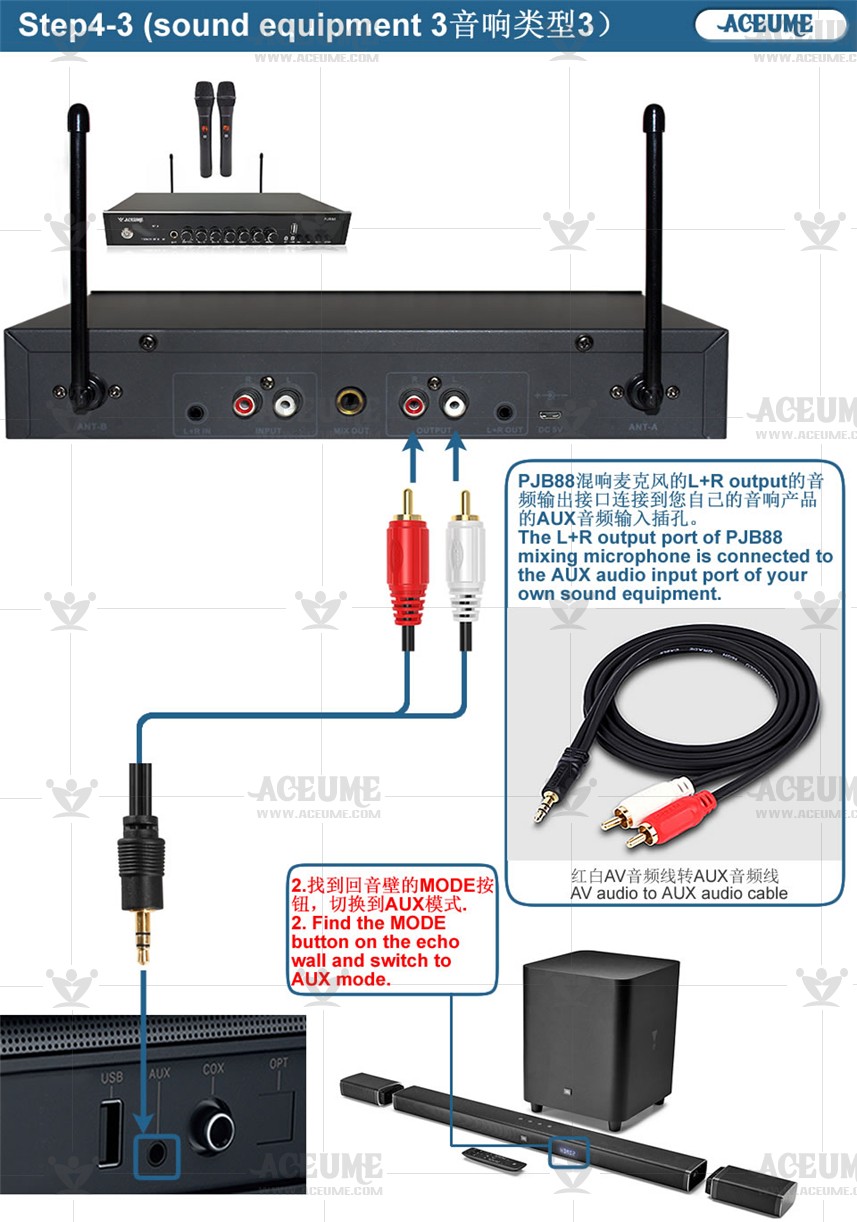
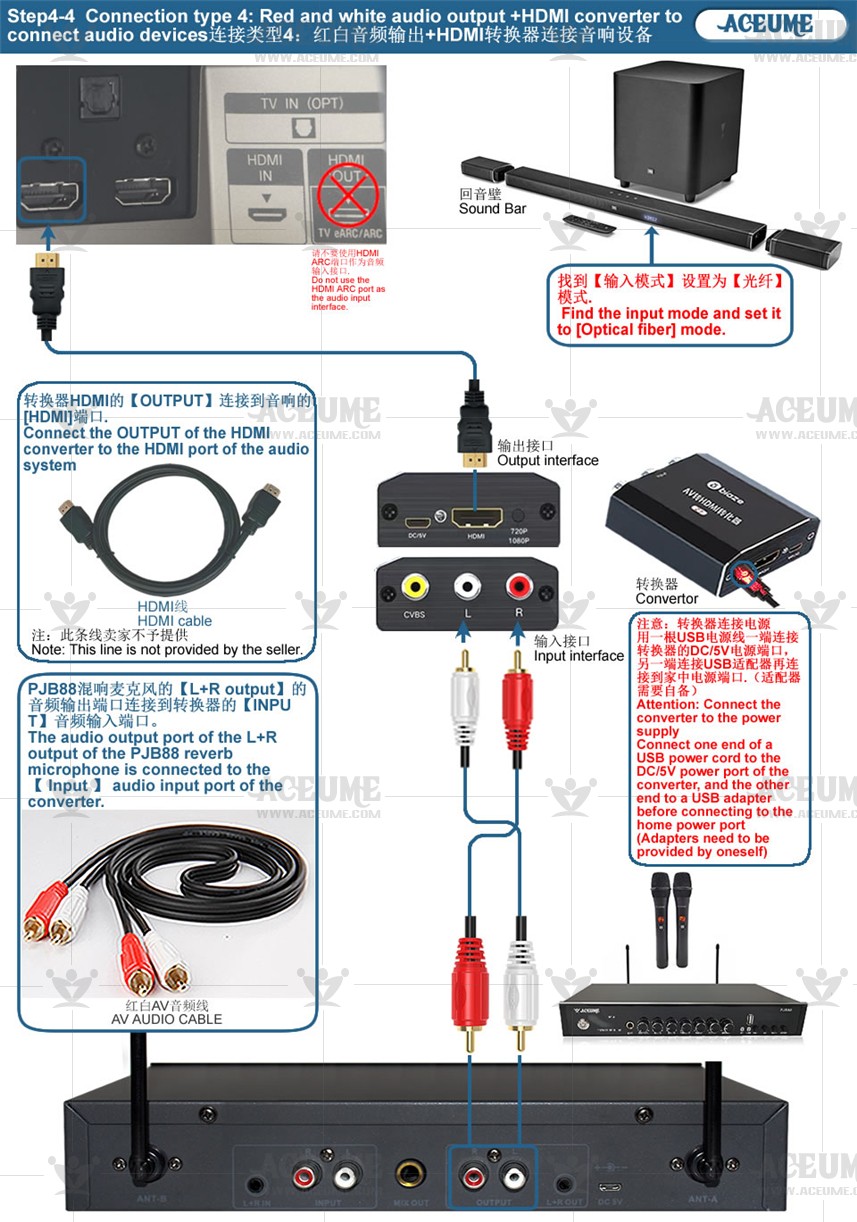
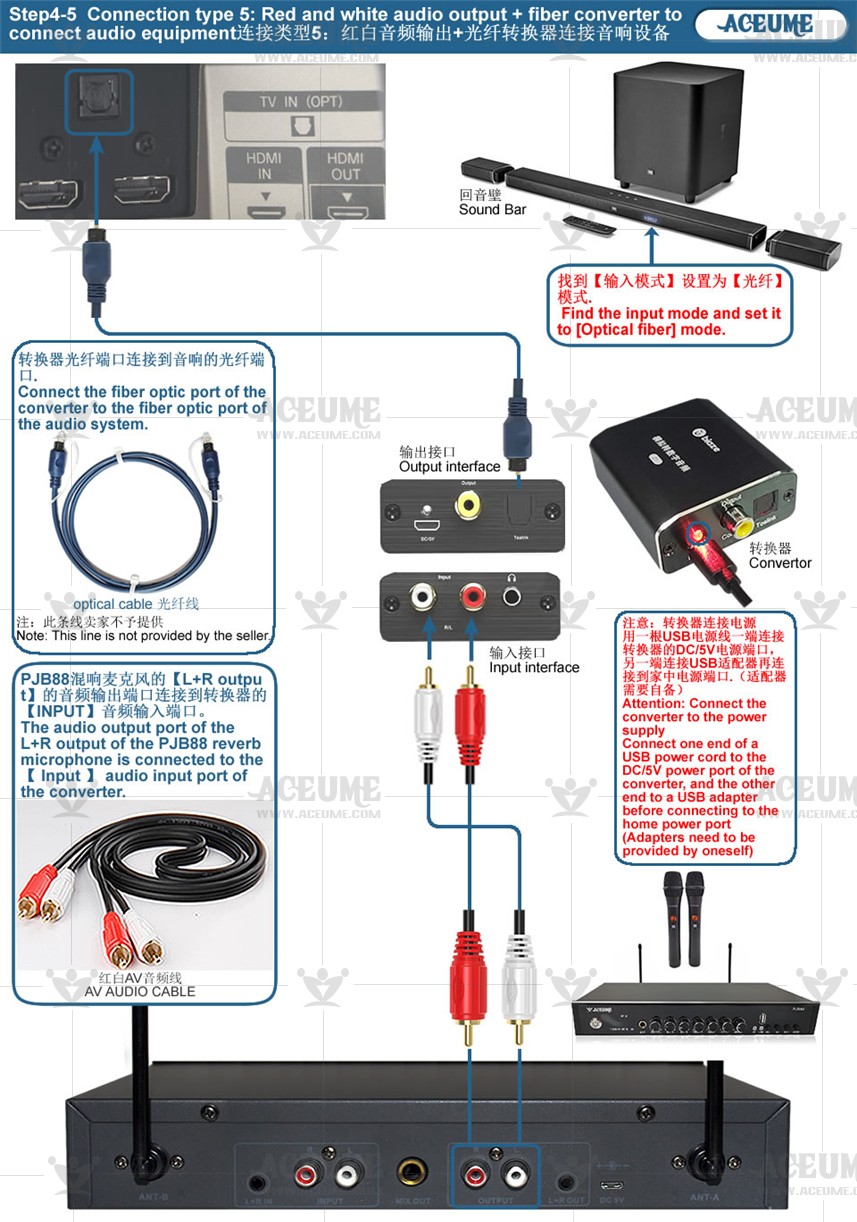
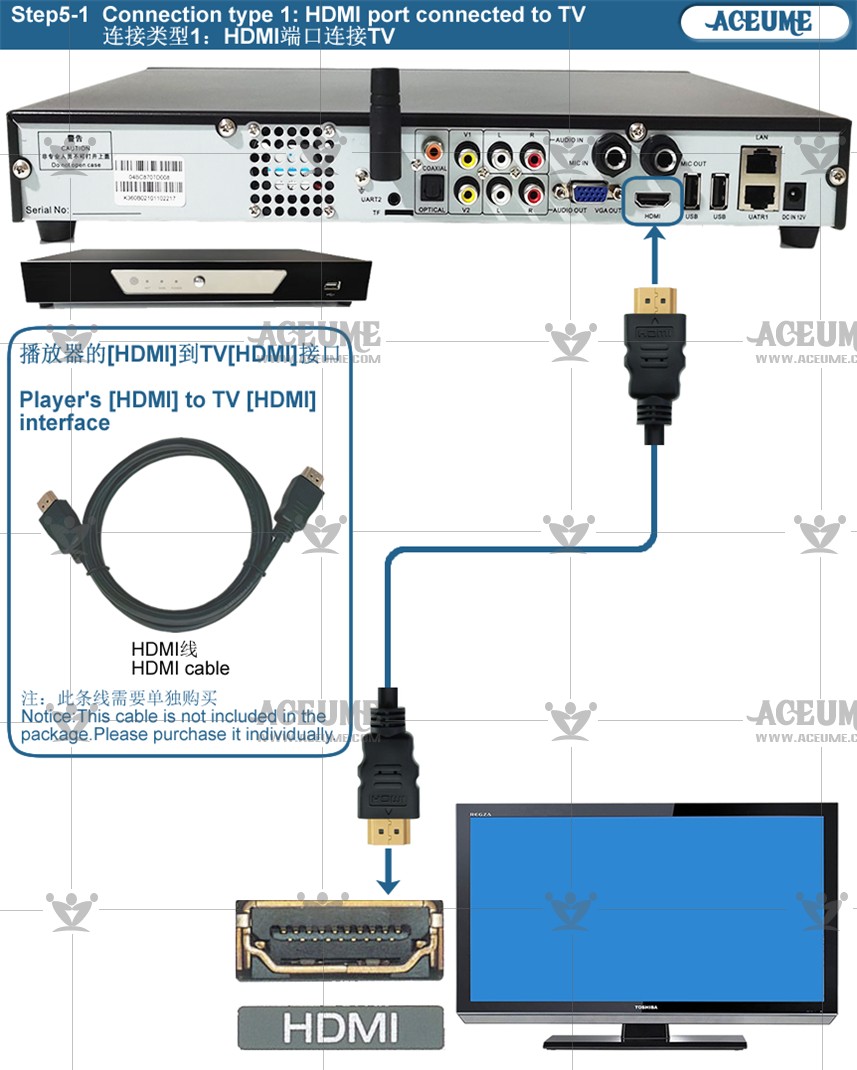
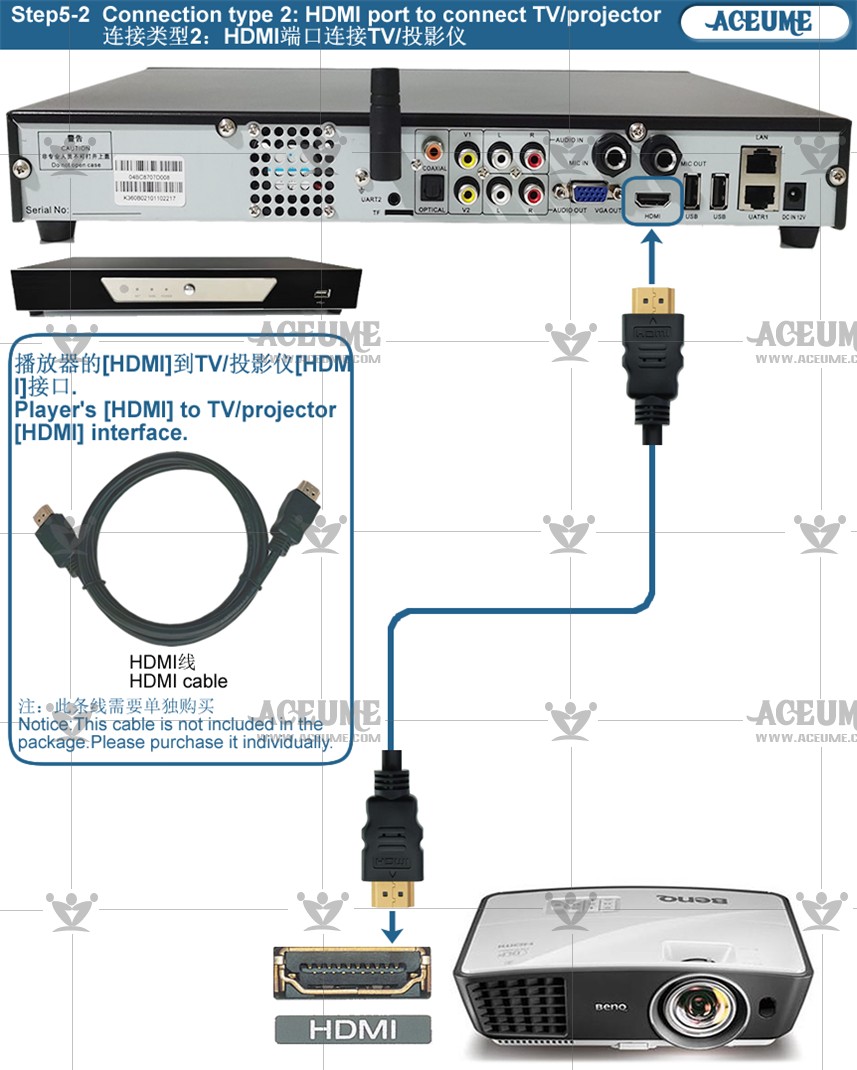
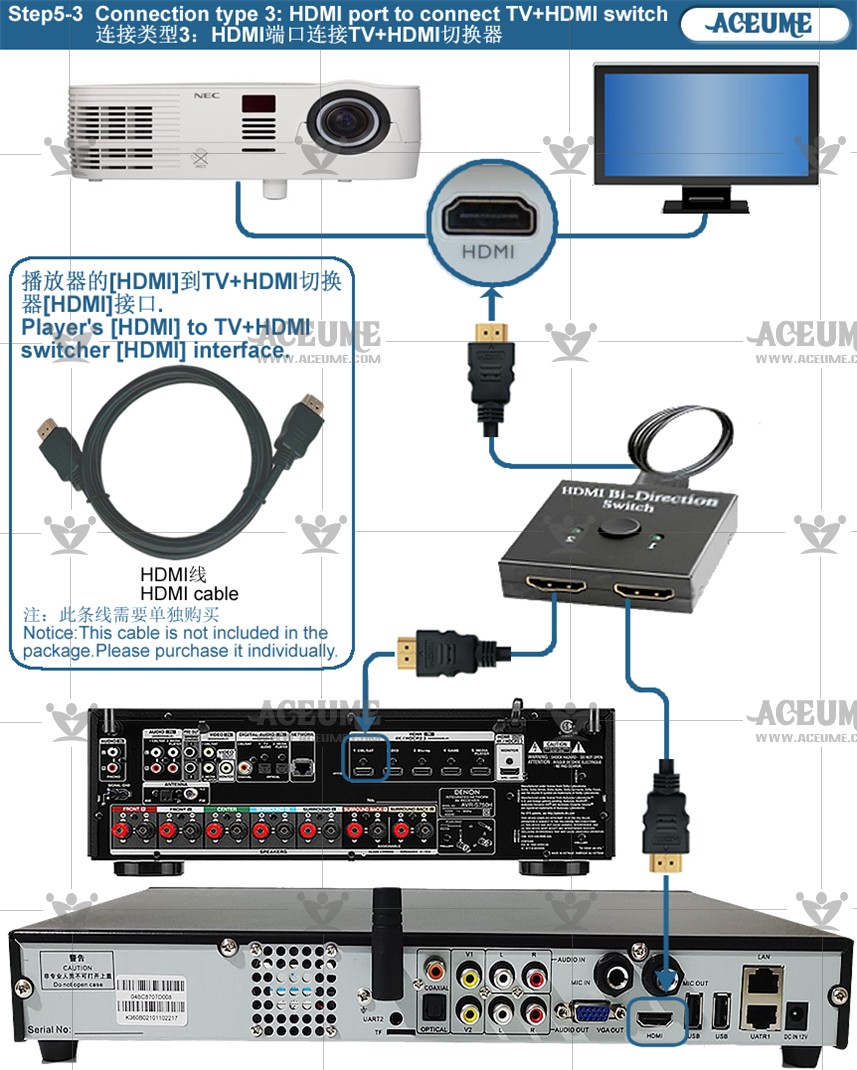
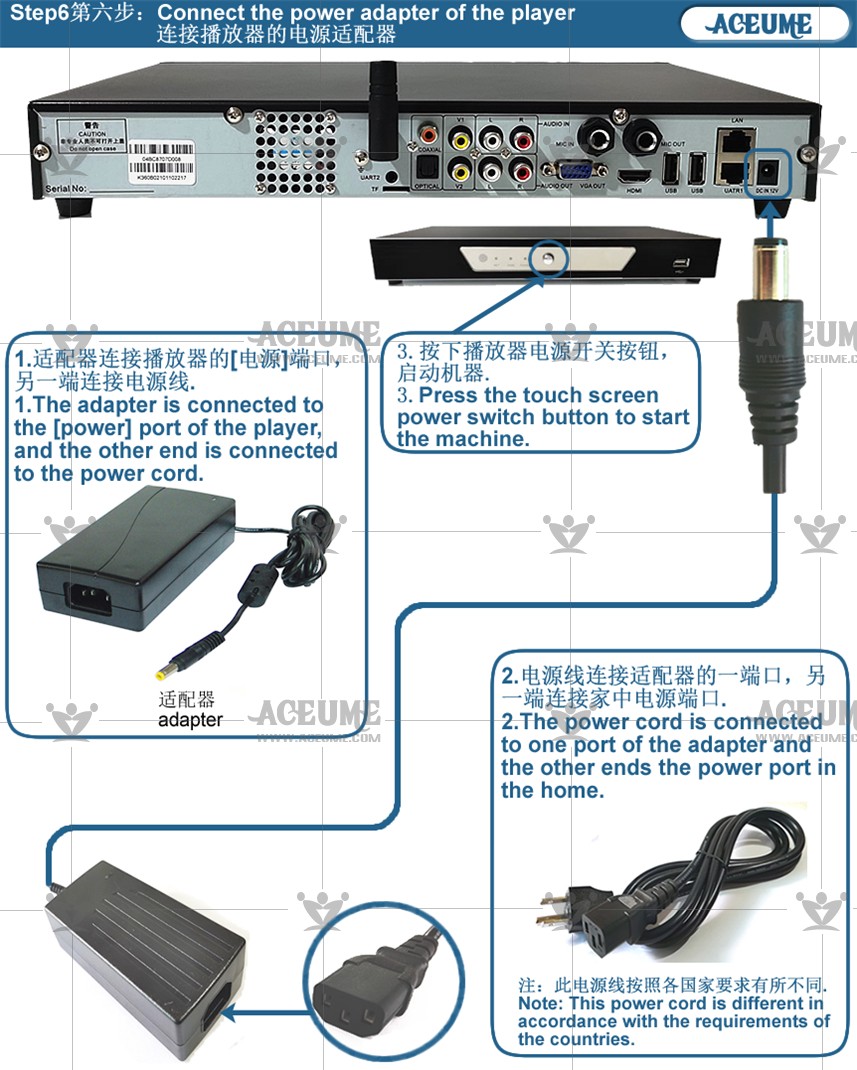
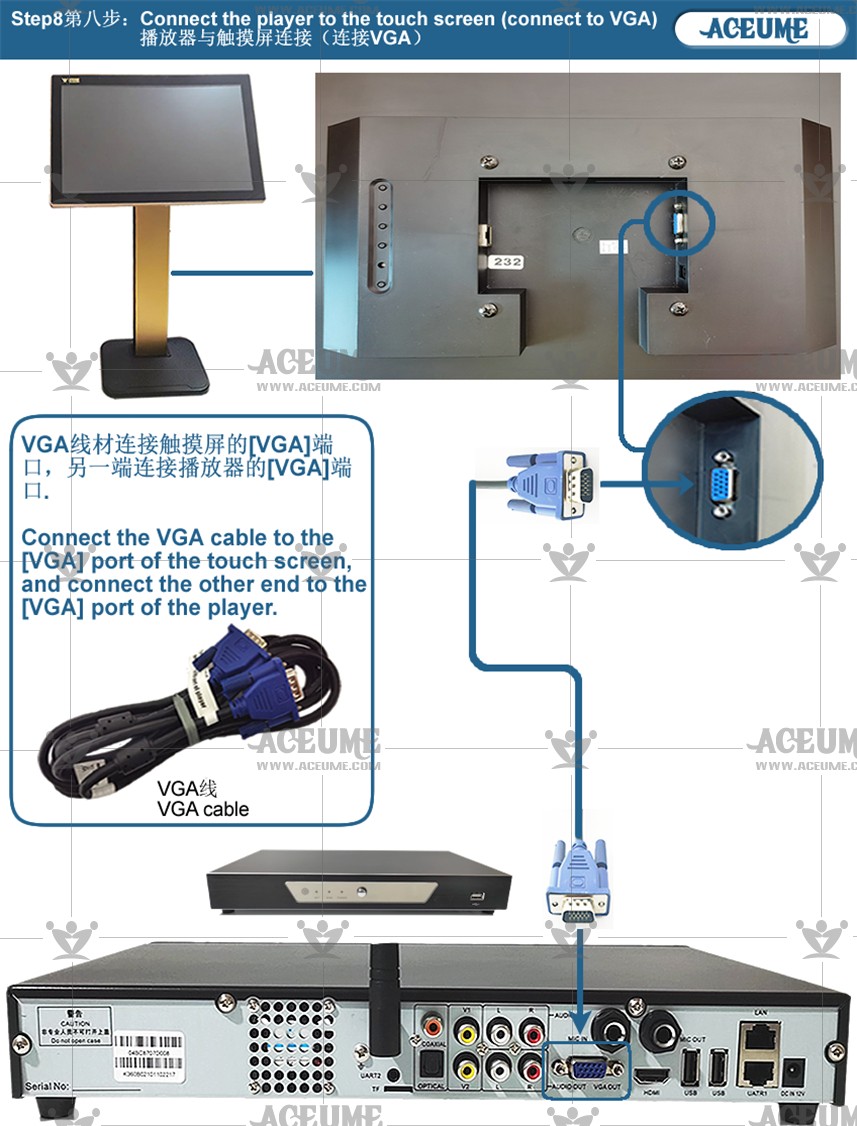
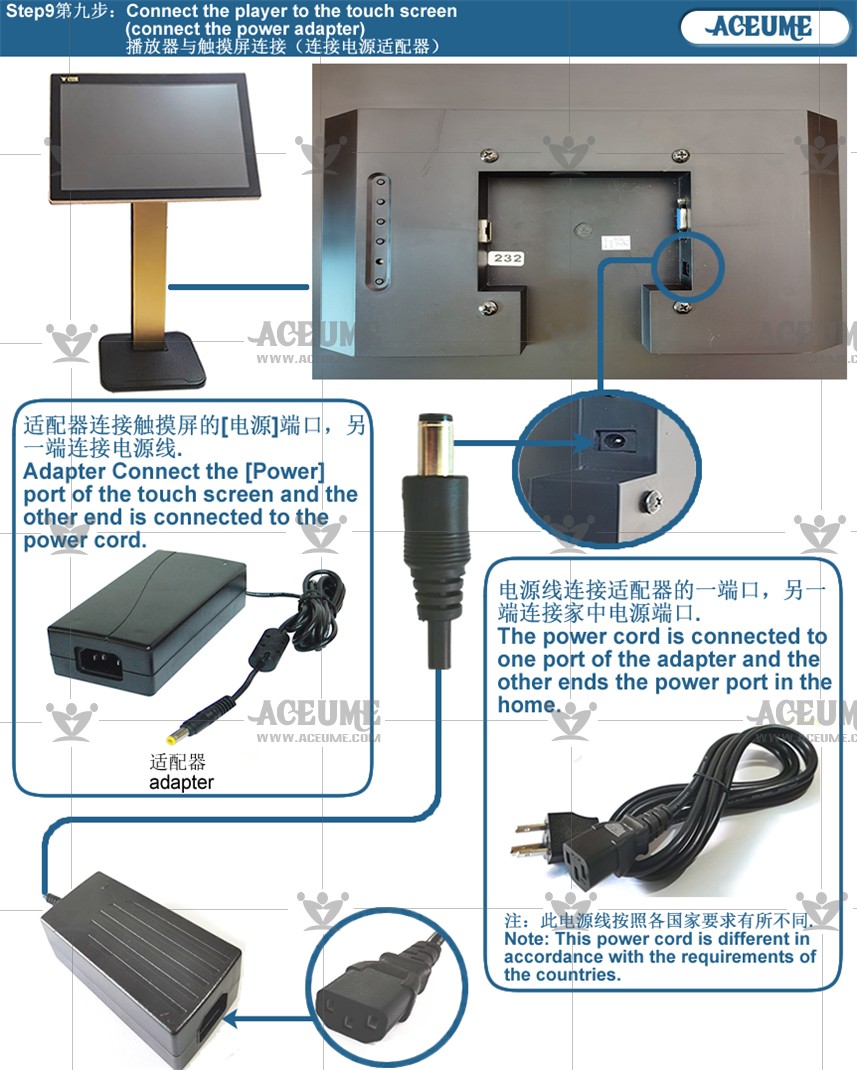
■ All wire connection video instructions link
☞ https://youtu.be/4SBMRGWATHI
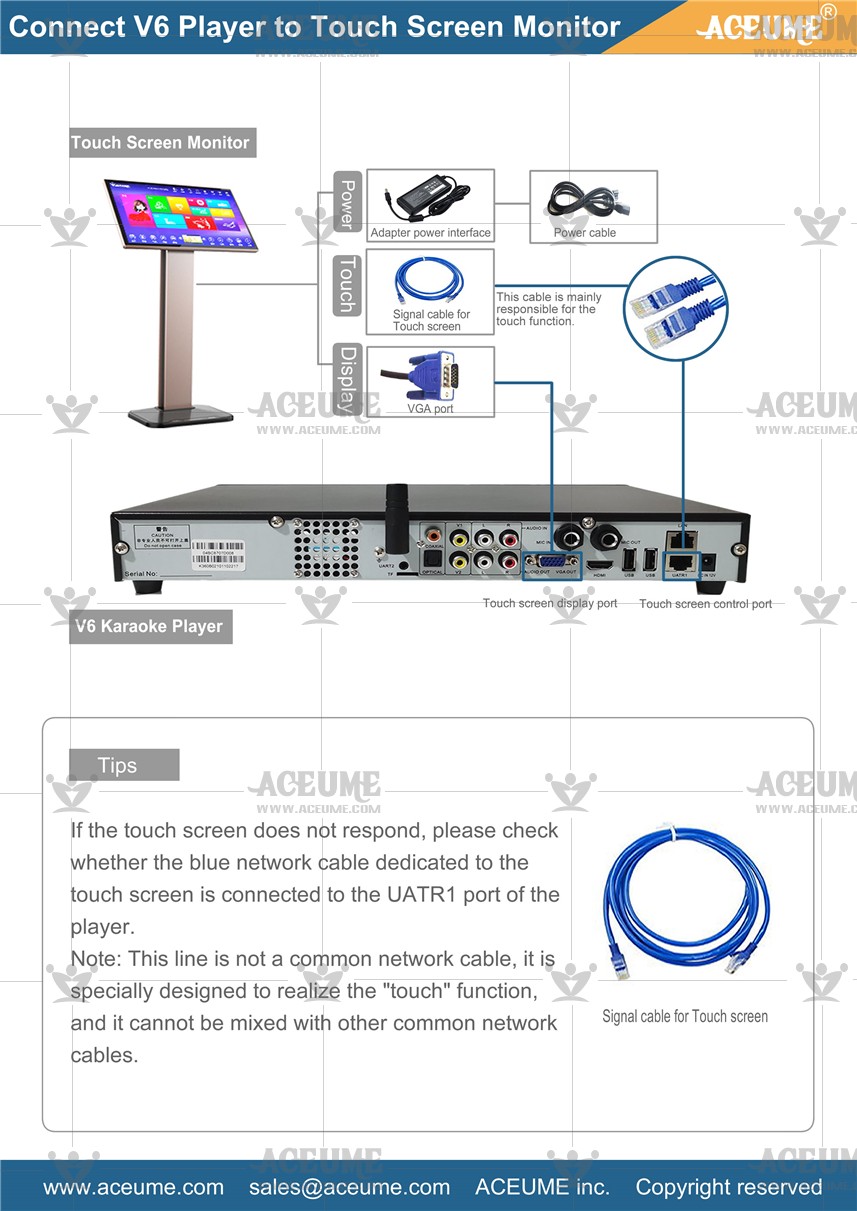
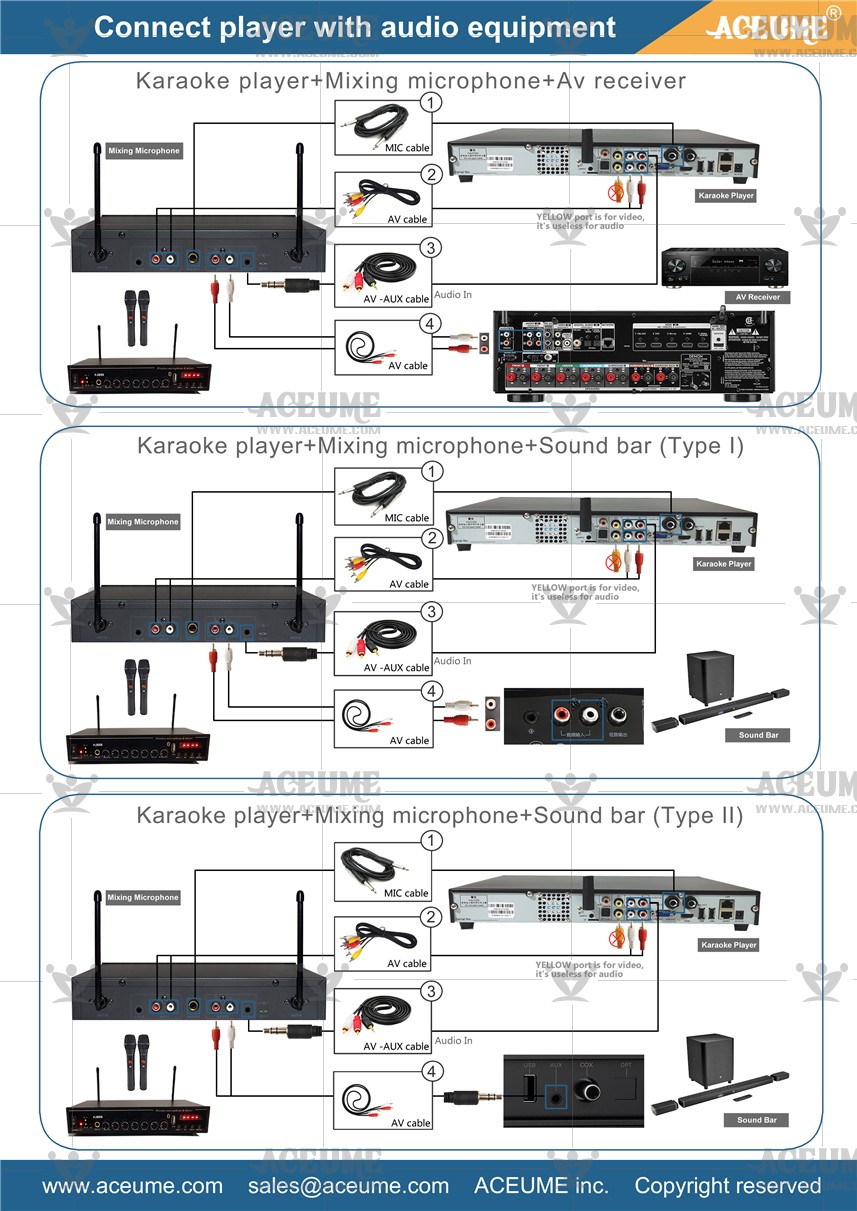

☟TSR22CB+20-v6播放器+PJB88混响麦克风+功放设备全部线材连接分步骤说明


常见问题:
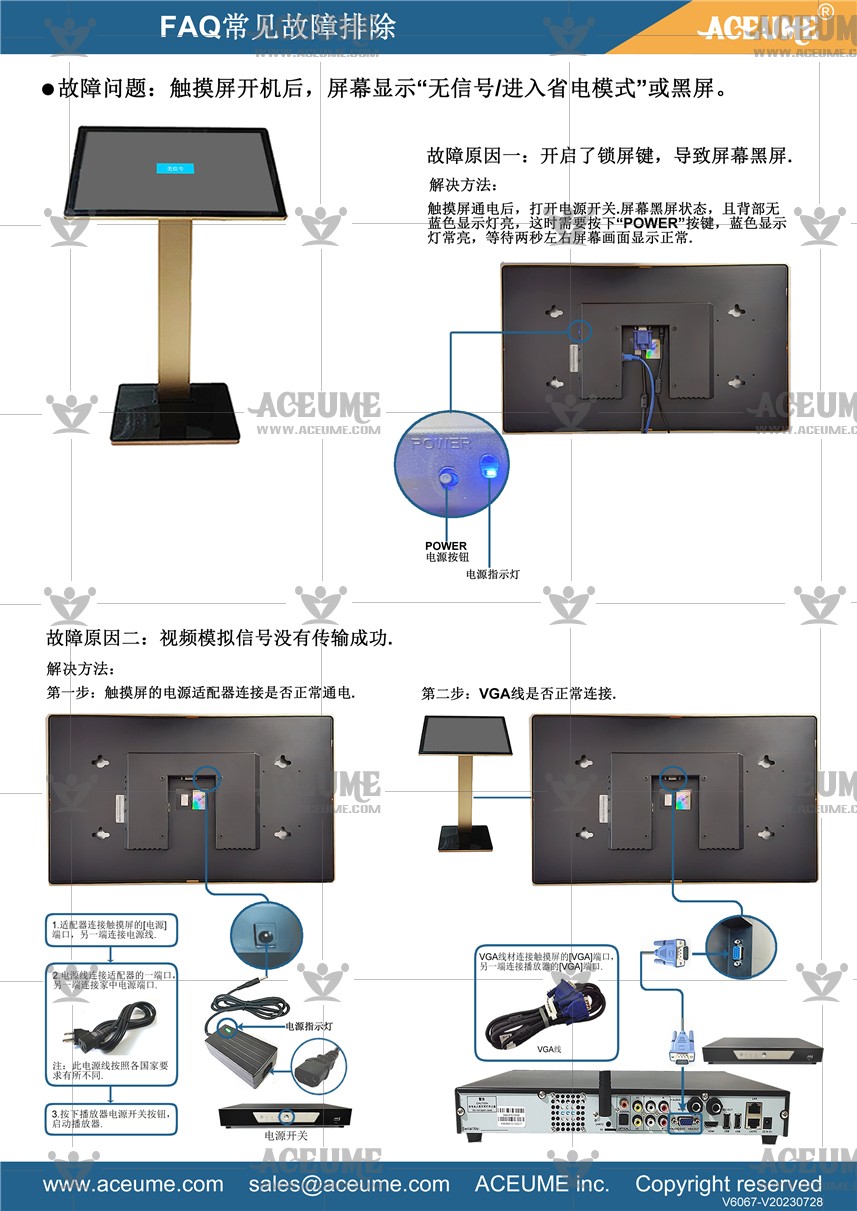
1. After turning on the touch screen, the screen displays "no signal" or black screen status. >☞https://youtu.be/hsyB8_JQFKg
2.How to check if the home network is functioning properly?☞https://youtu.be/xBaSxtTqIg8
3. Test whether the screen displays normally. >☞https://youtu.be/KnPasjuOB0s
4.Solution for video or audio cables that are broken in the jack and cannot be removed☞https://youtu.be/AwSuwUvVlAQ
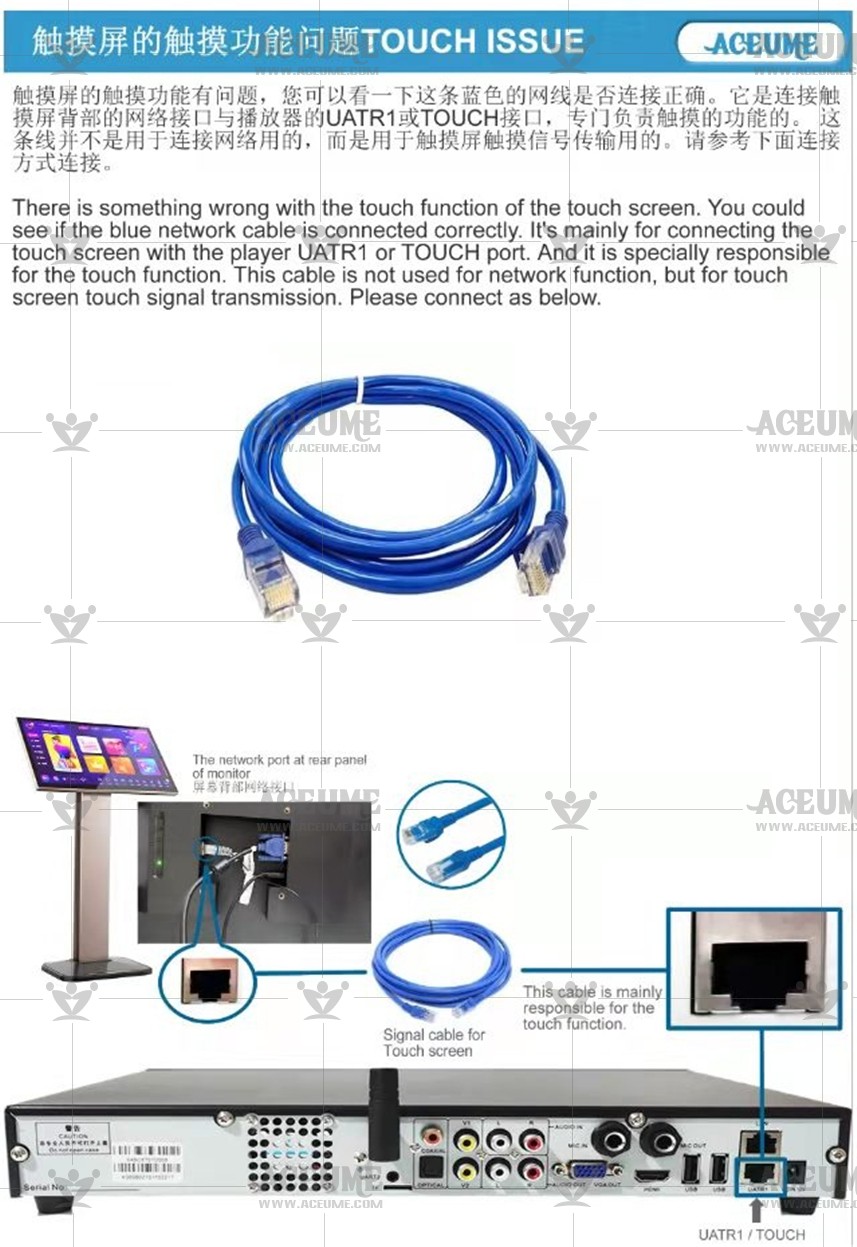
5.Why can't the screen be touched?