
Please don't use ethernet cable and wifi antenna at same time. To connect the player with internet via wifi is suggested.Bellow instructions is fit for situation of "connect player via wifi settings, ethernet cable is not connected"
1. SETUP WIFI to connect the karaoke jukebox with network.
(Notice:If you've setup wifi and make sure the machine is connected with network succesfully, you could skip this step.)
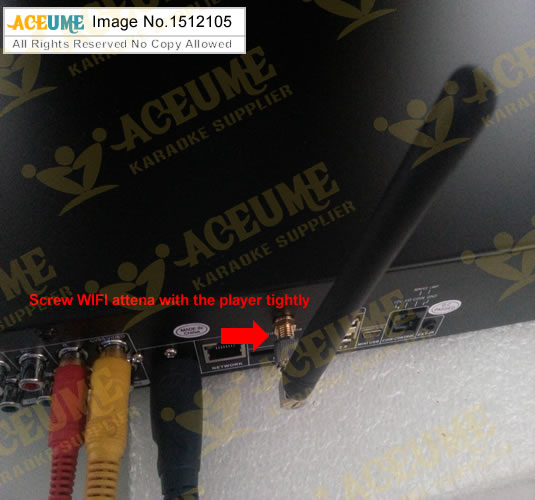
- Connect the WIFI antenna with the jukebox first, you could get the antenna from the karaoke package.
- power on the karaoke jukebox, go "Settings”
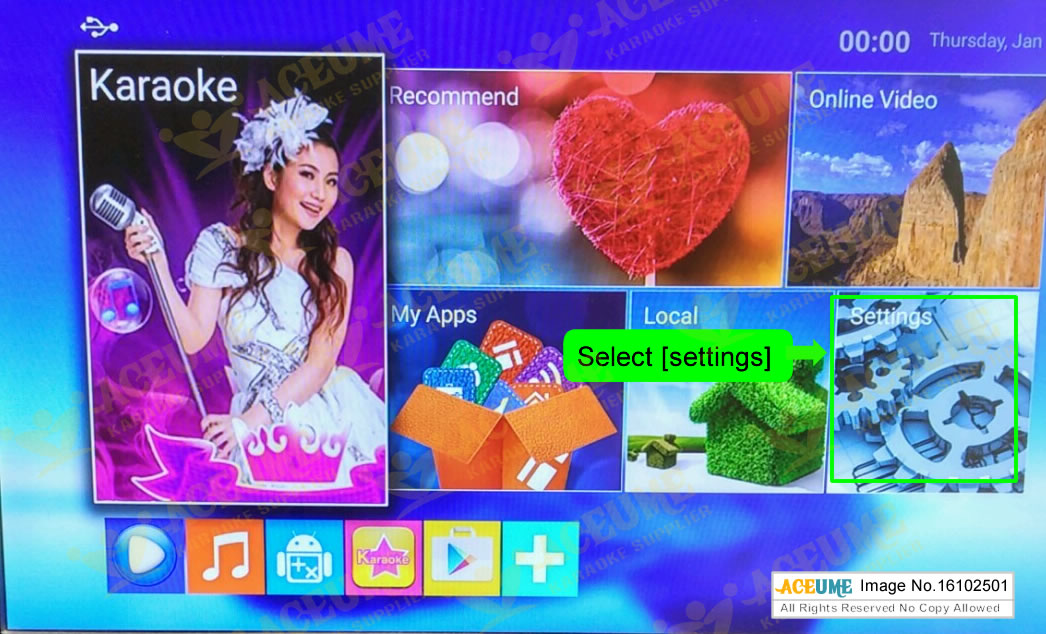
Setup wifi settings in it, make sure the network is connected.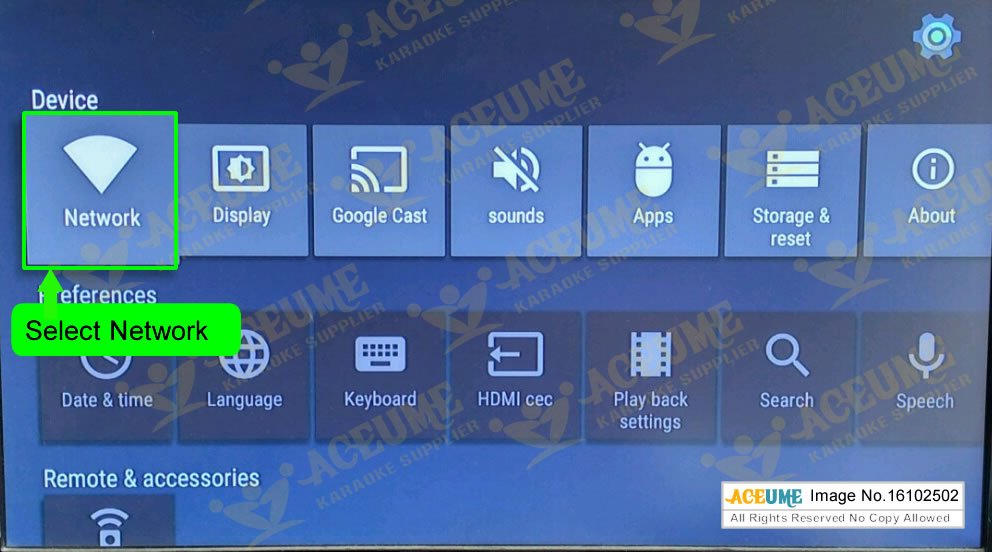
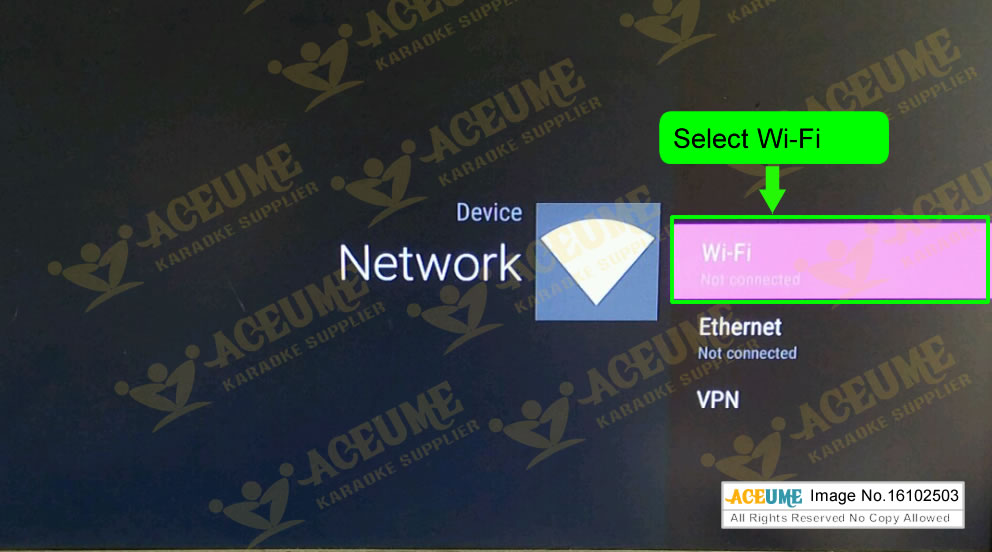
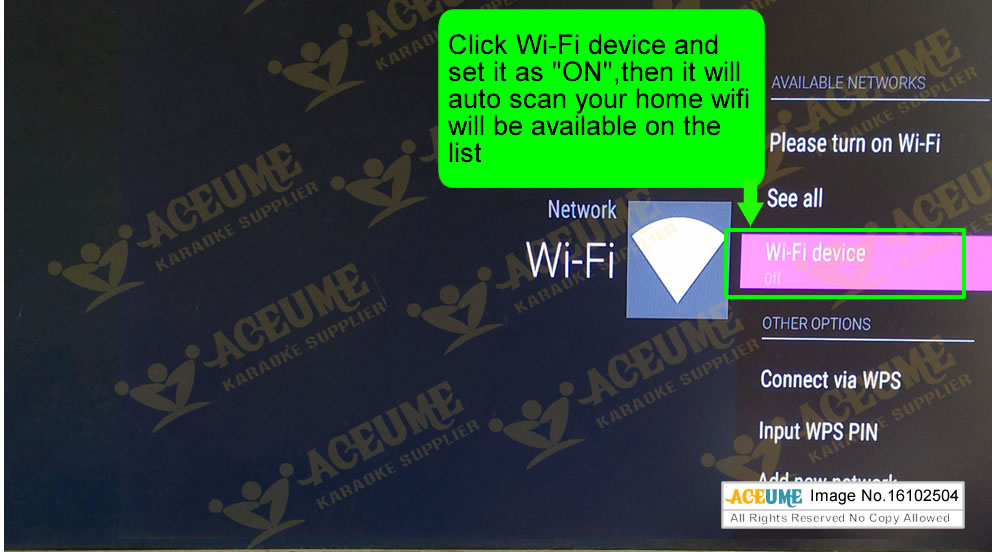
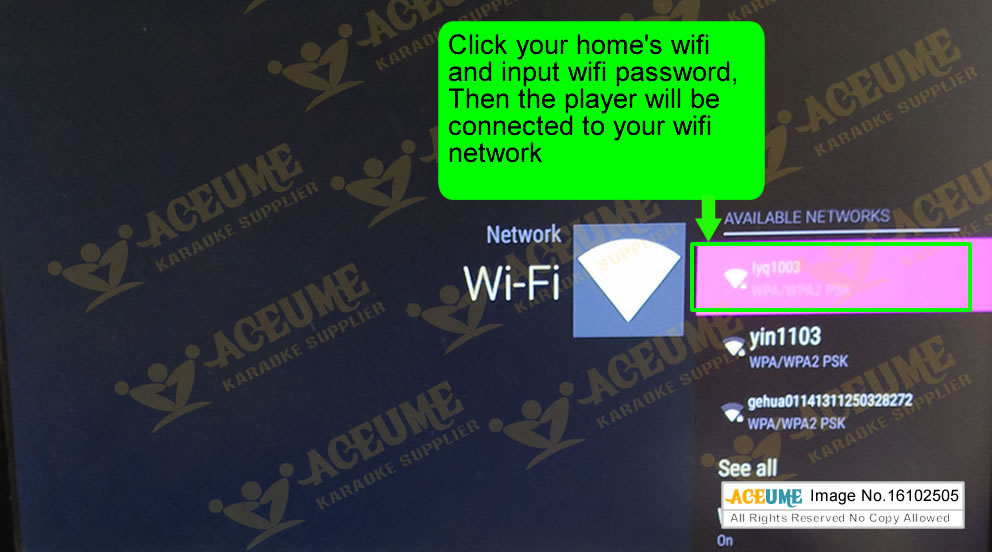
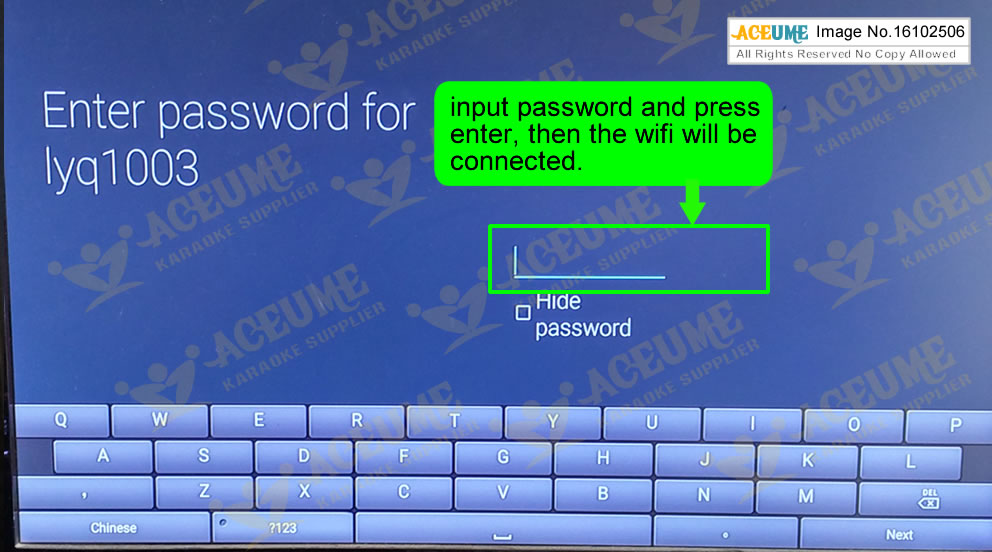
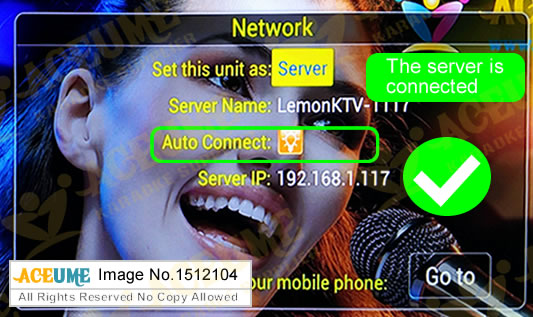
2. Go back to Main Menu [karaoke]->[LEMON KTV],then press “setup” button, click [ktv network] to set server as “ON”
3. Install LemonKTV to your mobile device
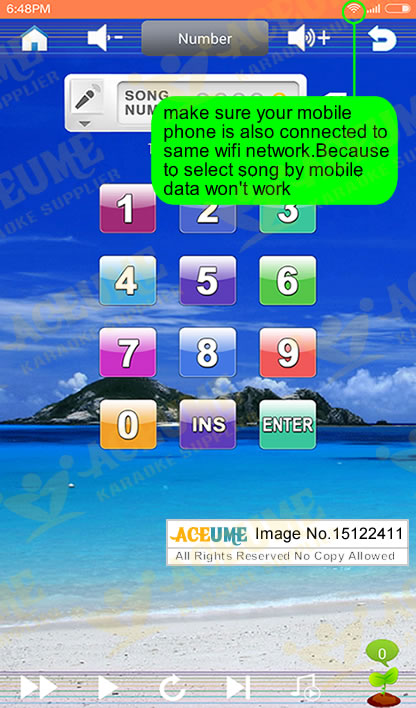
Scan the QR code bellow to install corresponding “Lemon KTV” onto your mobile device. You could also search Lemonktv in App store of iPhone or Ipad to install it.
For android phone, if you don't know how to scan QR code, you could click here to download the LEMONKTV program into your android device.

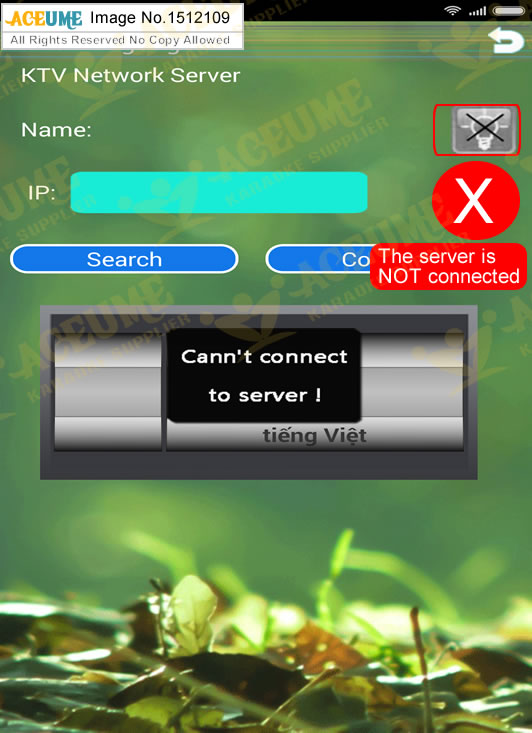
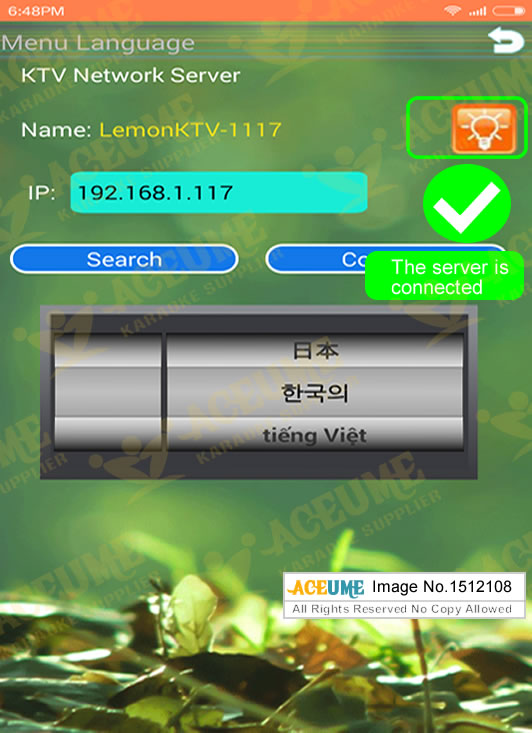
4. run the “lemon ktv” on your phone, then go to “setup”, then click “search”, it will display the server is connected
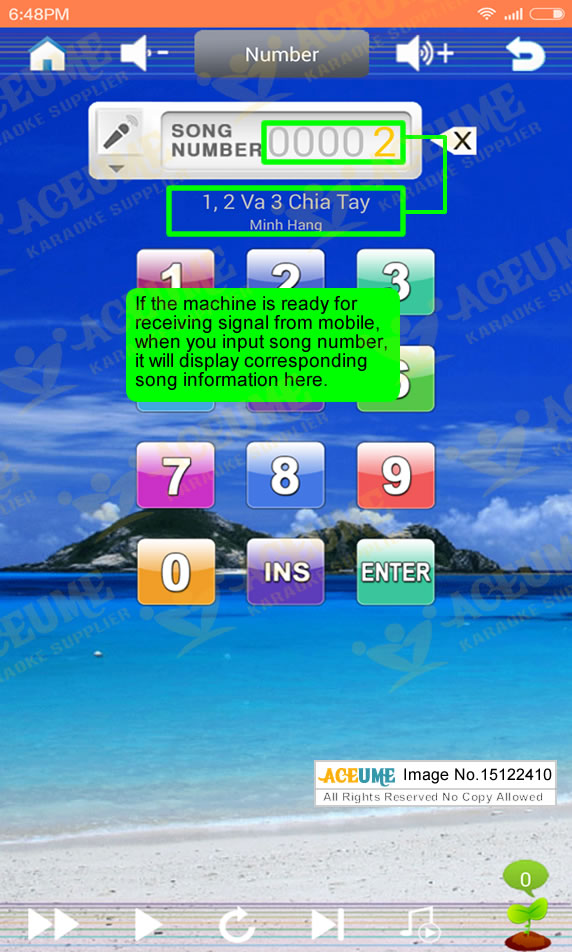
For karaoke player side, make sure you have boot into "karaoke" , the TV screen display "00000 PLEASE INPUT SONG NUMBER". In this case, the player is ready for receiving signal from mobile device
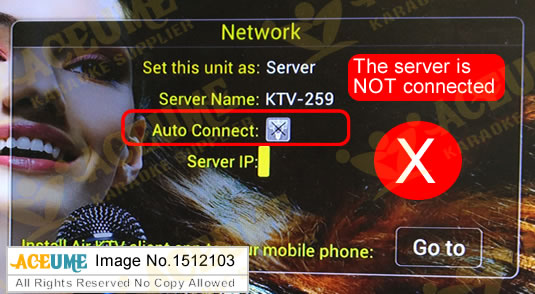
Bellow step is the most important step, if the server is connected as image bellow, then that means above steps are well done. and you will be able to select songs via mobile phone. If it's failed, then you would be unable to select songs via mobile phone.Above steps might not properly setup.
5. go to “update data”-> “update menu” and “update songlist”
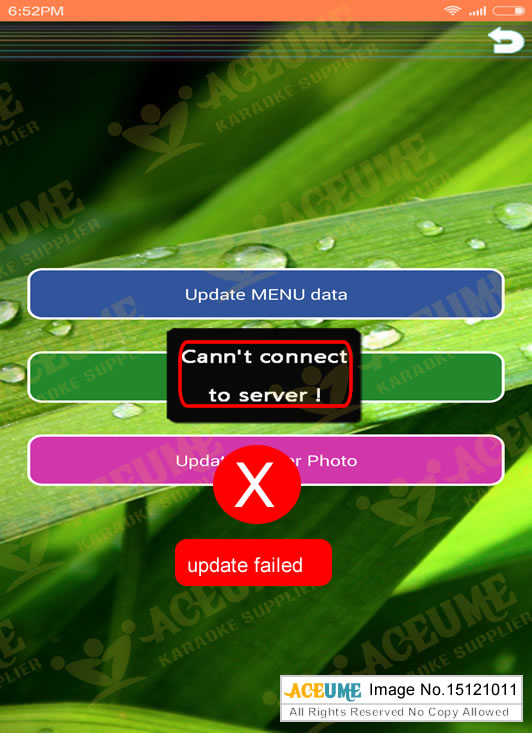
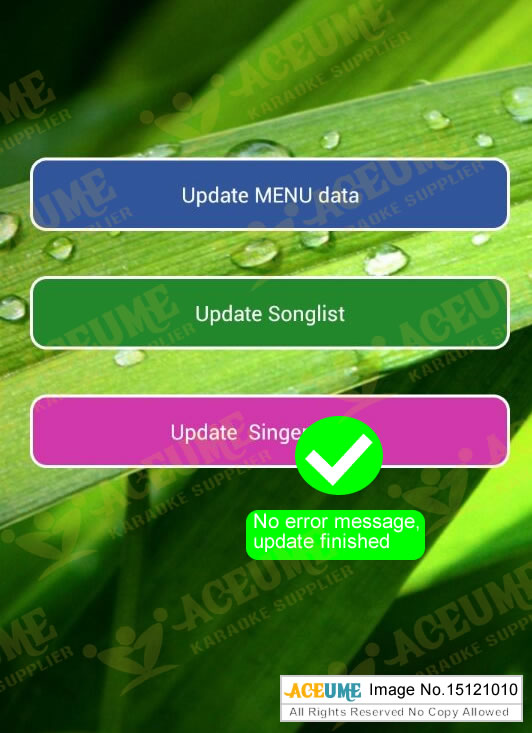
6.Then go to log in to select songs, all is done.


If you have problem on above settings, please let our technical suport to know the image number of instructions above which you meet problem on that step. In this case, our technial support will figure out the problem soon.
