■ Hard disk installation video instructions link
■硬盘安装视频说明链接
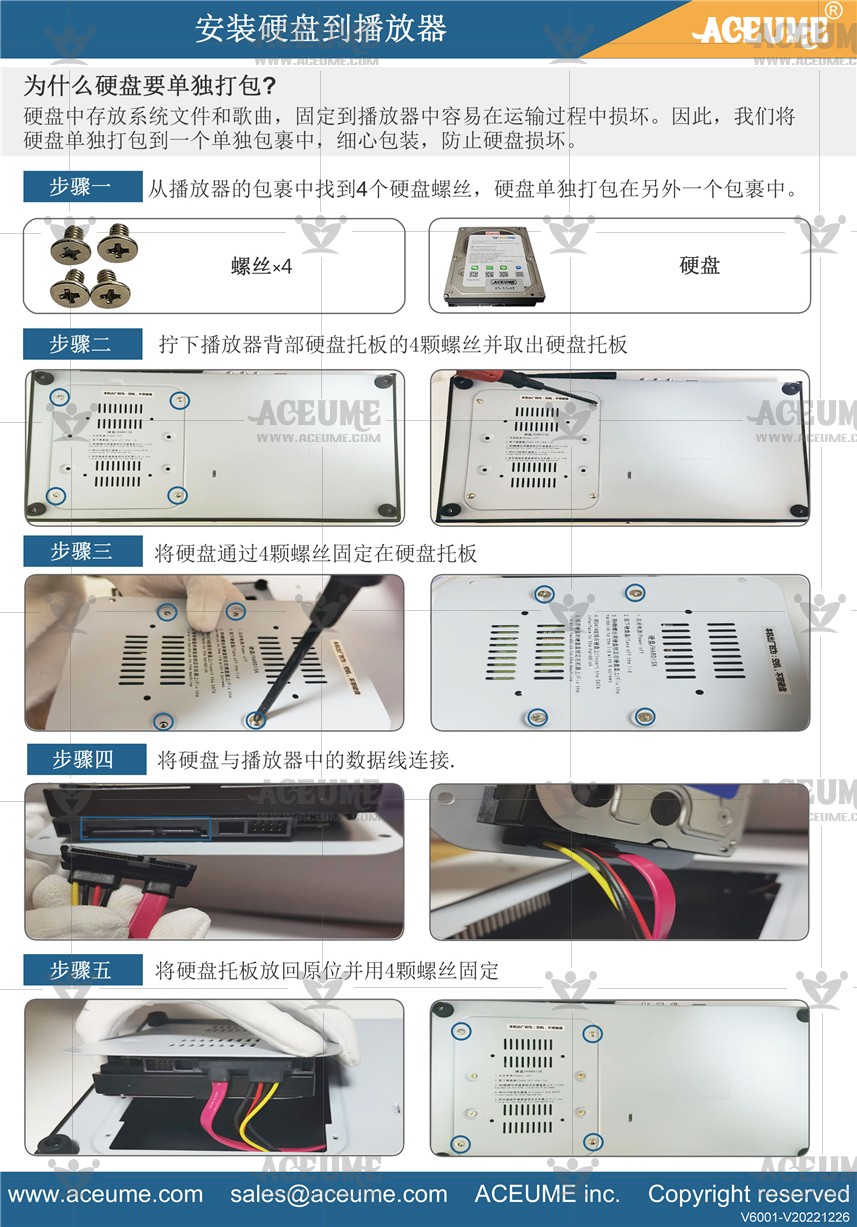
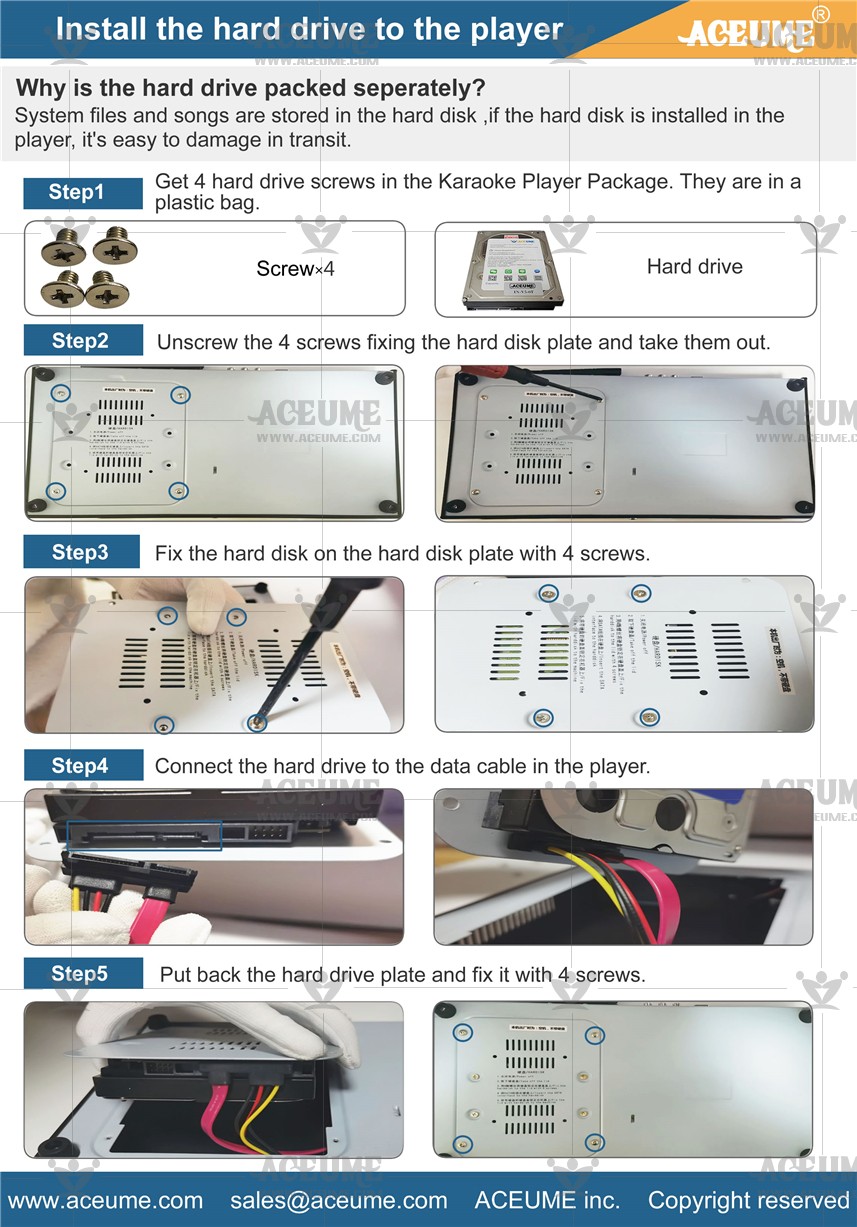
☞https://youtu.be/ATX70dvPT0c
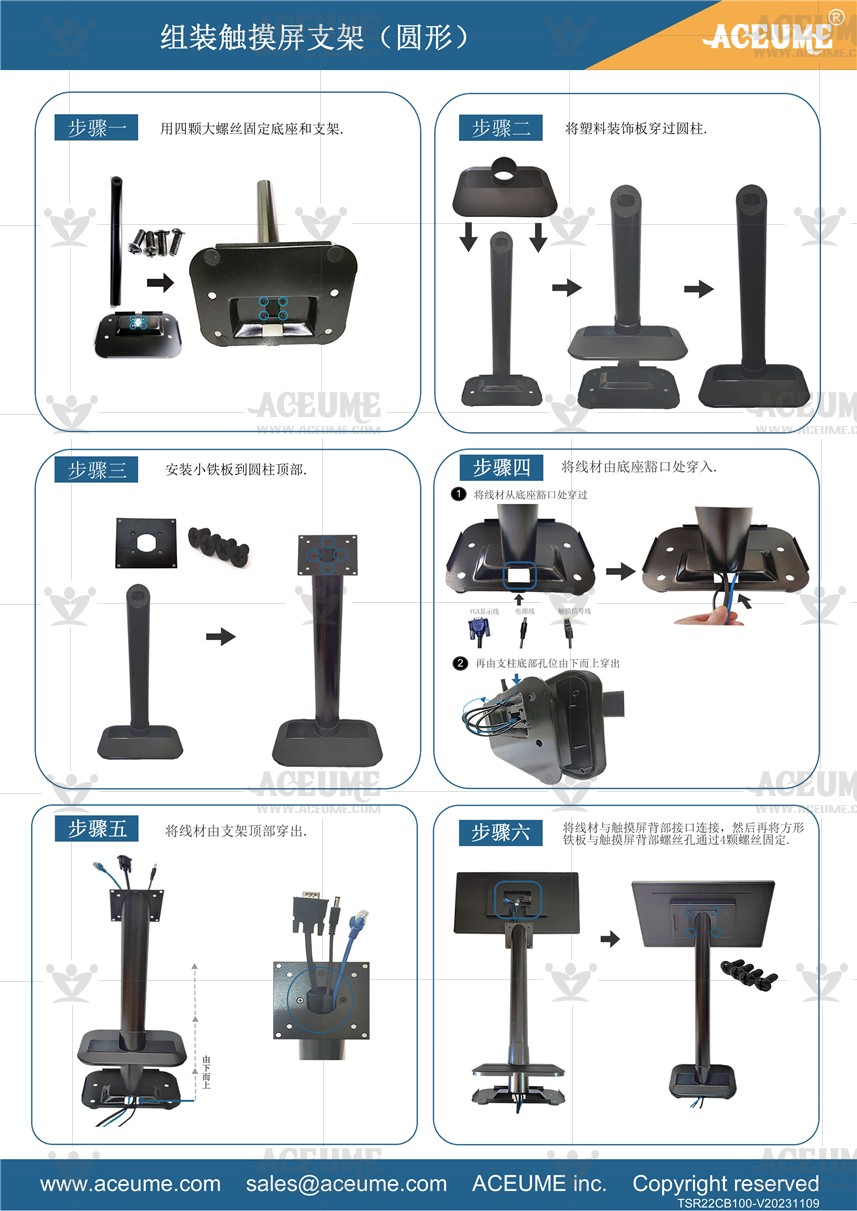
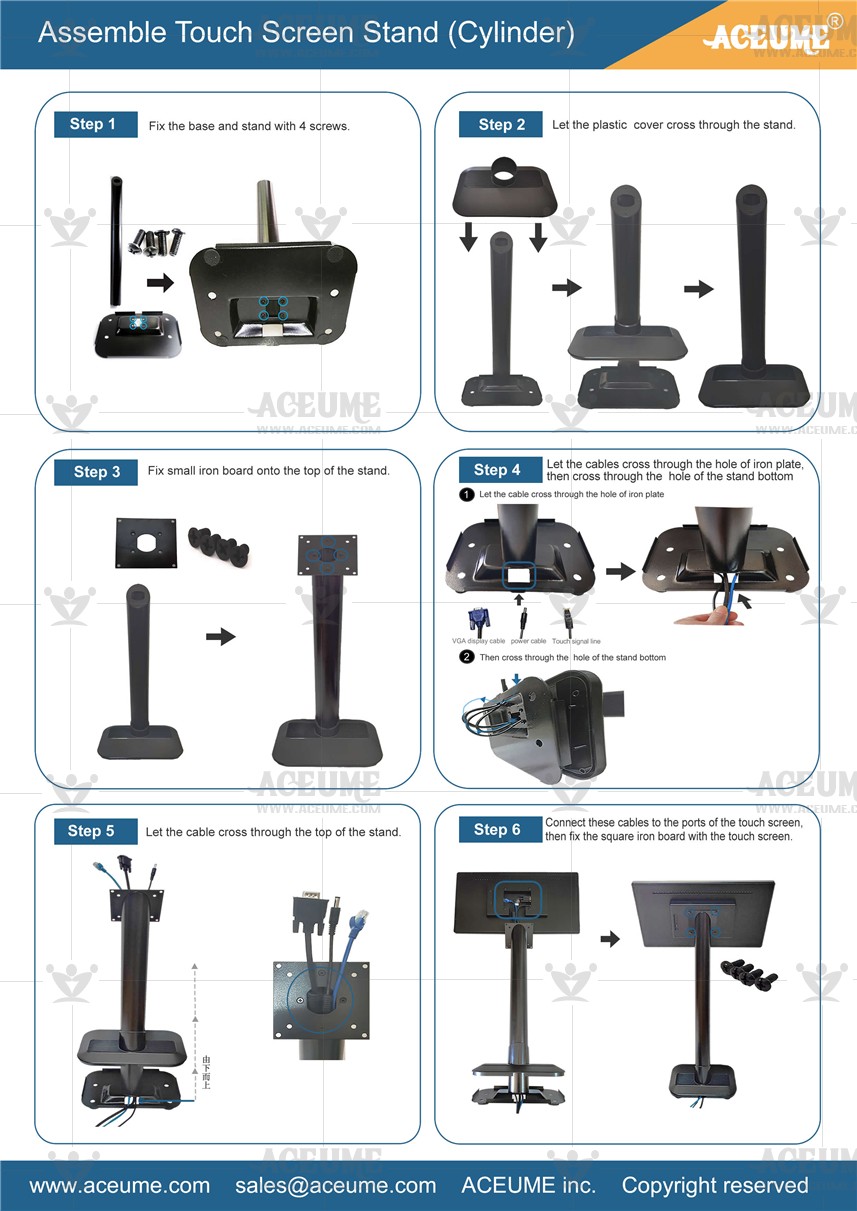
■ 触摸屏与底座和黑金色方形支柱Ⅰ安装视频说明链接
☞ https://youtu.be/WgI7jhl6GRw
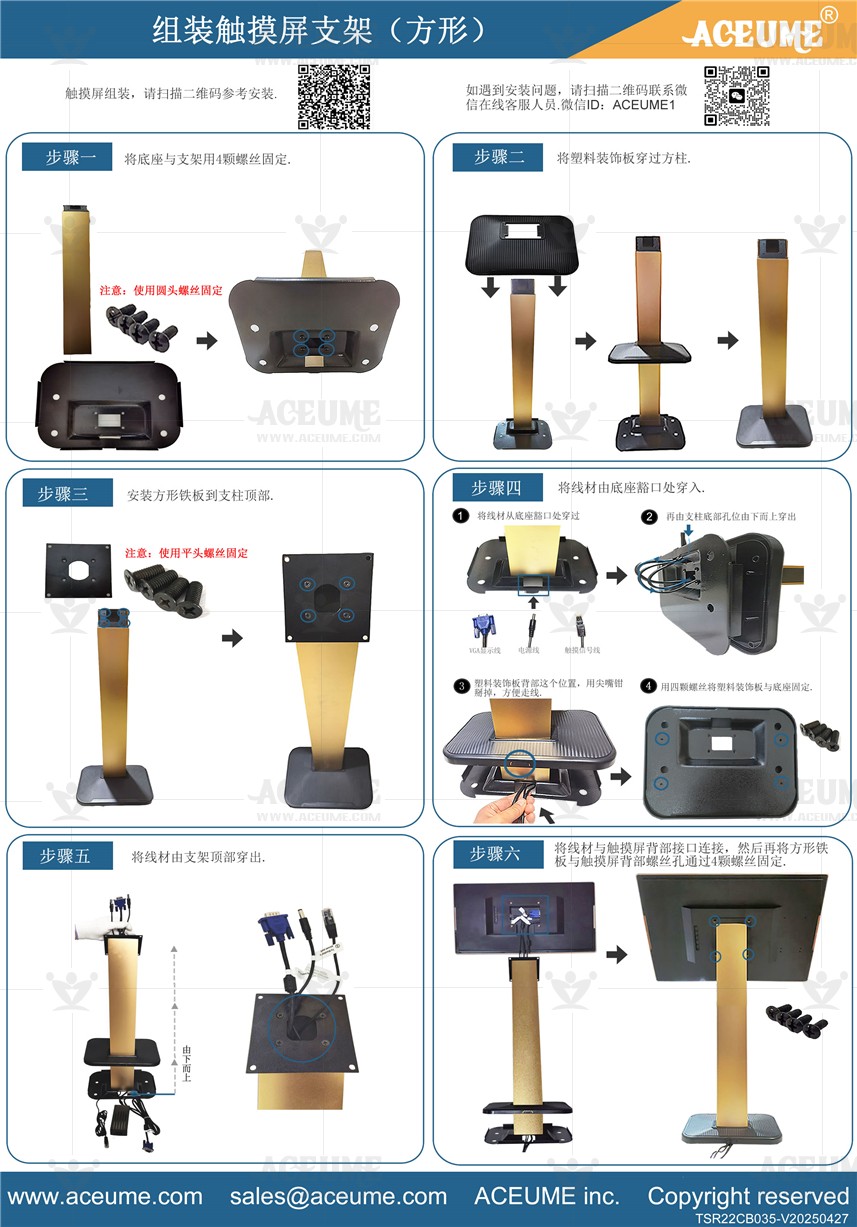
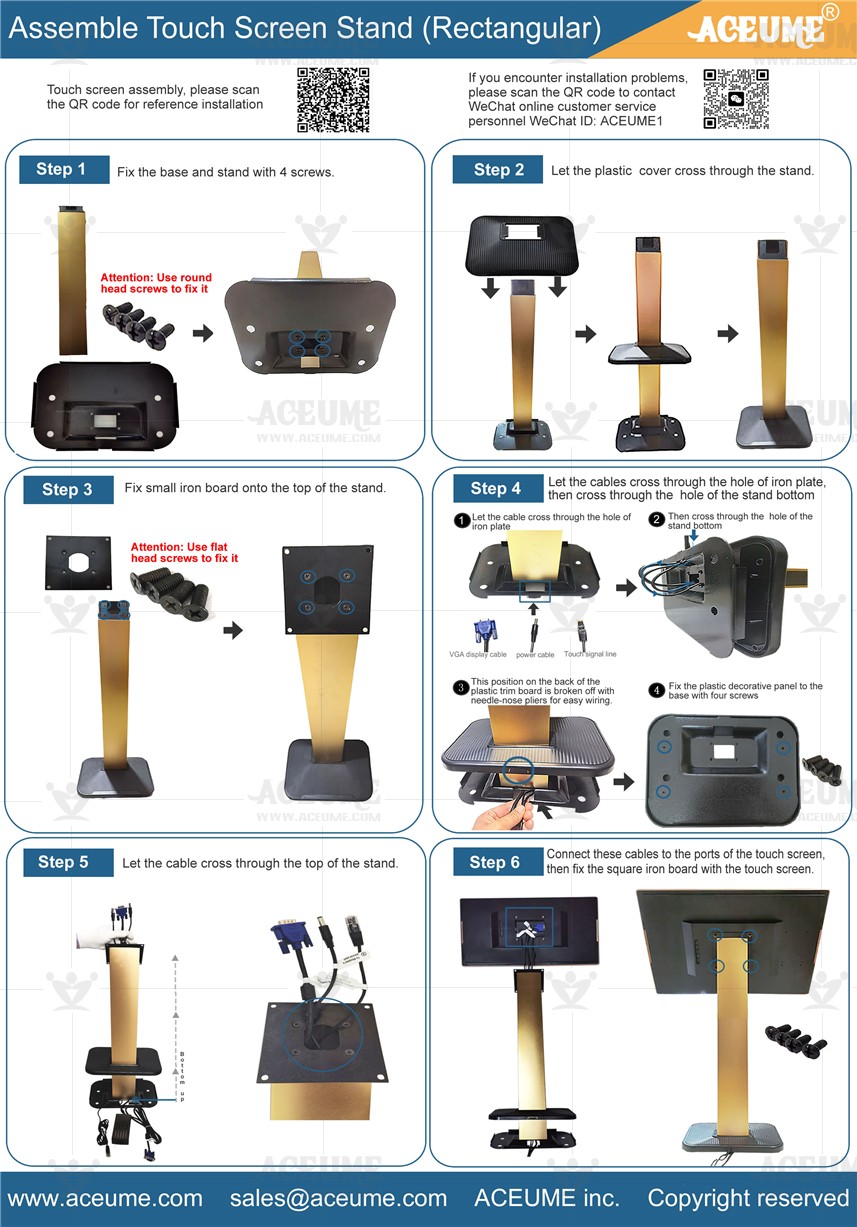
■ 触摸屏与底座和黑金色方形支柱Ⅱ安装视频说明链接
☞ https://youtu.be/CFDBctZqjLA

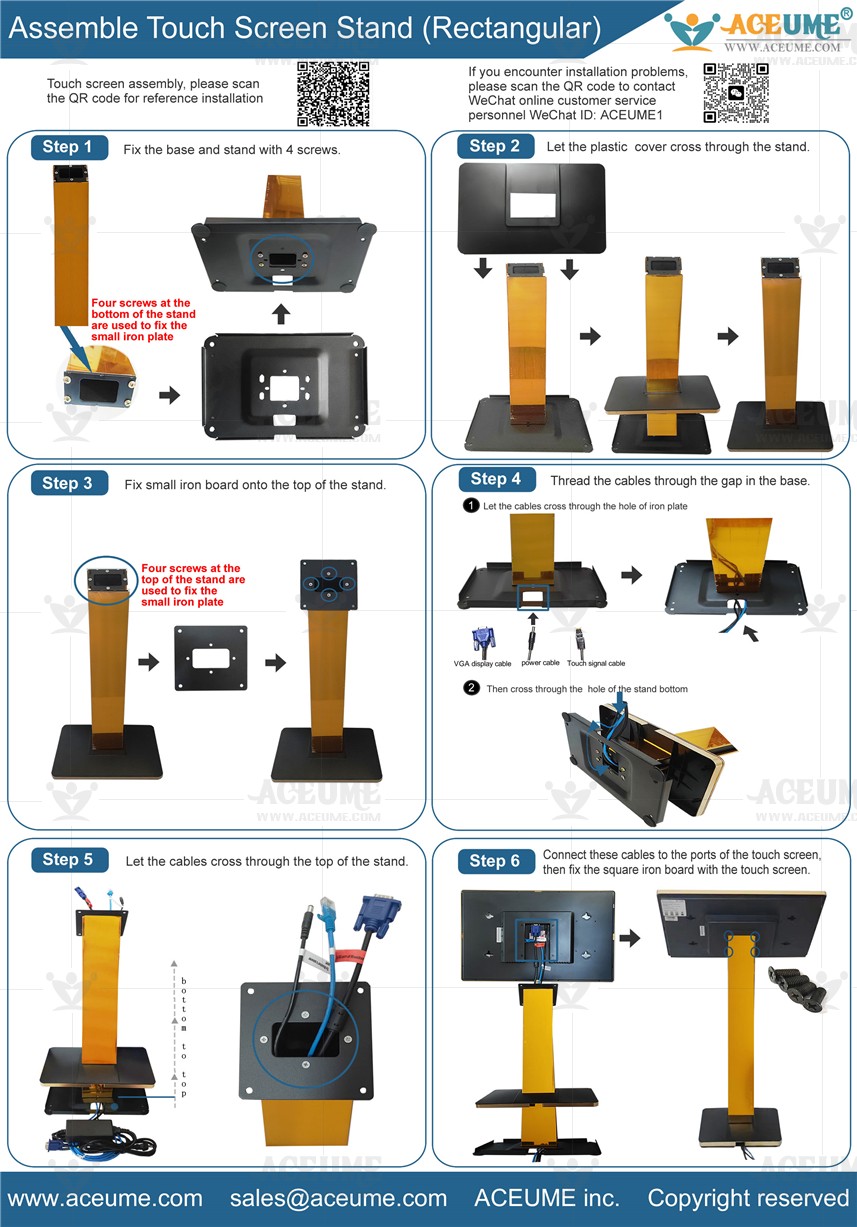
■ Touch screen and base and Golden Square Pillar installation video description link
■ 触摸屏与底座和黑金色方形支柱安装视频说明链接
☞ https://youtu.be/vhWW-rg3fwY
■ Touch screen and base and black square pillar installation video description link
■ 触摸屏与底座和黑色方形支柱安装视频说明链接
☞ https://youtu.be/wmD_2fu2gHM
●Machine wire installation video instructions link 机器线材安装视频说明链接
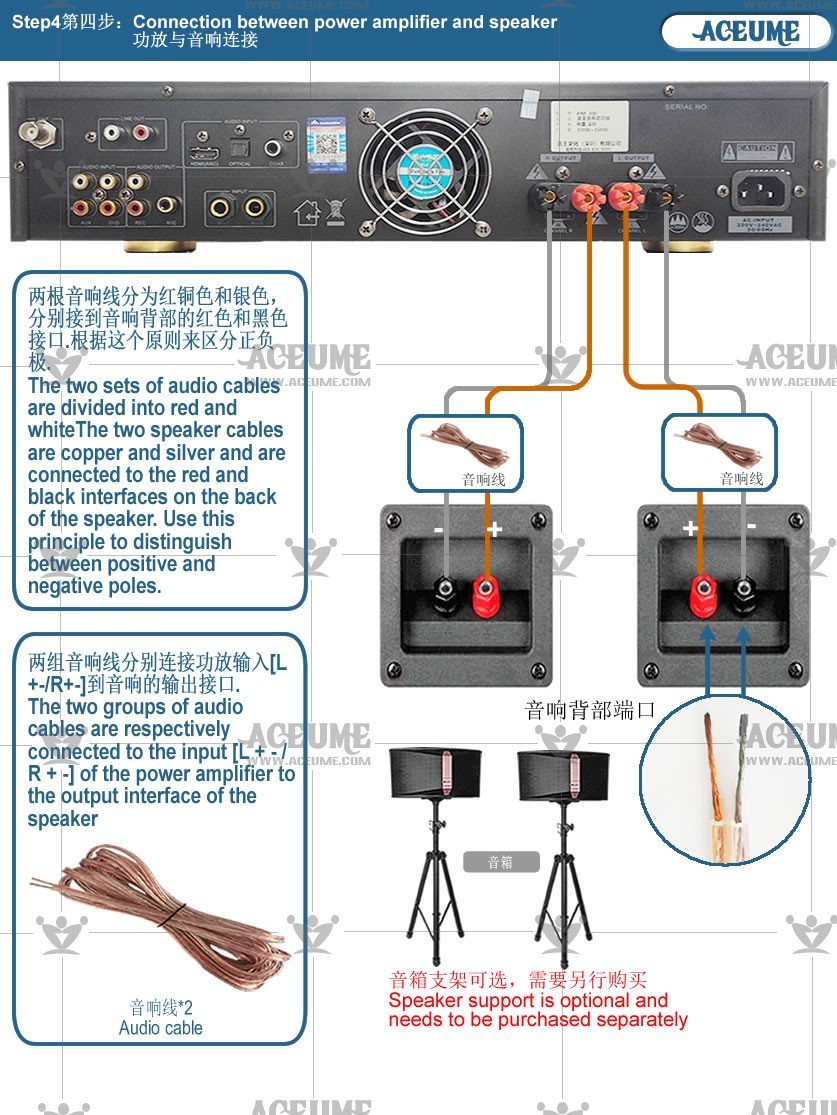
1.Speaker cable connection音箱线连接
☞ https://youtu.be/jOLEWBVhqd0
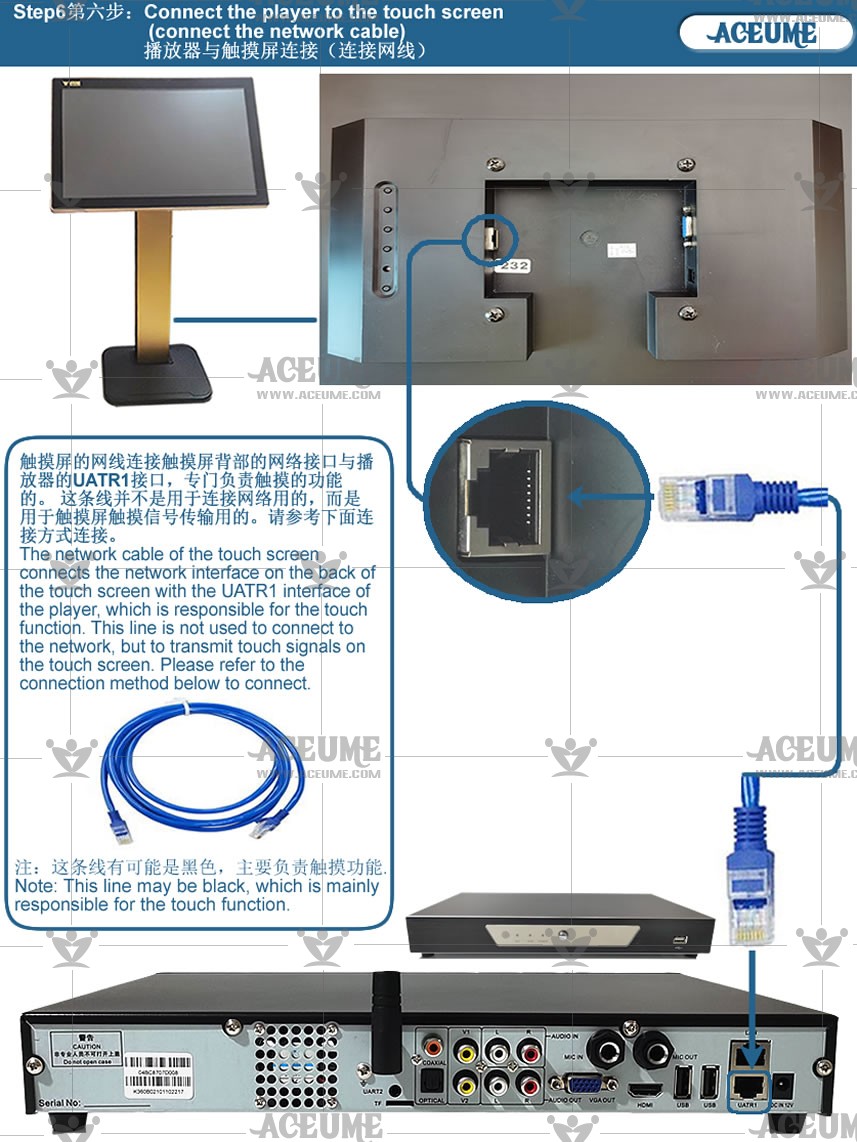
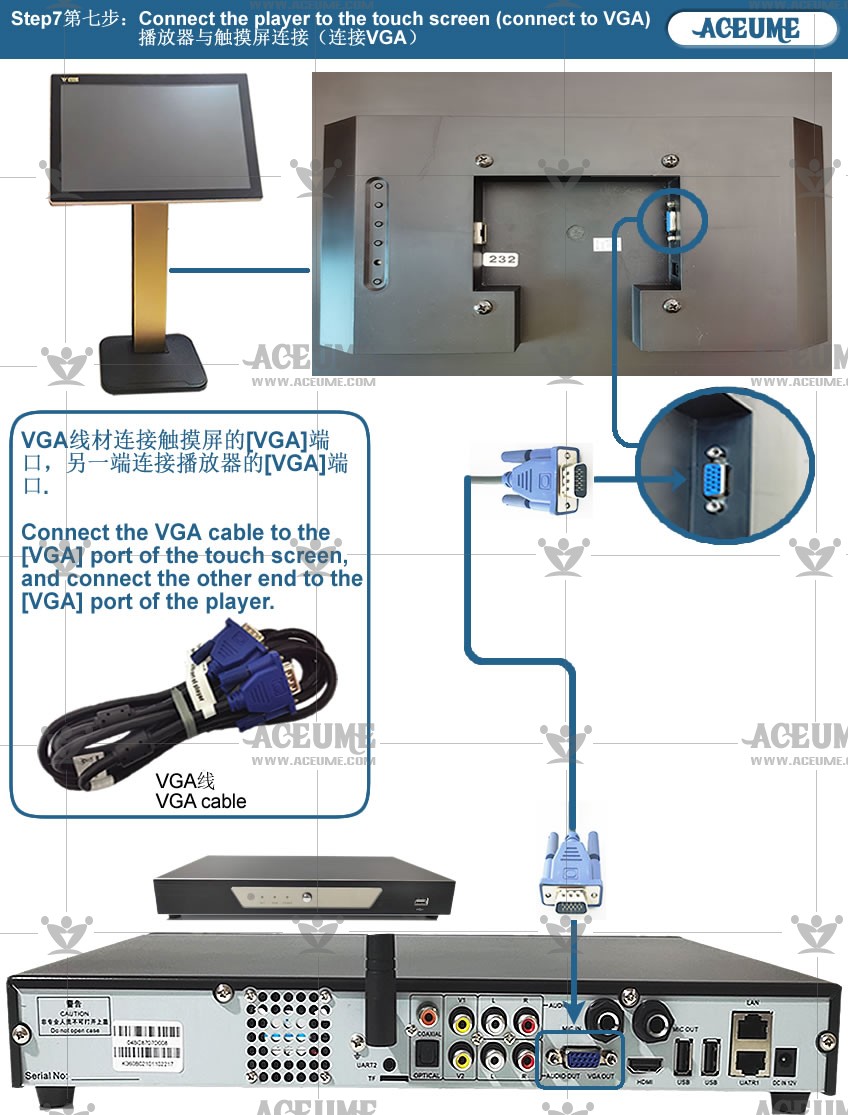
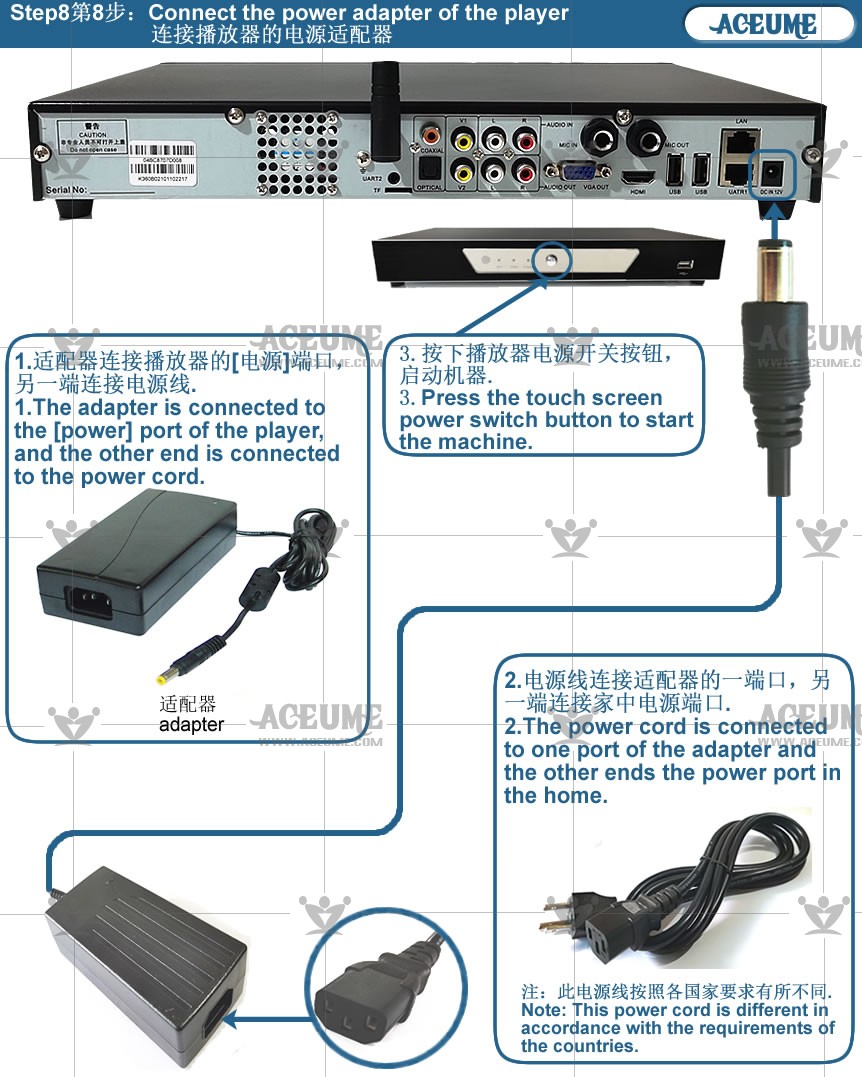
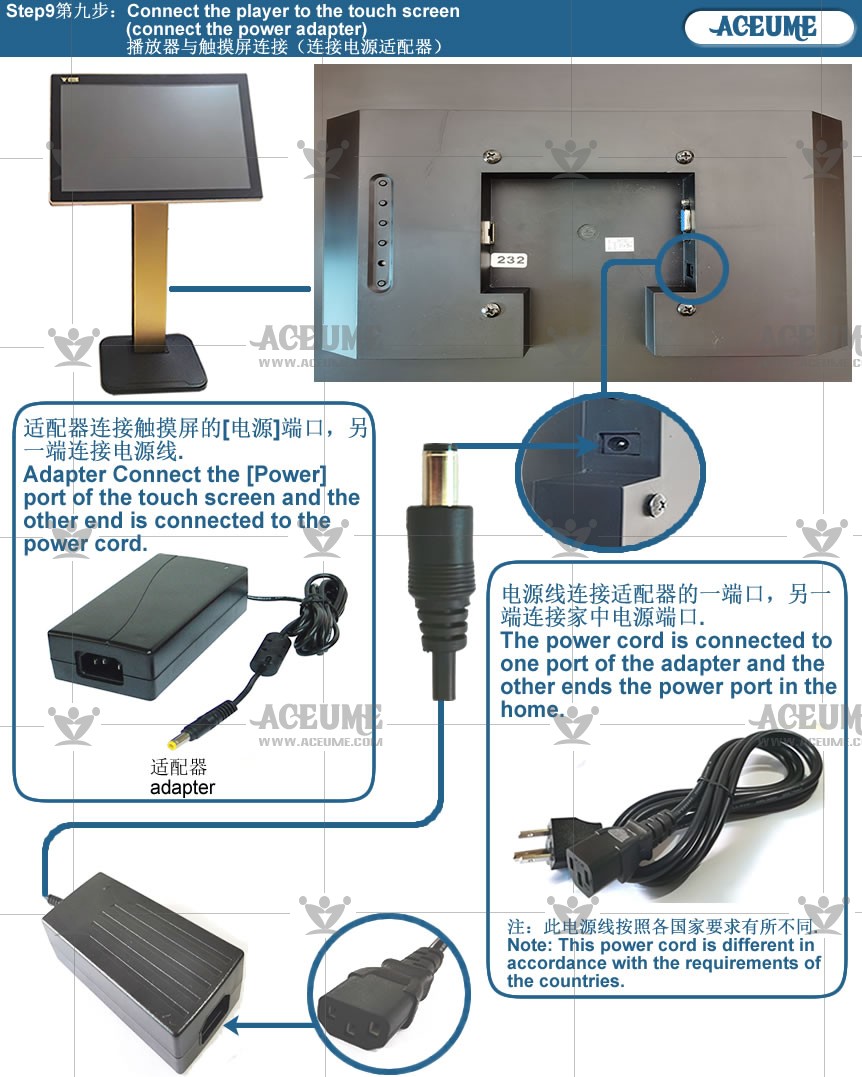
2.Touch screen and player wire connection触摸屏与播放器线材连接
☞ https://youtu.be/jWDwi29uc-Y
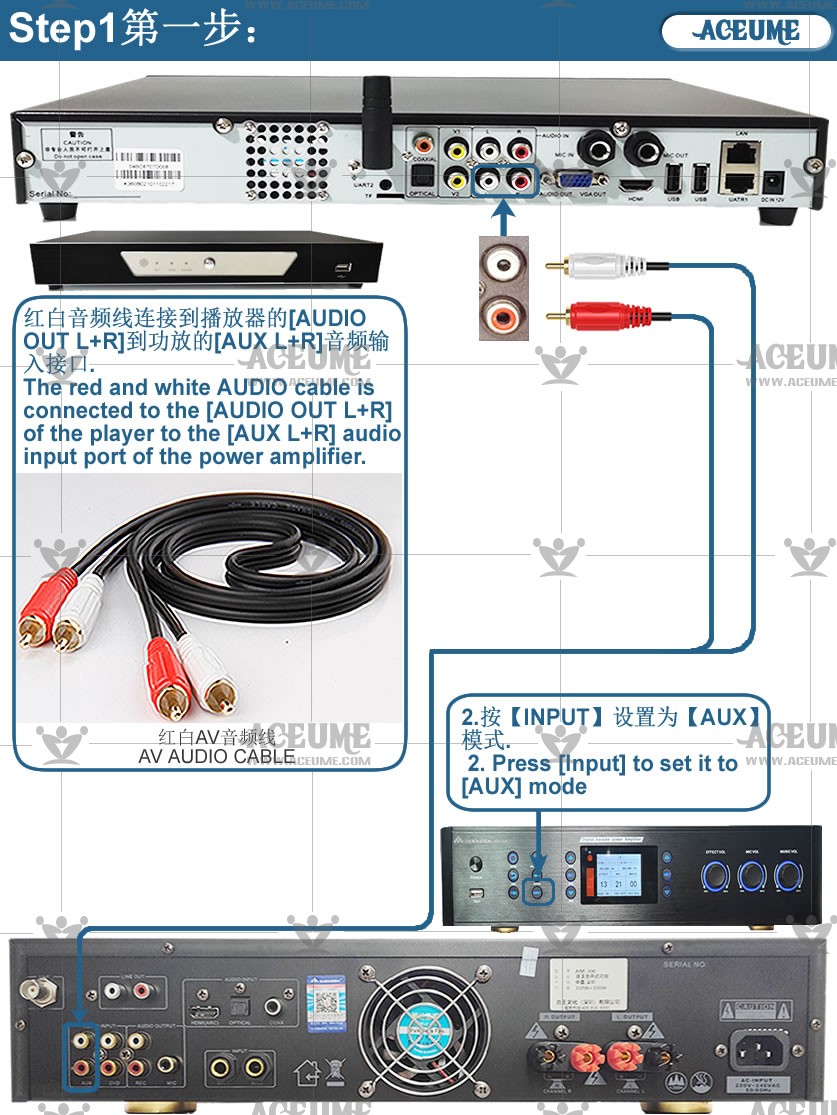
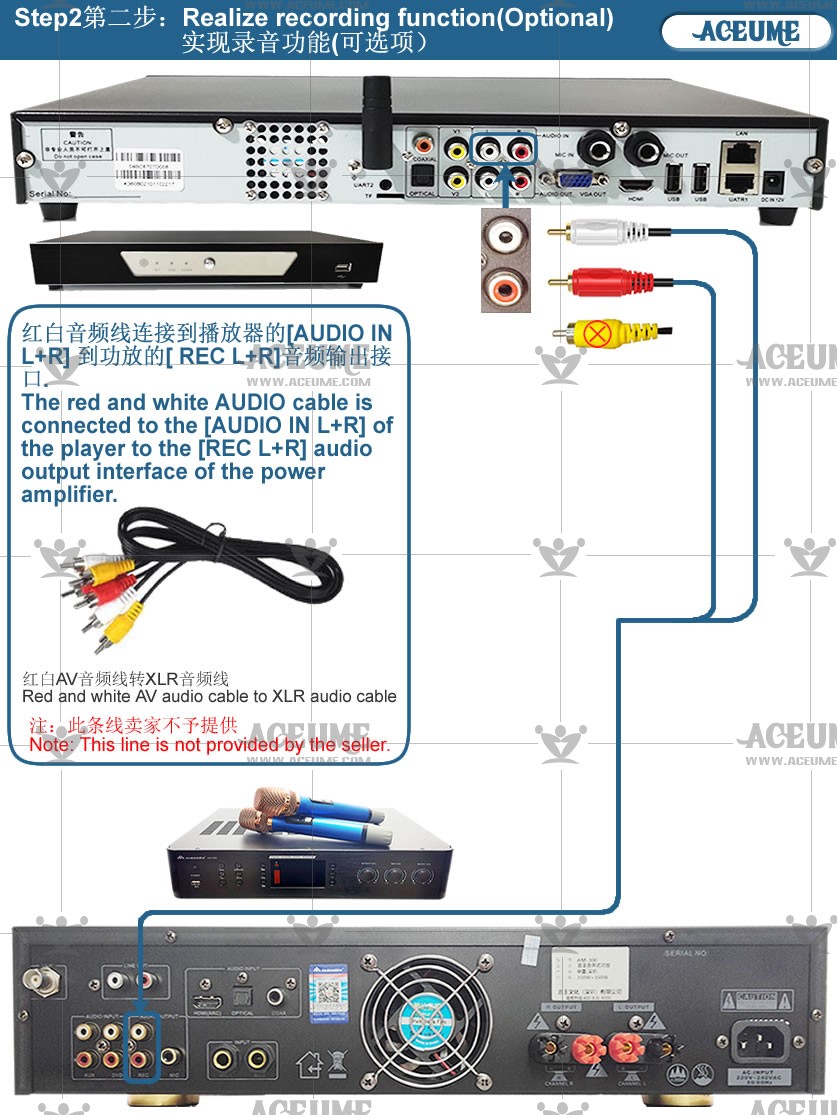
3.Connection between player and amplifier wire播放器与功放器线材连接
☞ https://youtu.be/RPDEZYfzj2o
4.Machine commissioning机器功能调试
☞ https://youtu.be/xpFEEKjC9t4
5.AM300 Connect the amplifier using wired headphones使用有线耳机连接功放
☞ https://youtu.be/m2FwAXNX33Q
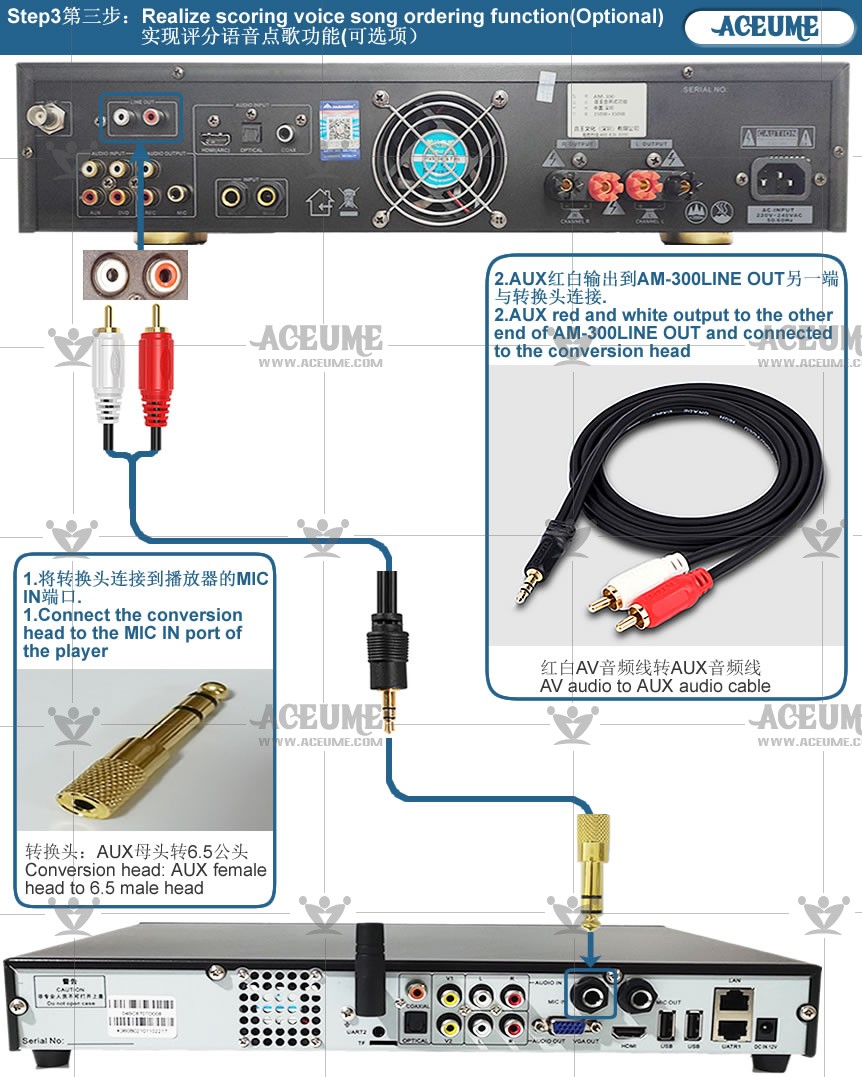
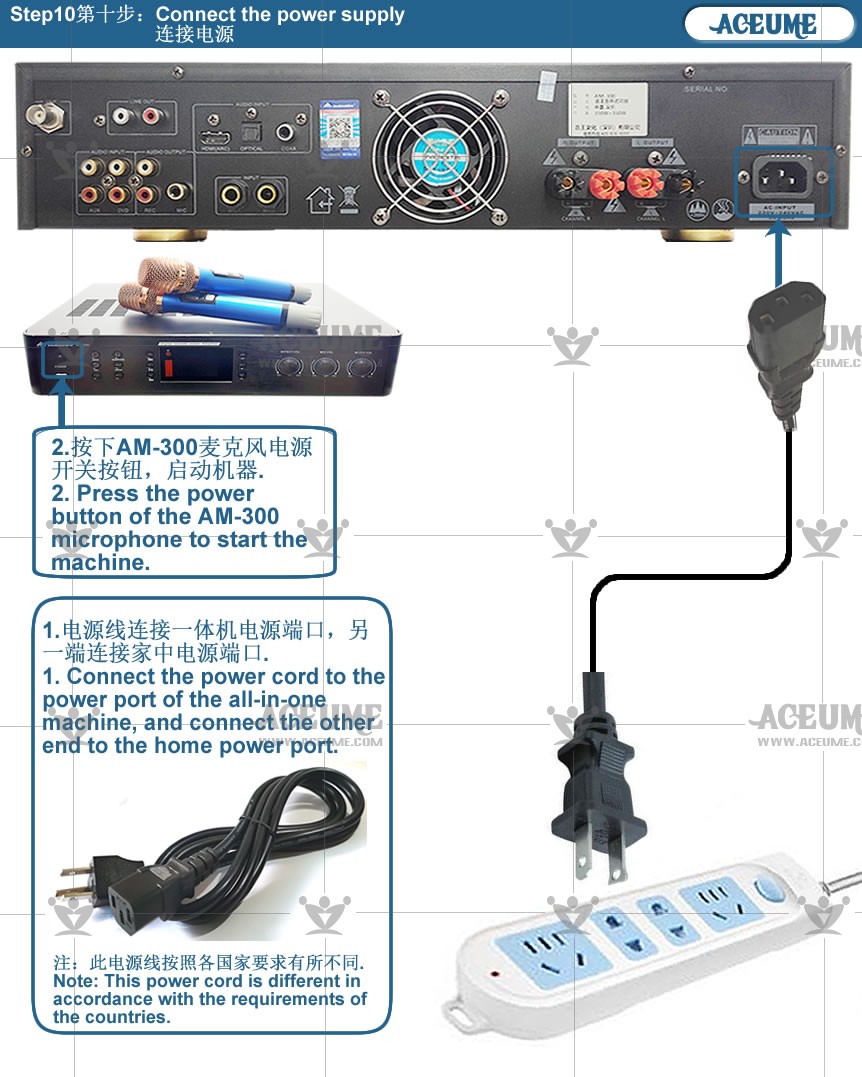
6.All wire connections全部线材连接
☞ https://youtu.be/wwRApZ07ZCQ
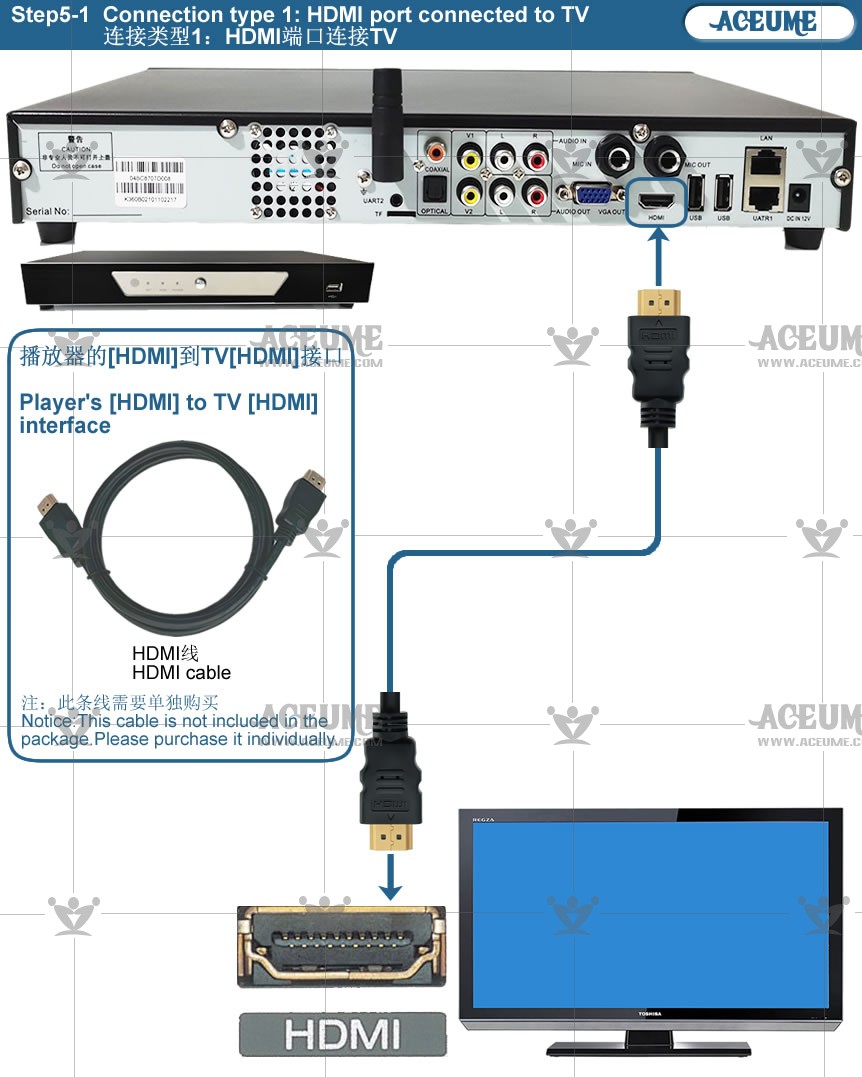
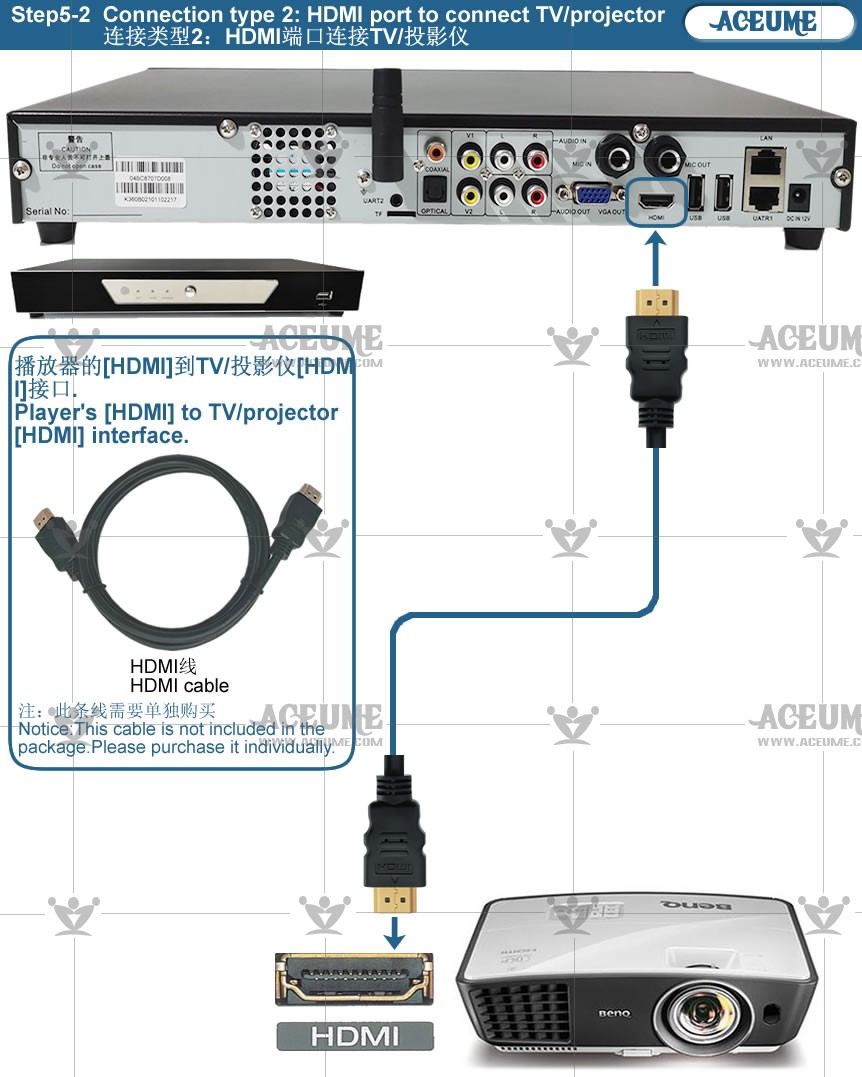
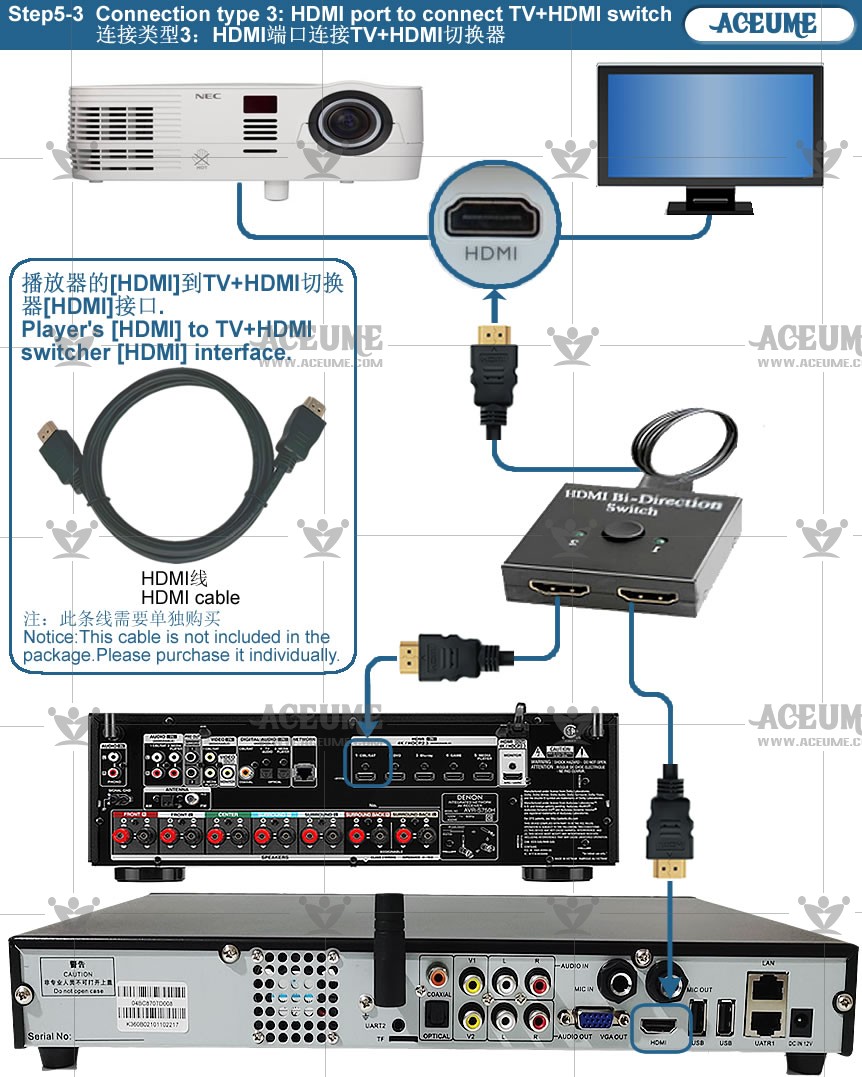
☟AM300 microphone amplifier integrated machine+V6 player+TSR22CB+A500 reverb microphone+speaker All cable connection step-by-step description.
☟AM-300带麦克风功放一体机+V6播放器+TSR22CB+A500混响麦克风+音箱全部线材连接分步骤说明
Frequently asked questions:
常见问题:
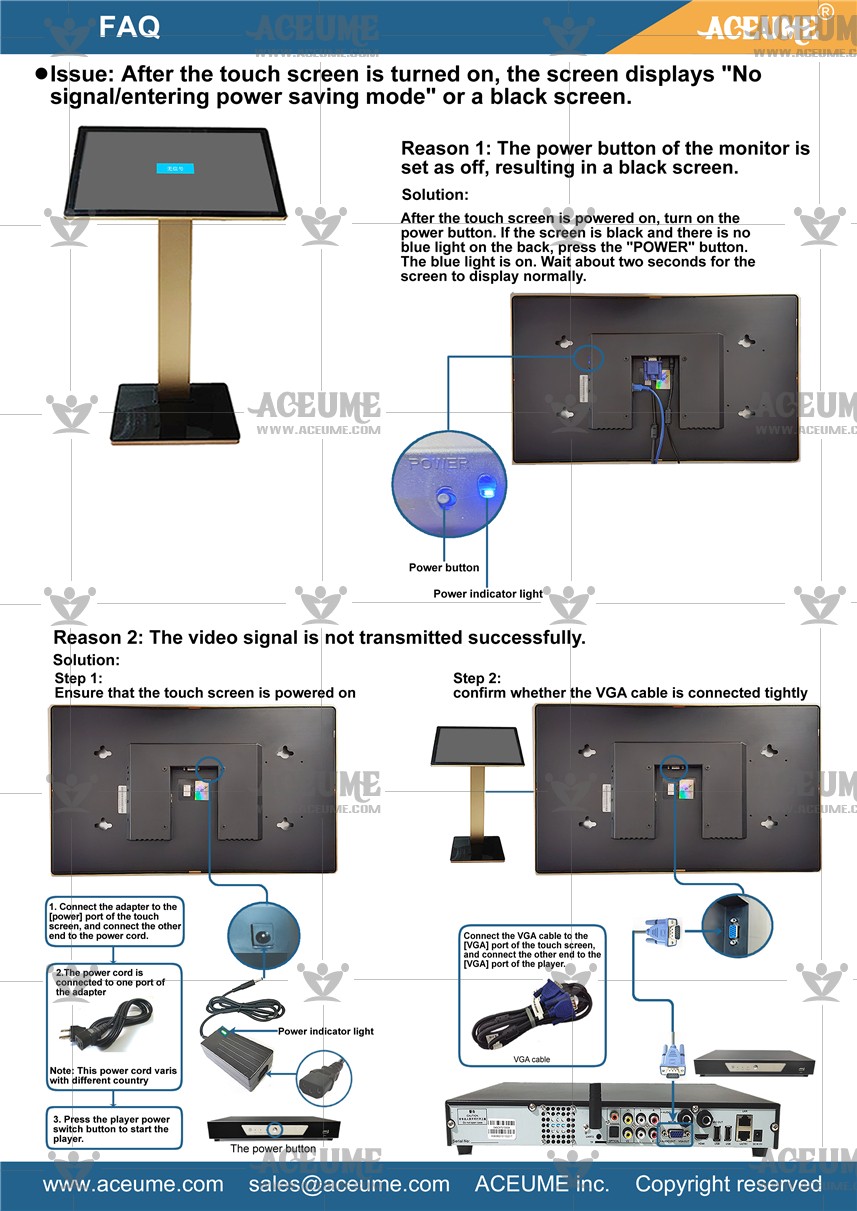
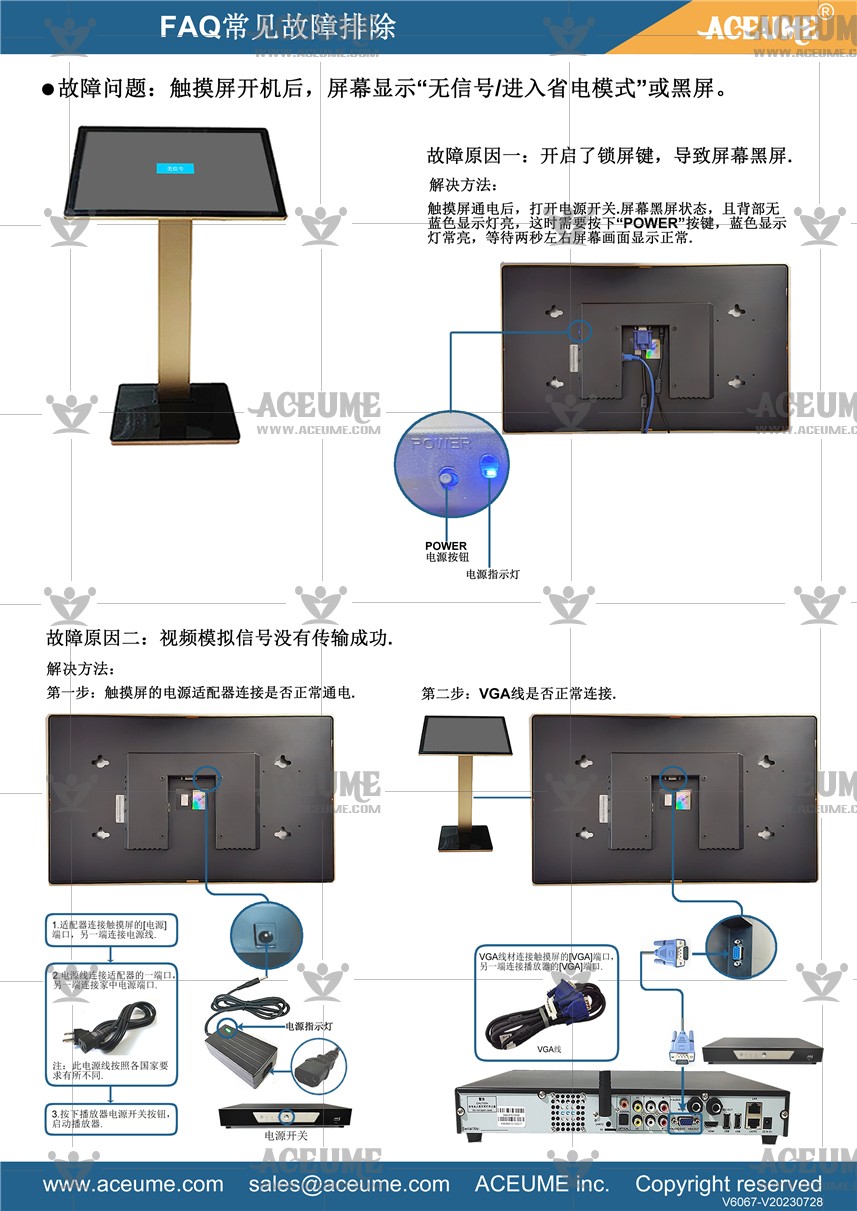
1.After turning on the touch screen, the screen displays "no signal/entering power saving mode" or a black screen state
触摸屏开机后屏幕显示"无信号/进入省电模式"或黑屏状态☞https://youtu.be/hsyB8_JQFKg
2.How to start mobile hotspot connection WiFi?如何启动手机热点连接WiFi?☞https://youtu.be/WKeKGIKzz98
3.How to check whether the home network is normal?如何检测家中网络是否正常?☞https://youtu.be/xBaSxtTqIg8
4.How to solve WiFi connection failure after password modification?如何解决密码修改后WiFi连接不上?☞https://youtu.be/C3D-qv5S8TE
5.Test whether the screen is displayed properly.测试屏幕是否显示正常. >☞https://youtu.be/KnPasjuOB0s
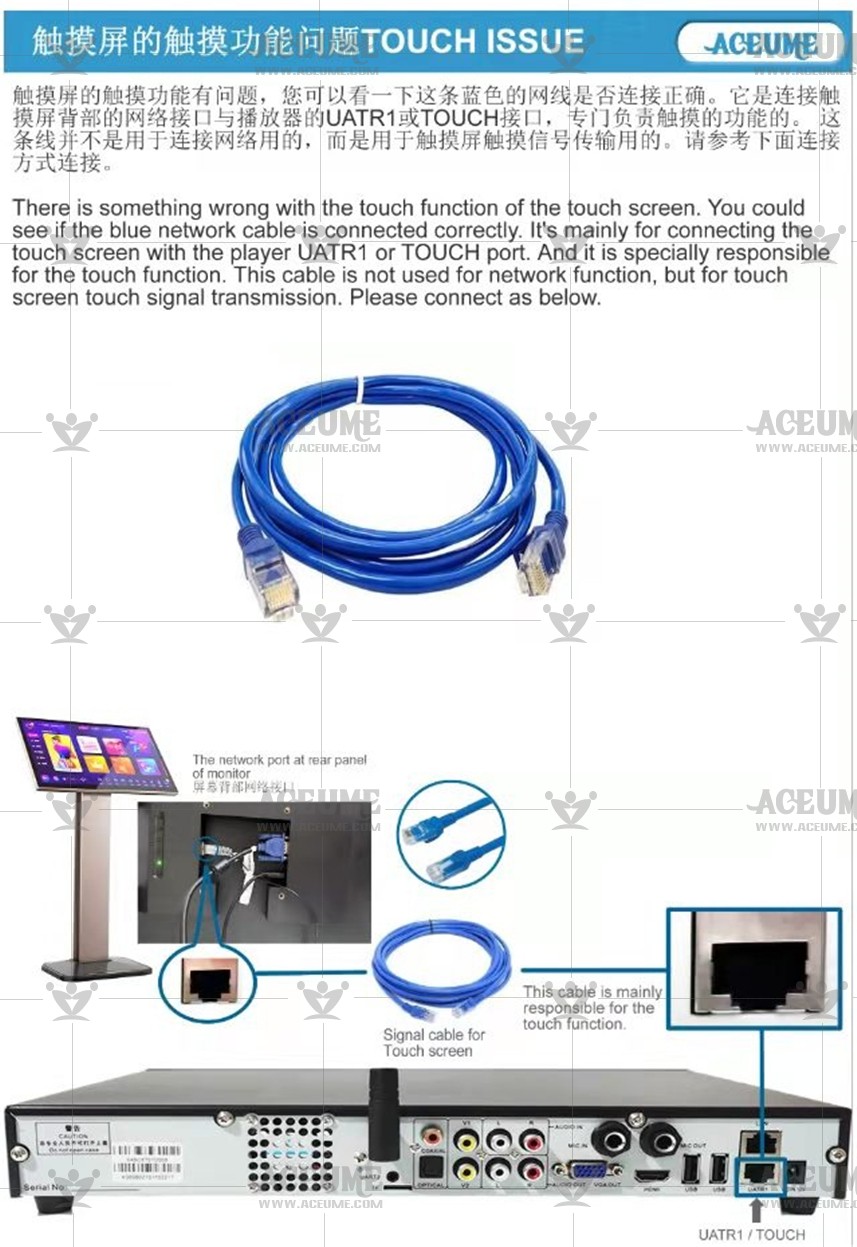
6.Why can't the screen be touched?屏幕为什么不能触摸?