
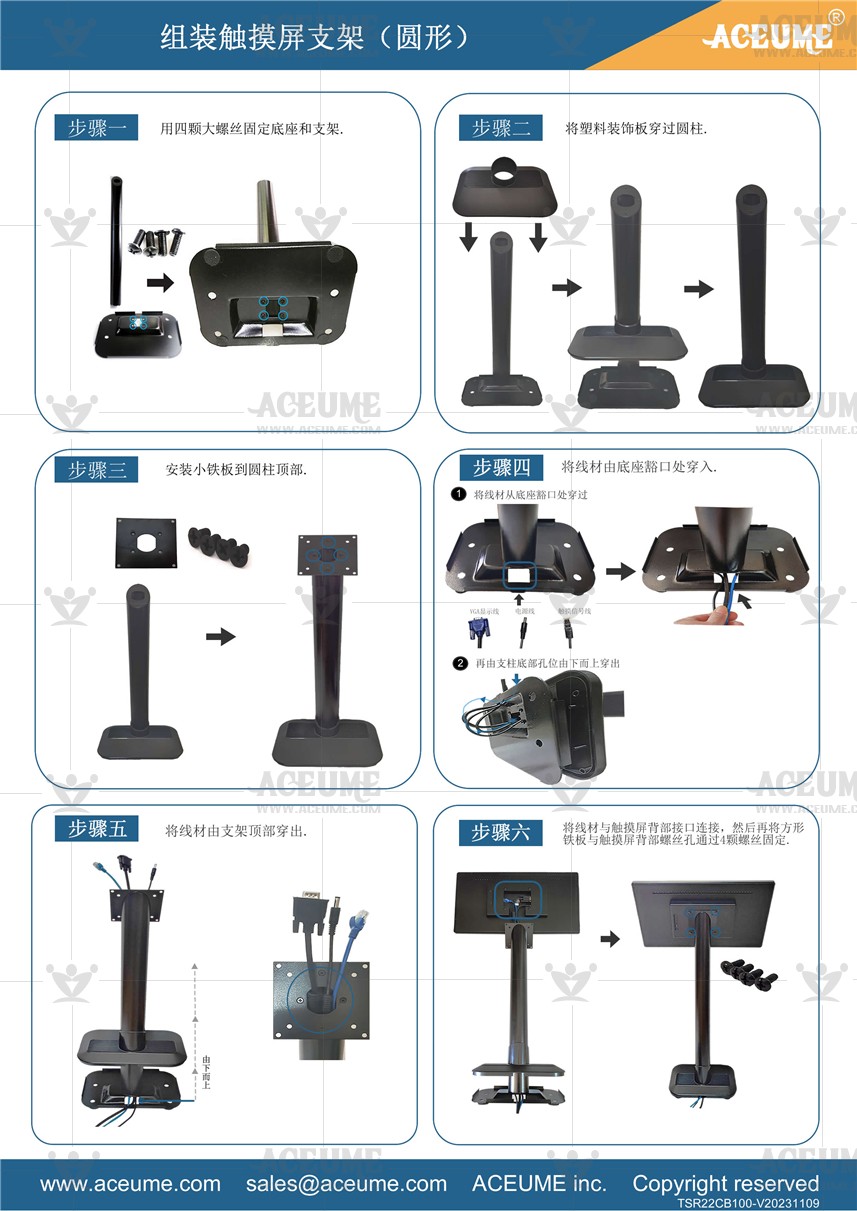
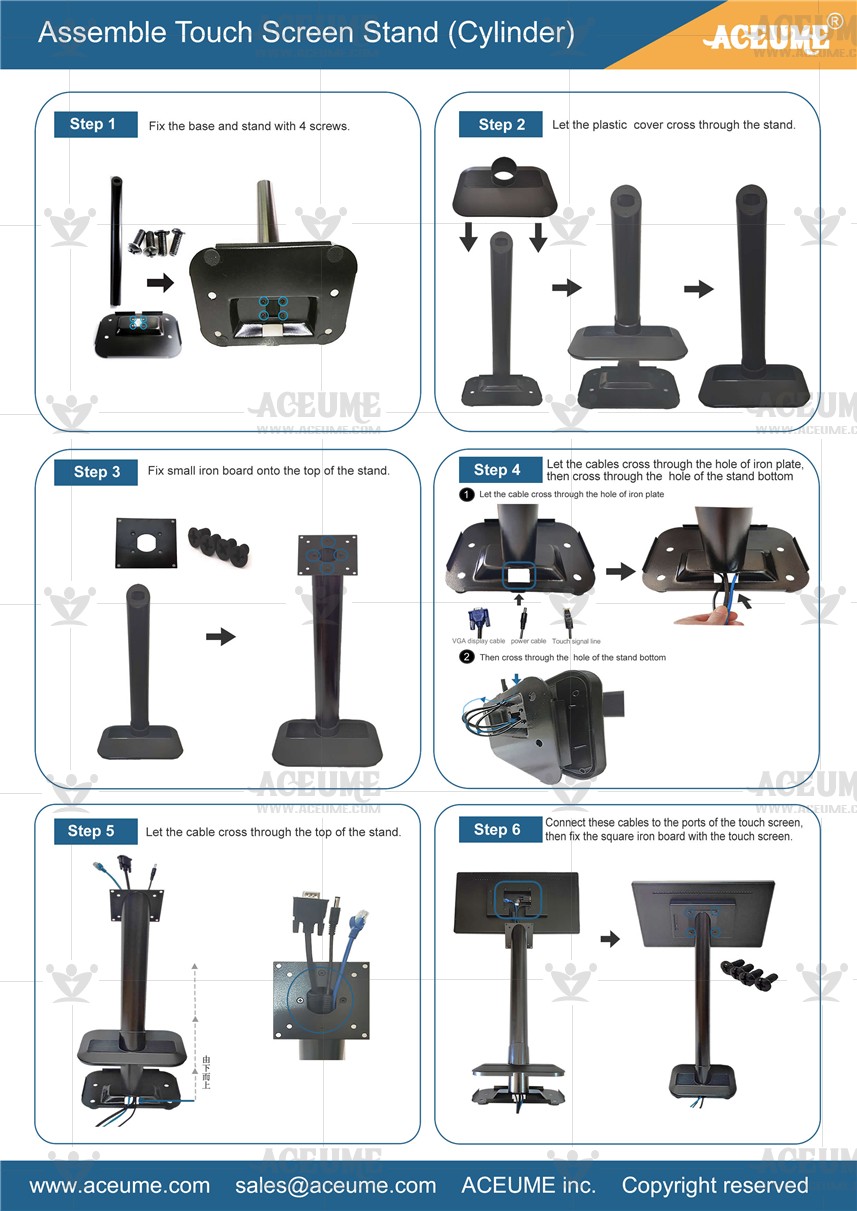
■ 触摸屏与底座和全黑圆形支柱安装视频说明链接
☞https://youtu.be/ATX70dvPT0c
☞https://youtu.be/ATX70dvPT0c
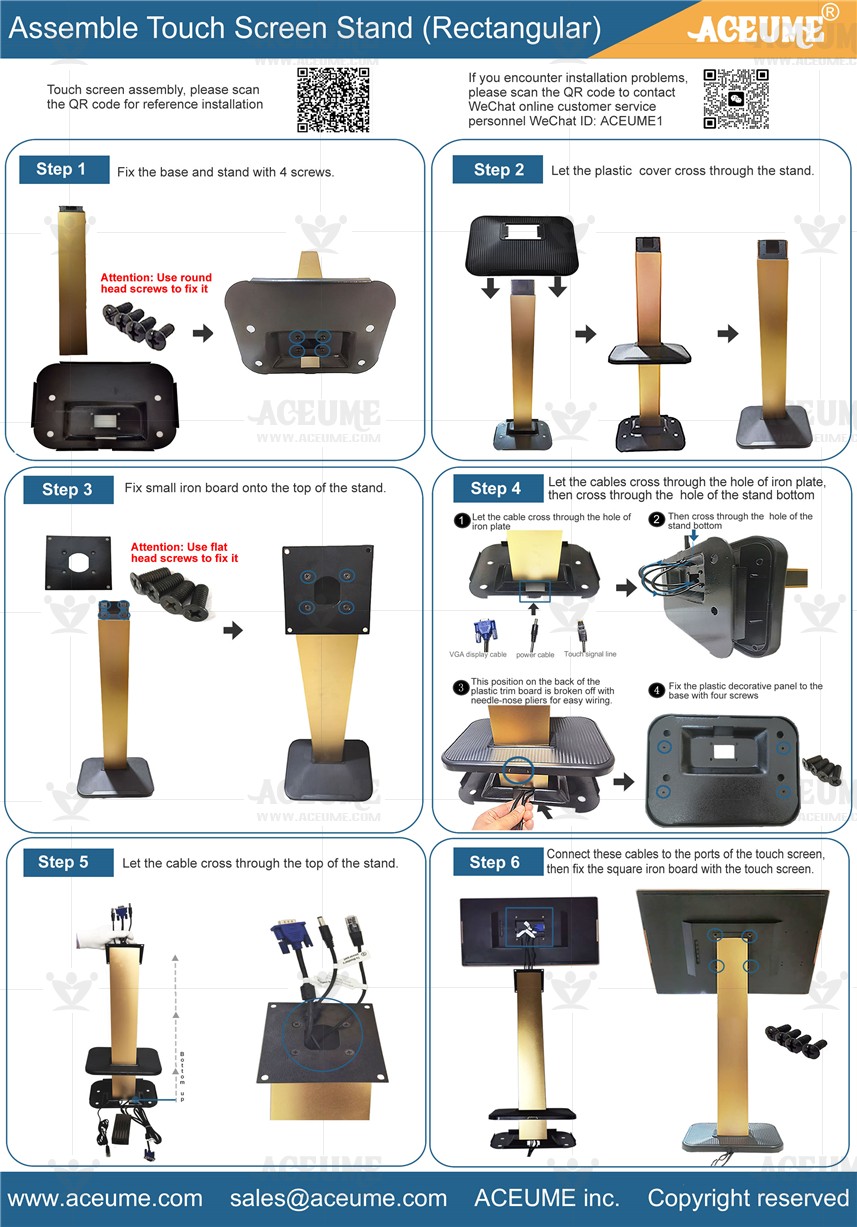
■ 触摸屏与底座和黑金色方形支柱Ⅰ安装视频说明链接
☞ https://youtu.be/WgI7jhl6GRw

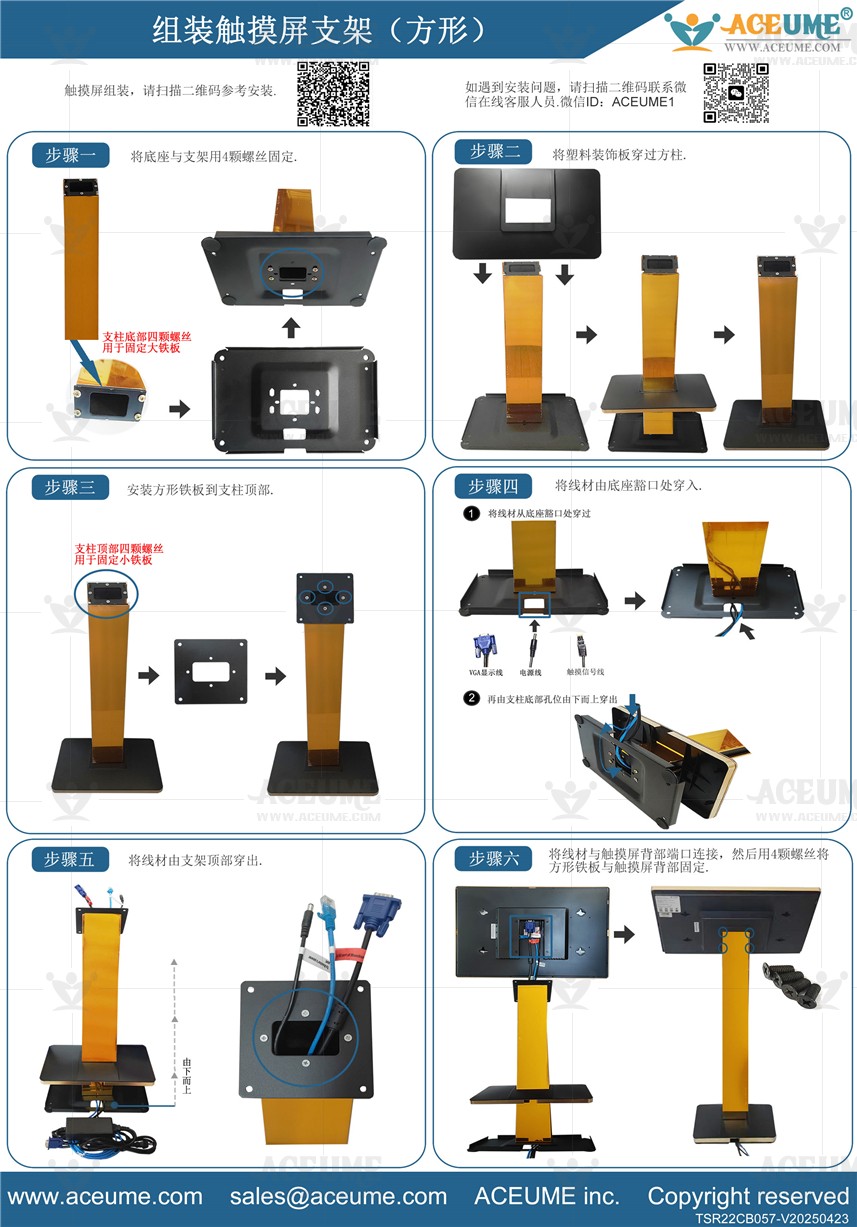
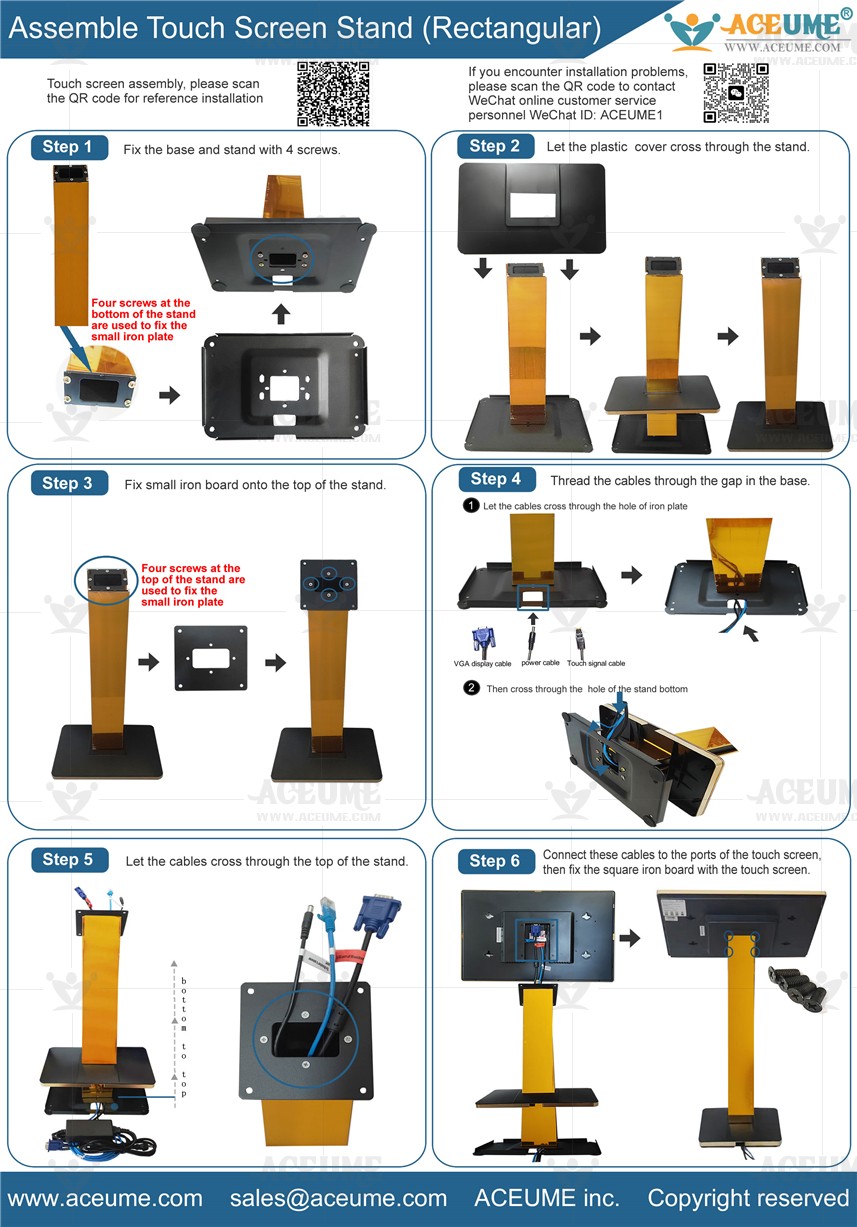
■ 触摸屏与底座和黑金色方形支柱Ⅱ安装视频说明链接
☞ https://youtu.be/CFDBctZqjLA
●Machine wire installation video instructions link 机器线材安装视频说明链接
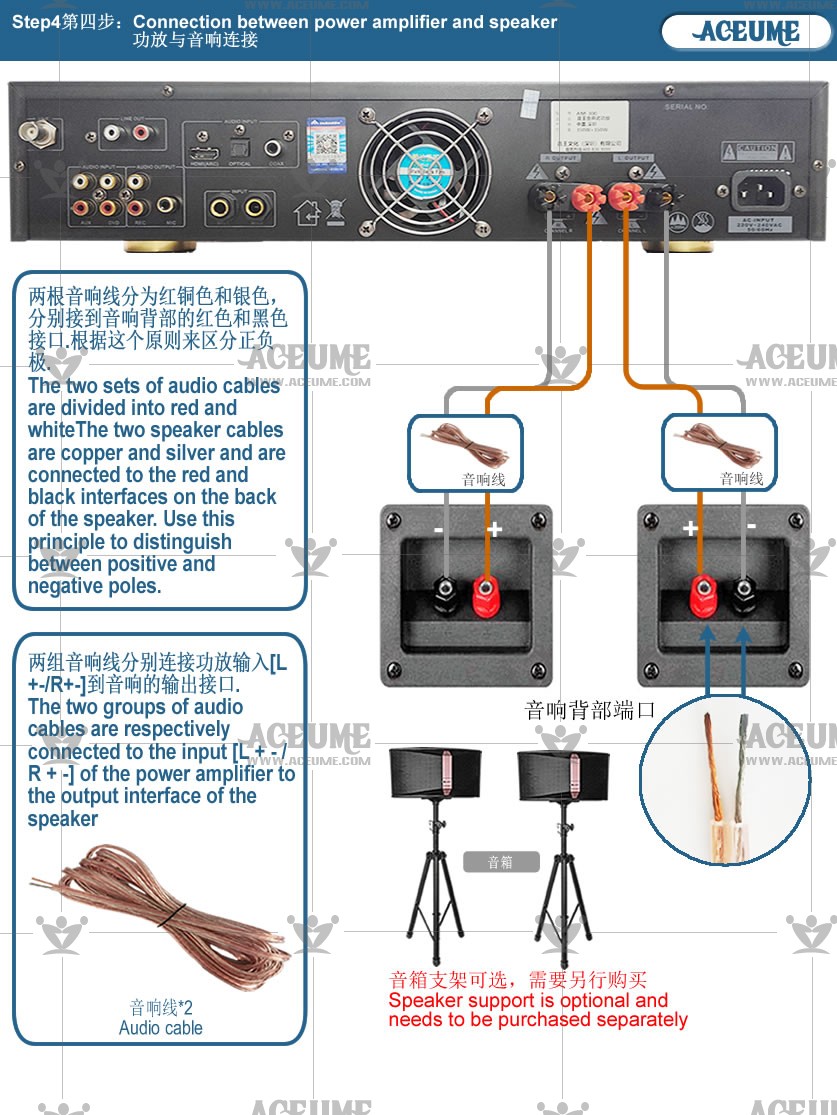
1.Speaker cable connection音箱线连接
☞ https://youtu.be/Iu-jc1_2NIA
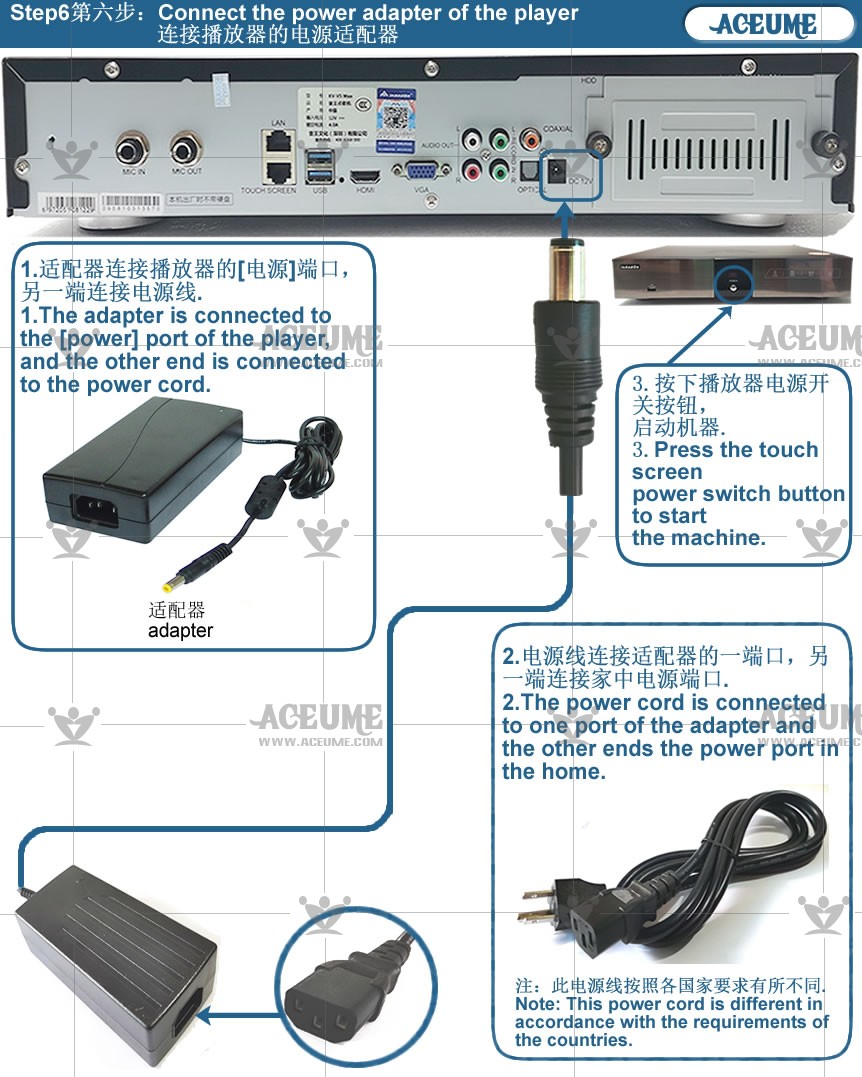
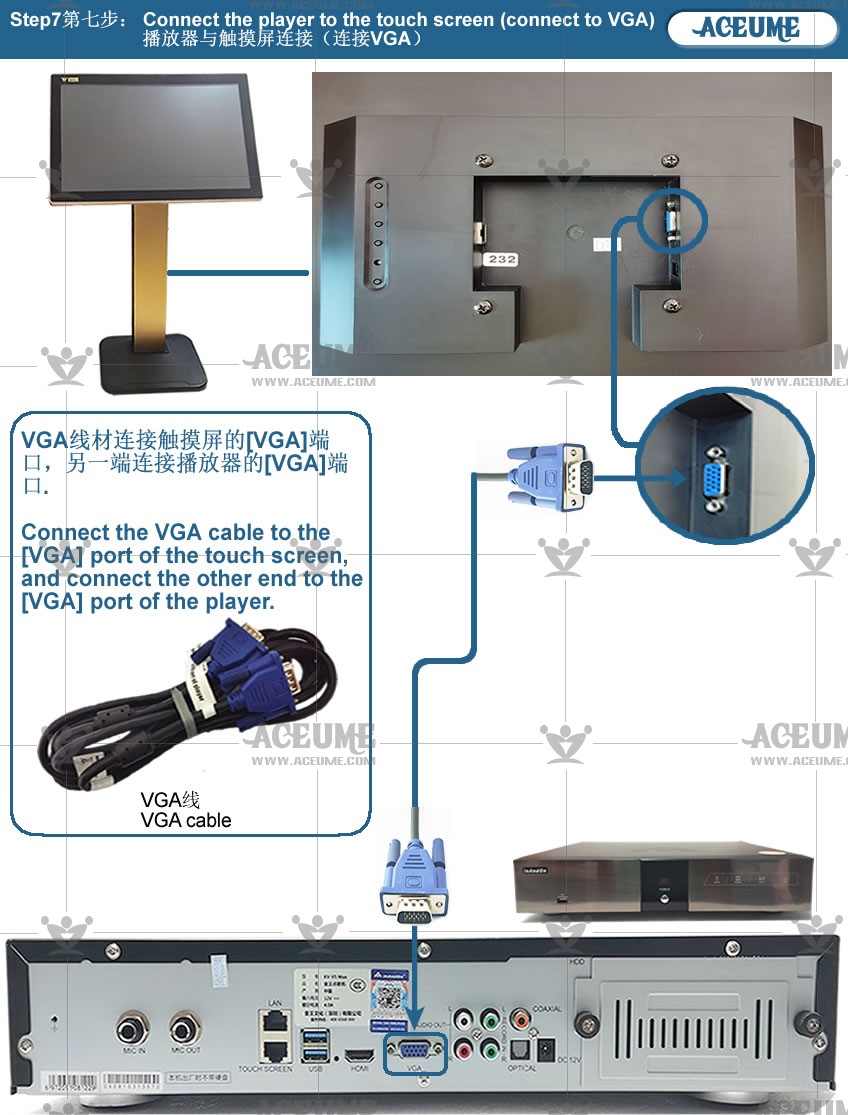
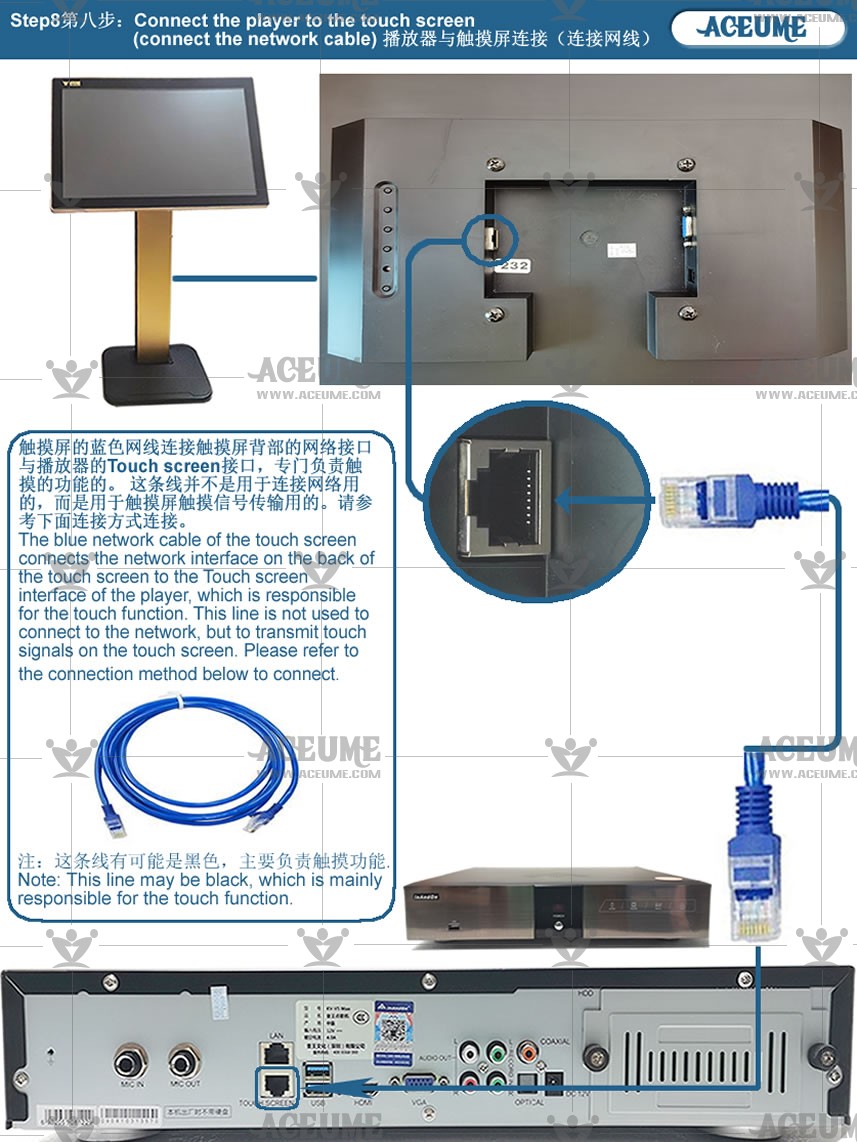
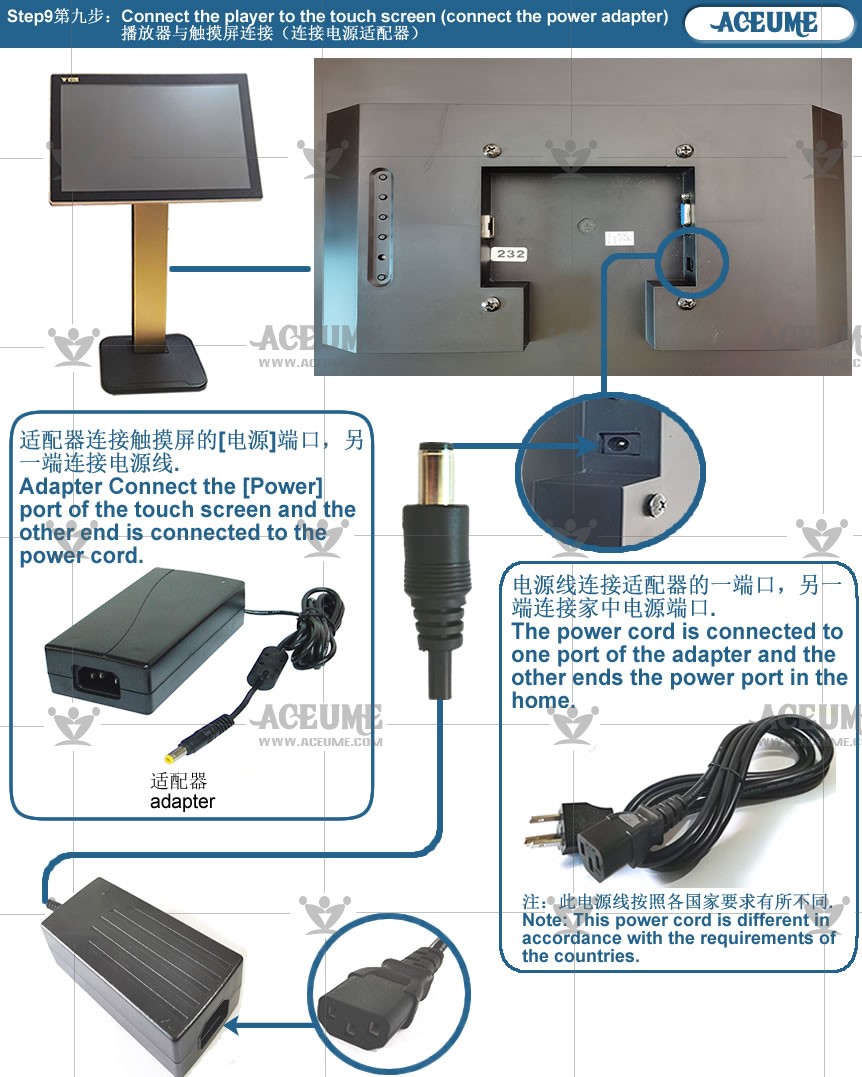
2.Touch screen and player wire connection触摸屏与播放器线材连接
☞ https://youtu.be/_u72mPnadpE
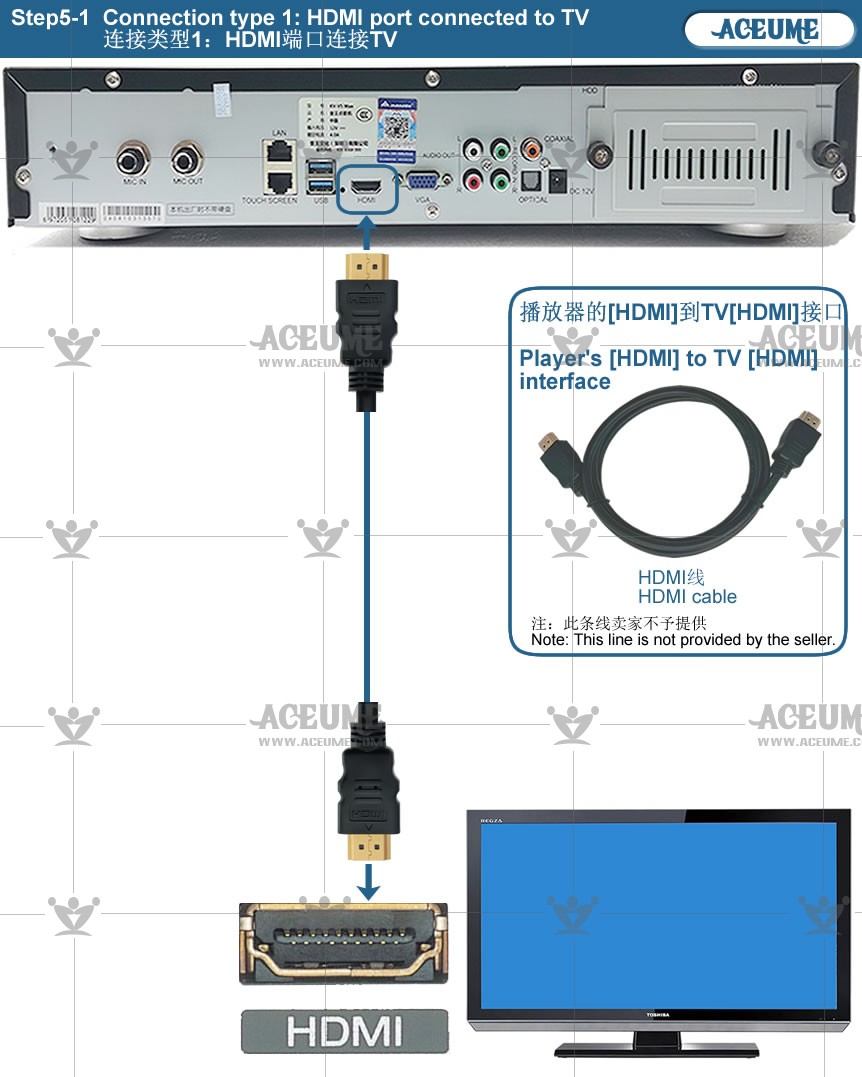
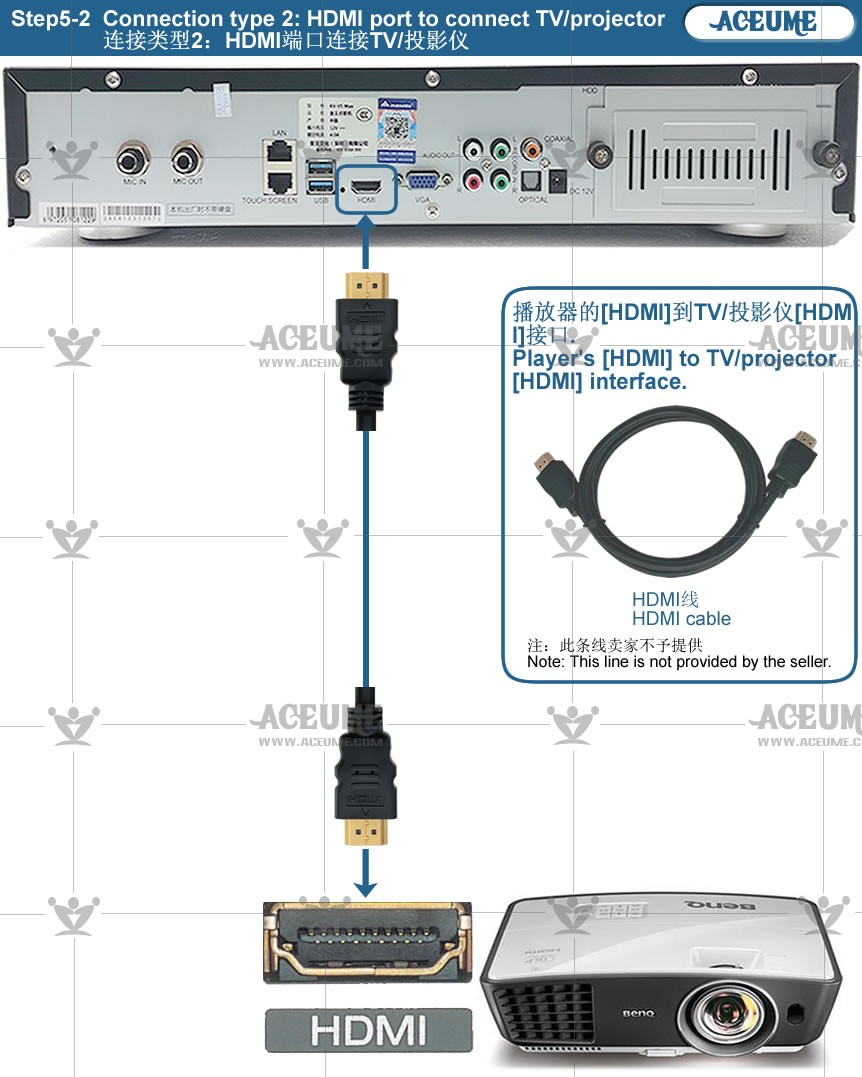
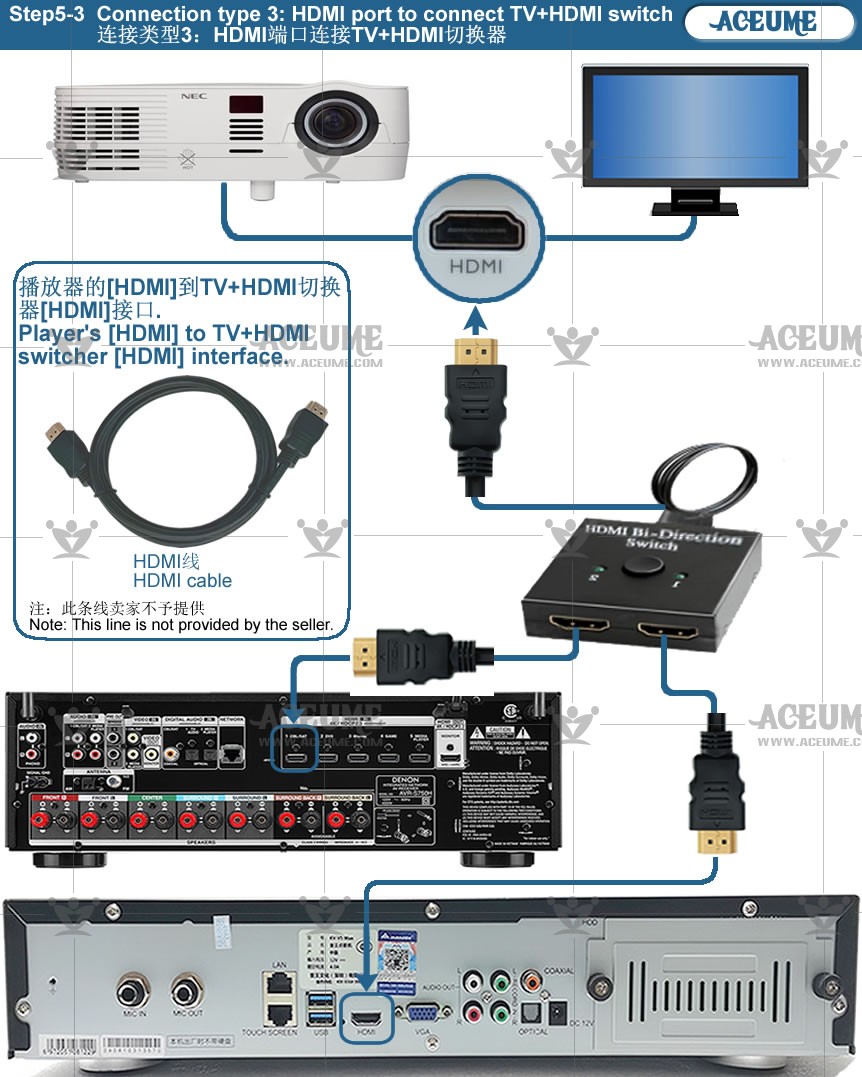
3.Connection between player and amplifier wire播放器与功放器线材连接
☞ https://youtu.be/uL3rcQHc3oY
4.Machine commissioning机器功能调试
☞ https://youtu.be/GxRhXNuhpjY
5.AM300 Connect the amplifier using wired headphones使用有线耳机连接功放
☞ https://youtu.be/m2FwAXNX33Q
6.All wire connections全部线材连接
☞ https://youtu.be/p9oAA1AYg1c
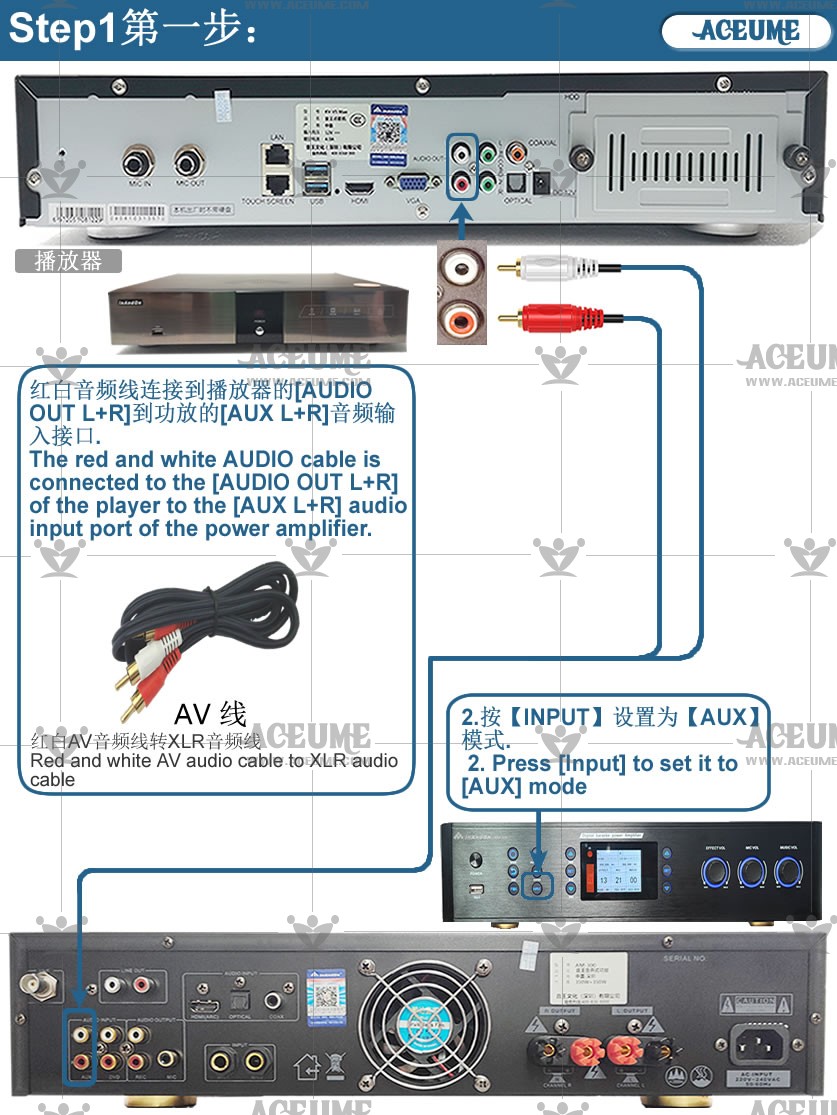
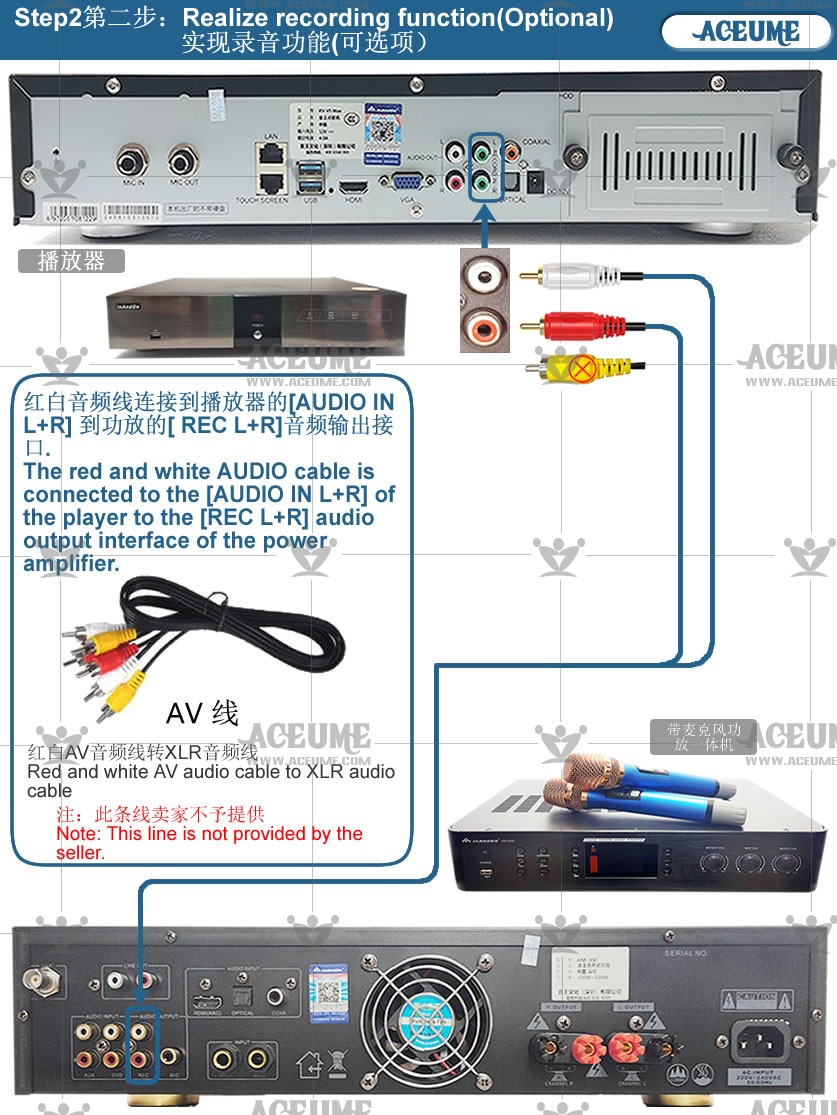
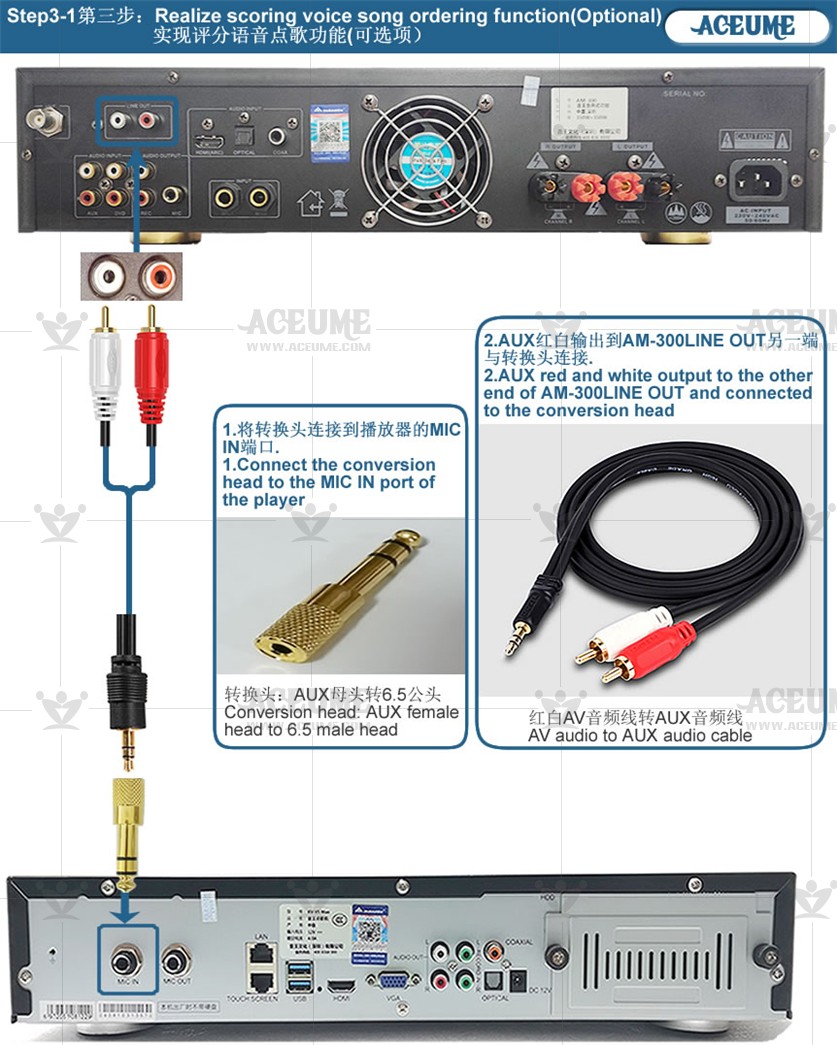
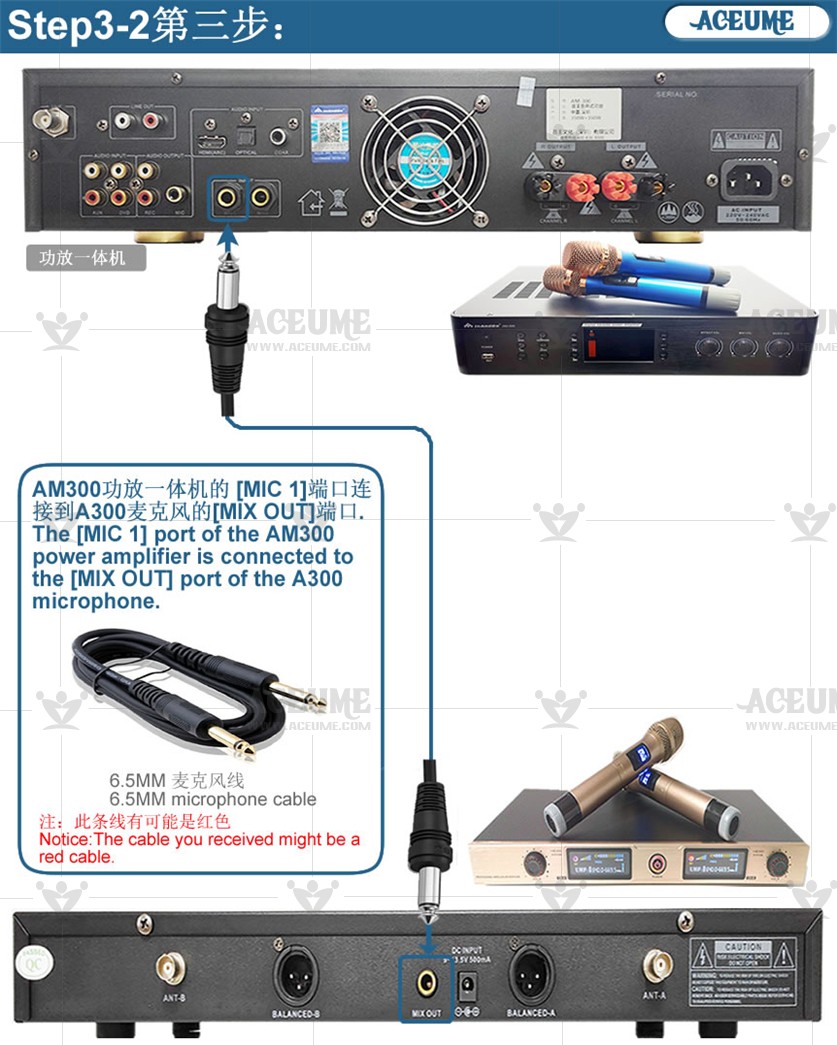
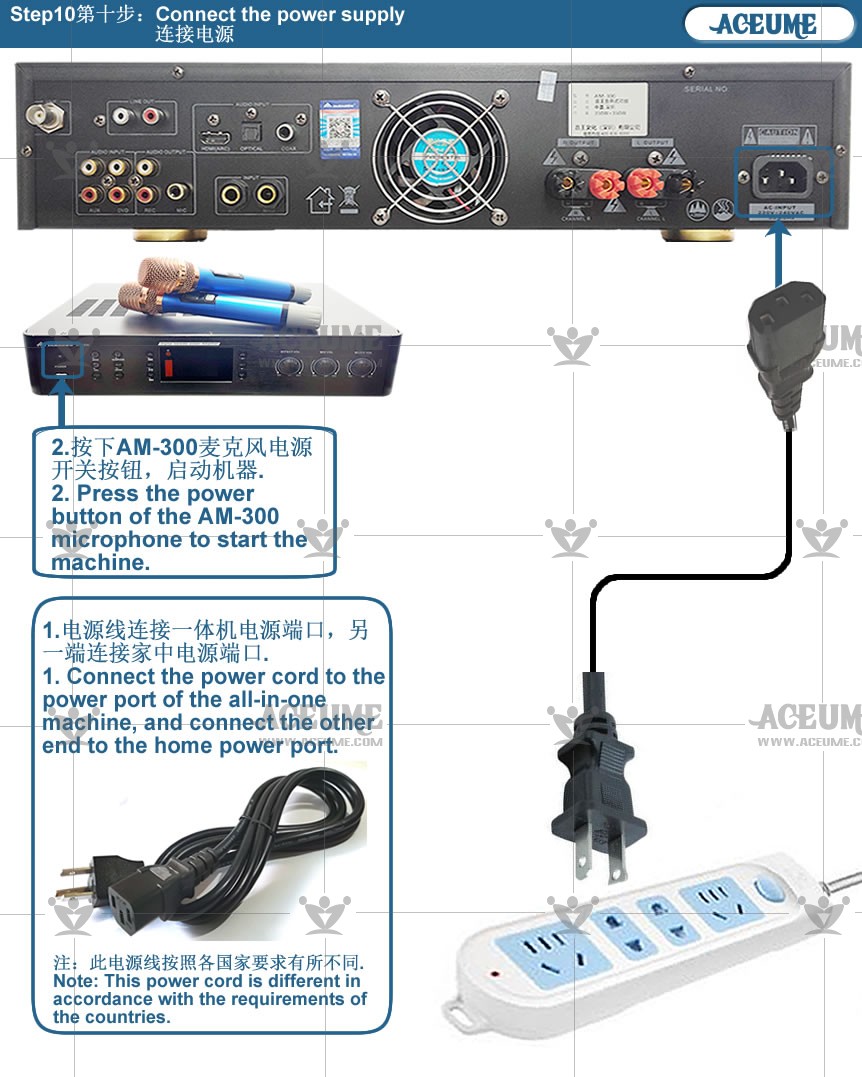
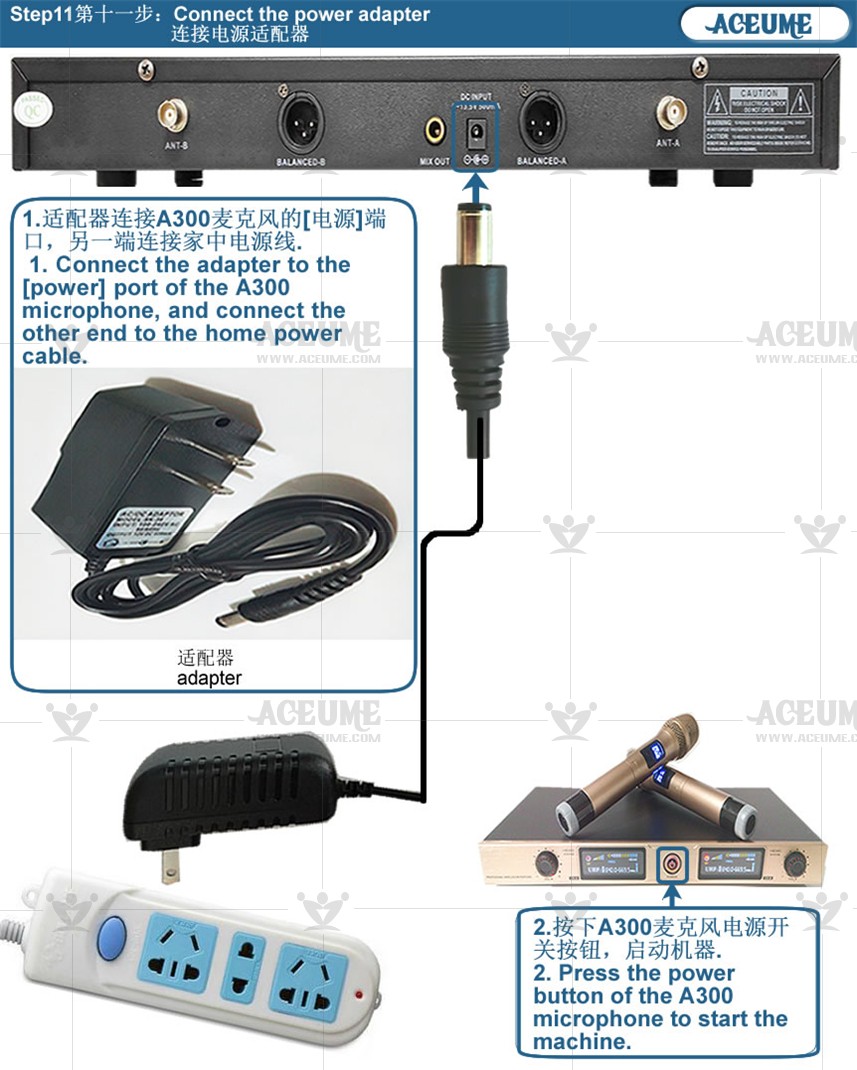
☟AM300 microphone amplifier integrated machine+V5MAX player+TSR22CB+A300 reverb microphone+speaker All cable connection step-by-step description.
☟AM-300带麦克风功放一体机+V5MAX播放器+TSR22CB+A300混响麦克风+音箱全部线材连接分步骤说明
Frequently asked question:
常见问题:
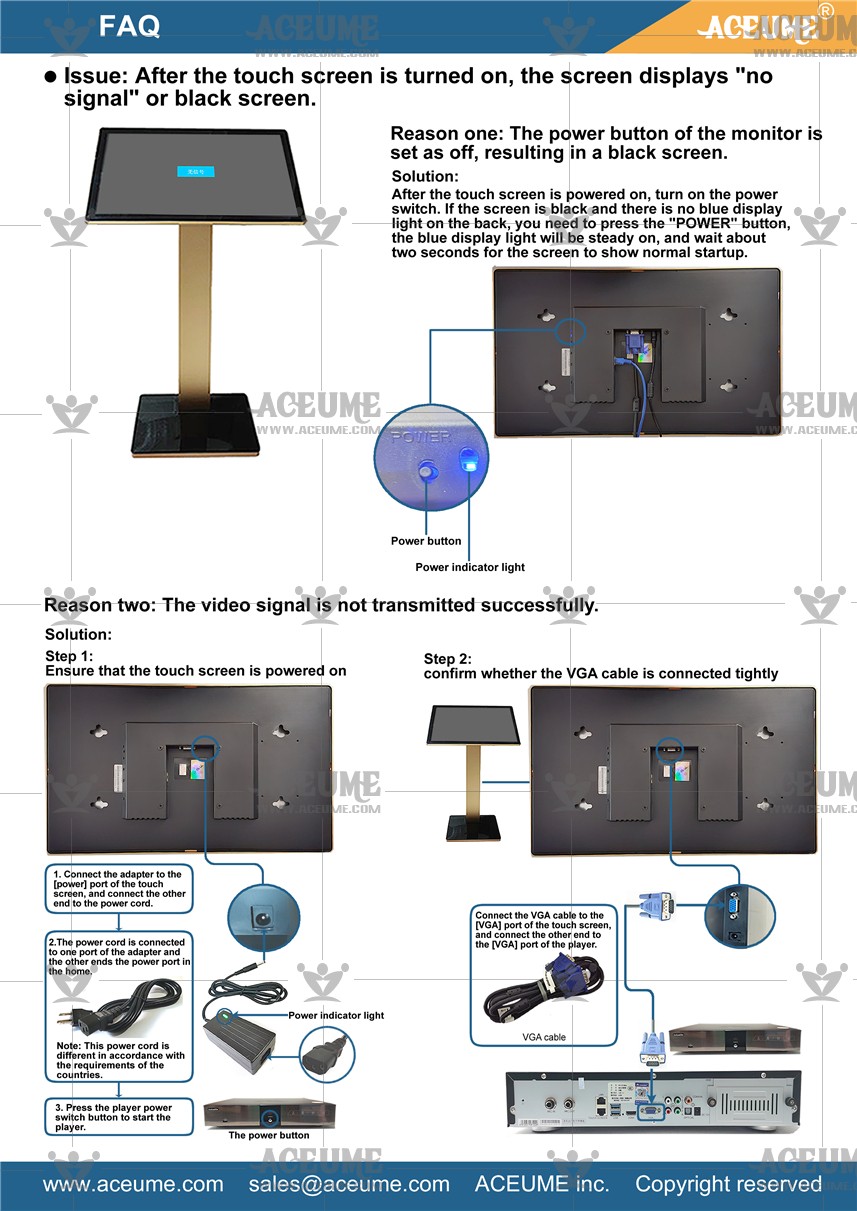
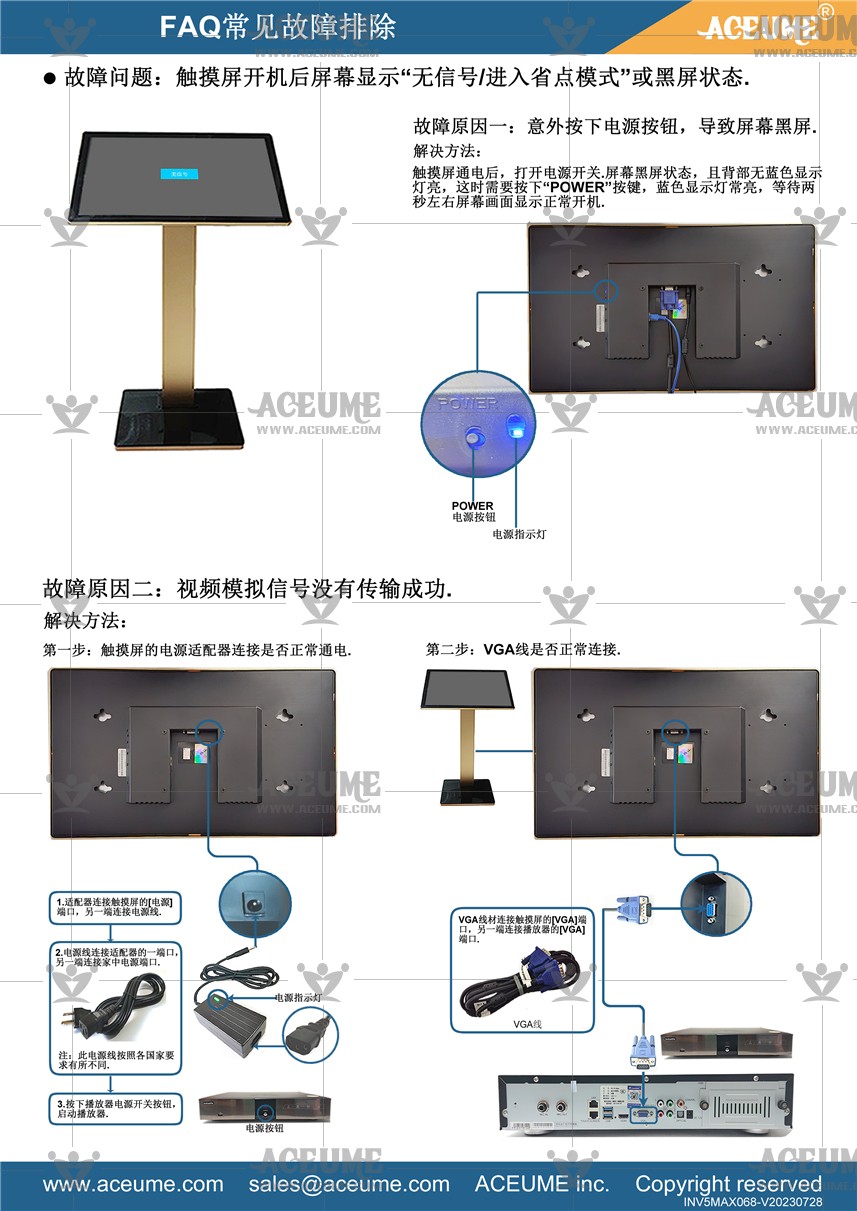
1.After turning on the touch screen, the screen displays "no signal/entering power saving mode" or a black screen state.
1.打开触摸屏后,屏幕显示“无信号/进入省电模式”或黑屏状态.☞https://youtu.be/TxCxwK2gCDA